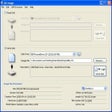
All Image Windows向けのアプリ
- Rundegren による
- トライアル版
- 1.2
関連ソフトウェア

NTLite Free 32-bit
NTLite Free 32-bit is an app for Windows administrators that allows you to edit Windows installation images, either 'offline' or 'live'. The 'live' edit mode is a unique feature that lets you modify already installed Windows OS' without re-installation. All you have to do is run the tool on the OS you want to edit, change what you need and reboot if necessary. NTLite Free 32-bit has an intuitive interface which is easy to use. The app makes use of dynamic menus, an easy image mount overview and single- file settings. Key Features Include: Intuitive interface. Disk partitioning. Highly customizable. 'Live' edit mode. The app has numerous features including component removal, language packs and app integration, disk partitioning and a pending changes overview. It is interesting to note that NTLite does not require .NET Framework to run under supported operating systems. This is useful as it enables the app to run faster and is more portable with less dependencies. Supported Windows versions include Windows 7, 8, 8.1 and 10 Technical Preview.

Google Drive for Desktop
The Google Backup and Sync tool replaces the Google Drive and Google Photos desktop uploader. This tool allows users to sync videos, photos and all manner of files from various internal and external storage sources. Google Backup and Sync does not replace the apps, rather the change is the way users can upload their data on to the cloud and use it offline. Google's Backup and Sync is a place where you can create, share, collaborate, and keep all of your stuff. Whether you’re working with a friend on a joint research project, planning a wedding with your fiancé or tracking a budget with roommates, you can do it with Google Backup and Sync. You can upload and access all of your files, including videos, photos, Google Docs, PDFs and beyond. Key Features include: Create and collaborate. Google Docs is built right into Google Drive, so you can work with others in real time on documents, spreadsheets and presentations. Store everything safely and access it anywhere (especially while on the go). You can access your stuff from anywhere—on the web, in your home, at the office, while running errands and from all of your devices. Search everything. Search by keyword and filter by file type, owner and more. The software can even recognize text in scanned documents using Optical Character Recognition (OCR) technology or images using image recognition. You 'may' need to install Microsoft Visual C++ 2008 SP1 Redistributable Package to run this software.

Spartan Clipboard Manager for Windows
Spartan Clipboard Manager for Windows is an multi faceted app that operates as a multi-clipboard, an organizer, and a text and image editor. It is flexible, efficient and lightweight. With Spartan Clipboard Manager for Windows you can perform basic tasks such as cut, copy, paste, delete and rename. The interface is fairly intuitive and users of all levels of expertise will be able to navigate it easily. The main window of the app has a similar look to an Excel worksheet, only in yellow and a white. The yellow area has numerous cells in which you are able to cut or copy text, capture clips or save them to a specific file location. In the white area you can store only text or clips that you permanently want to save. The cells allow you to view the contents in a small pop up window when you hover over them. Cells can be organized in the white area by dragging and dropping their contents within other cells. They can be sorted alphabetically, renamed or you can highlight clips with different colors. Where Spartan Clipboard Manager for Windows differs from other, similar apps, is that it can remove font, size and color data, email chevrons, HTML encoding, high ASCII characters, surplus space characters and also blank lines. In addition, it can add blank lines in-between paragraphs and perform word-wrap functions as well. It also comes with a set of hot keys and screen edge commands to make navigation easier. Overall, Spartan Clipboard Manager for Windows is a really useful app that not only comes with standard clipboard tools, but also a whole load of other features such as a year planner, a graphics and text editor, and an image browser.

Faststone MaxView
MaxView is a tiny, fast and innovative image viewer that supports all major graphic formats. Its intuitive layout and commands allow everyone, from beginners to professionals, to view and manipulate images quickly and efficiently. Borderless window, auto hidden menus and toolbars that give a very clean look to the images and make the best use of screen space Full screen viewer with Select - Zoom support Crystal clear and customizable magnifier Navigator for quick panning/scrolling of large images View detailed image information including EXIF metadata Slideshow with 150+ transitional effects and MP3/WAV/MIDI/WMA background music support Lossless JPEG rotation Single hotkey press to call external programs Many hotkeys for image navigation and manipulation (copy/move/delete/rename/rotate) Rich options/settings for personal preference Undo, Redo and Mouse Wheel support Common image formats support, including loading of JPEG, JPEG2000, GIF, BMP, PNG, PCX, TIFF, WMF, ICO, CUR, TGA and saving to JPEG, JPEG2000, TIFF, GIF, PCX, BMP, PNG, TGA Digital camera RAW formats support, including CRW, CR2, NEF, PEF, RAF, MRW, ORF and DNG And many more... Faststone MaxView was free up until version 2.1. All later versions have a 45 day trial.
Animiz
Animiz is a great app for creating animated video media. Animiz is a simple yet powerful video presentation creation app that can be used to make engaging animated videos for free. With Animiz no coding or experience is required. Animiz can be used to create animated video presentation, product video demos, and business video presentations. Making stunning animated videos is just easy with Animiz. Key Features include: Rich online video templates: Animiz provides well-made templates that cover almost all the topics, such as Business, Education, Festival, Food, and Technology. Simply download and edit the template and add your flair. Cool camera effects: In animated videos, visual aspects are key. Animated video with eye-catching effects get straight to your points quickly. Diverse video assets: Interactive videoas help you engage with your audience better. Animiz has an element toolbar that allows you to add shape, image, text, role, effect, callout, SVG, sound, video, SWF, symbol, actor, chart, formula, and label to your videos. Powerful multi-track timeline: Customization is easy with Animiz. You can customize camera, background, caption, and animation. Flexible output options:Animiz provides you with three options to publish your project.Publish it to the cloud, publish it offline in 6 different formats (.mp4, .mov, .wmv, .avi, .flv, .mkv) based on your requirements, and you can save it as GIF format. Overall, Animiz is a powerful set of tools that can help you save a considerable amount of time and effort for in creating animated videos. the interface is easy to use and looks well designed, and the learning curve is fairly shallow considering all the tools that can be used.
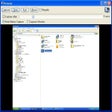
Screeny
Screeny is a uniquely versatile and powerful screen capture and desktop recording program that is free for personal use. That's right, free, completely, for personal use. It's also quite brilliant. Of course, while we here at FileHippo.com love free software, we really, really, really love it when the free stuff is better than some of the software tools out there you have to pay money for. And Screeny is really, really good. Just to clarify, we don't mean really good for free software, we actually just mean it's really good. Screeny isn't just another Windows Snipping tool that captures full screen and active windows or parts of your computer screen. Of course, it does do that, but Screeny is so much more. As well as full-screen and rectangular captures, it can also grab circle, DOS windows freehand selections, scrolling areas, menu structures, Windows objects (regions, windows, controls) and an awful lot more besides. Essentially, whatever you want to capture on your PC or laptop, you can. But it's the after effects where Screeny really shines. You can add shadows, border effects, captions, watermarks and a wide selection of other options as well. Screeny also comes with an editor and paint tool as standard, that allows you to annotate to your heart's content, and things like arrows, question marks, ticks and a load of objects that are similar to the now defunct Microsoft clip-art. Your screen captured images can be saved in a large number of formats including all the usual image files and the always useful PDF. Captured images can be sent via email or opened in Word, Excel, and PowerPoint. Screeny also really shines in one other area, and that's the ability to record your desktop, complete with audio. It's really good as well. Additionally, the built-in whiteboard is excellent for creating presentations in an instant, and allows you to save the files as AVI. (In the paid-for version, you can also save in WMV, FLV, SWF) Key Features: Record your desktop, complete with audio. Powerful screenshot tool. Free. (For personal use). Huge number of options. Well designed and lots, and lots of options. Built-in editor and paint tool. Overall, Screeny is a brilliant, free, powerful screenshot tool with a huge amount if utility, with a near staggering number of things it lets you do.

Nexus
The Winstep Nexus Dock is a FREE professional dock for Windows. With Nexus, your most frequently used applications are only a mouse click away - and Nexus turns working with your computer into a fun and exciting experience. The Nexus dock provides one-click access to frequently used applications, folders and documents. Main features: Display running applications on the dock with task grouping, filtering and icon customization options. Display system tray on the dock as single or grouped icons. Blur-Behind and colorization of dock backgrounds. Monitor active connections and bandwidth usage with Net Meter module. Get weather forecast for over 39,000 cities world-wide. Multiple mouse over effects: zoom, swing, bounce and more! Live icon reflections and animated water-like effects for reflections and dock backgrounds. Easily change appearance of icons of running programs and shortcuts by drag & dropping PNG, ICO and TIF files directly into the icon. Multi-monitor support. Compatible with skins for all 3rd party docks.
Yasisoft GIF Animator
Yasisoft GIF Animator can only be described as a straightforward but far-reaching tool designed for seamlessly creating animated GIF images. This piece of software can delete, duplicate, add and remove frames to create the files, as well as manage multiple frames simultaneously. It is used to create banners, buttons, pictures and even cartoons in a very relaxed and user-friendly way. Its built-in Image Editor means you will not really need Photoshop or any other program of its kind. Simply make use of Yasisoft GIF Animator’s wealth of editing tools. Key features include: Powerful animation wizard. Editable templates. Easy to understand tools and effects. Frame management. Crop, rotate, resize and flip pictures. Huge effects menu. Gradients and patterns. Draw and insert shapes. Multiple layers. You can apply scores of effects to any image and enjoy the program’s various drawing tools to insert shapes and apply text. That’s before you scale and resize GIFs, change paths and manipulate objects. Yasisoft GIF Animator can support a wealth of other image formats as well as GIFs, of course. JPEG, TIFF, WEBP, PNG, TGA and BMP are all compatible, as well as many more. Further powerful tools, like an animation player and wizard, are also built-in to provide a complete service. Another striking feature about the Yasisoft GIF Animator is its usability. A user-friendly interface, coupled with handy hints and walkthrough support, make the program enjoyable to use as well as an efficient experience. Overall, in an age where GIFs are being enjoyed and shared more than ever, the Yasisoft GIF Animator will give you the opportunity to get involved in the fun as directly as possible. Its wealth of straightforward, yet powerful, features mean anybody can use it to create and edit impressive GIFs right away.
winPenPack Suite
winPenPack is an open source software environment comprised of several portable apps* grouped into suites. With winPenPack, any USB flash drive ceases to be a simple data storage device and becomes a self-contained environment, within which apps and files are integrated together. Portable apps included in the winPenPack suite do not require any installation and do not leave their files or settings on the host computer. They can be easily transferred to another computer via any external device, such as a removable hard disk drive or a USB flash drive. In order to get started with winPenPack, all you have to do is connect a USB flash drive to any free USB port on your host PC, and you will have your collection of pre-configured and ready-to-use programs instantly available, grouped in categories and executable through a user-friendly menu interface that is similar to the Start Menu. Once running, it will be exactly as if you are working on your own PC, with web browsers, e-mail clients, image and drawing editors, chat clients, multimedia tools, PC maintenance and security tools, school and development tools, etc. All these features make winPenPack extremely useful in any situation. *Portable apps are apps that are modified to be executed directly from a USB flash drive, without prior installation.

Synfig Studio
Synfig Studio is a free, Open Source 2D vector and timeline-based animation application. You can use Synfig Studio to create feature-film-quality animation, web animations and advertisements. Key Features Include: Spatial resolution-independence: Most elements are vector-based and all layers are parametrically generated, hence even when changing the target resolution of a project, the only pixelation will occur in imported raster images, not the built-in components. Temporal resolution independence: Animation-keyframes are automatically interpolated by the computer, resulting in smooth motion. High Dynamic-Range Imaging: By using floating-point math in the image calculations, HDRI processing allows canvases to internally understand a far greater range of pixel luminance, resulting in better lighting effects, and improved color composition. Pentablet-friendly tools: The draw tool already reads the pressure sensitivity channel off your favourite tablets, for natural line weighting, and more to come! Artist-oriented design: Synfig has been designed from the ground up with animation workflow in mind. Path-based Gradients: Synfig has full support for gradient paths - gradients that follow along a drawn shape. This allows artists to easily add soft shading to animation without the trouble of painting it onto every frame. Layers: Synfig supports a multitude of layers of various types; geometric, gradients, filters, distortions, transformations, fractal and a few others. Synfig Studio is a feature rich application that has numerous features including High Dynamic-Range Imaging (HDRI) and artist-oriented design and path-based gradients.
Windows USB/DVD Download Tool
The Windows USB/DVD Download tool has been designed to allow you to create a bootable copy of your Windows 7/8 ISO file on a USB flash drive* or a DVD. In order to create a bootable DVD or USB flash drive, simply download the ISO file you need and then run the Windows 7 USB/DVD Download tool. once completed you can install Windows 7 or Windows 8 directly from the USB flash drive or DVD onto your system. To install Windows from your USB flash drive or DVD, just insert the USB flash drive into your USB port or insert your DVD into your DVD drive and run Setup.exe from the root folder on the drive. In order to create a bootable USB device you need to have a Windows image file and *USB storage device that is large enough to accommodate the files. Windows USB/DVD Download tool’s interface is easy-to-use and will walk you through all required steps and fields. Basically you select the ISO file and the storage device you wan to use and you are all set. Windows 7 USB/DVD Download Tool has notable advantages, namely, taking advantage of the USB drive speed and shortening the time it takes to install the operating system.

Aiseesoft Free AVI Player for Windows
Aiseesoft Free AVI Player for Windows enables you to play 4K videos and HD videos, including media recorded in 1080P/1080i/720P. Most 4K/HD video formats are supported, such as MP4, H.264/MPEG-4 AVC, H.265/HEVC, TS, MKV, AVI, MOV, FLV and WebM. Aiseesoft Free AVI Player for Windows is easy-to-use, with a simple, yet effective user interface. The design is basic, yet adequate, with an easy layout that users of all levels of expertise will be able to navigate without encountering any problems. Support various video formats, including AVI, MP4, MKV, MOV, WMV, FLV, and M4V. Supports 4K and HD playback including MP4, H.264/MPEG-4 AVC, H.265/HEVC, TS, MKV, AVI, MOV, FLV and WebM. Supports Dolby TrueHD and DTS-HD codecs. Supports various audio formats, including FLAC, AAC, AC3, MP3, OGG, WAV, and WMA. Multi-language support.* With Aiseesoft Free AVI Player for Windows and the right hardware, you can fully experience home theatre sound. With Dolby Digital and DTS 5.1 channel audio as well as high-definition image quality, Aiseesoft Free AVI Player for Windows brings high quality media directly to the comfort of your own home. Aiseesoft Free AVI Player for Windows has a user-friendly interface that is simple to navigate around. You can customize your viewing modes and configure changes to functions such as screen mode, choosing half size, normal size, double size and fit to screen, etc. Once you have set up the screen size, you can then configure hue, brightness, contrast, saturation, gamma and customize any playing effects as well. *Multi Language support includes English, French, Deutsch, and Japanese.