関連ソフトウェア
Audacity
Audacity is a free, easy-to-use audio editor and recorder for Windows, Mac OS X, GNU/Linux and other operating systems. You can use Audacity to: Record live audio. Convert tapes and records into digital recordings or CDs. Edit Ogg Vorbis, MP3, WAV or AIFF sound files. Cut, copy, splice or mix sounds together. Change the speed or pitch of a recording. Add new effects with LADSPA plug-ins. And more!
Apowersoft ApowerREC
ApowerREC is being hailed as the “ultimate screen recorder” for a range of devices. As its name suggests, the product’s primary objective is to record anything on your screen. This can range from desktop activities to the live streaming of videos and meetings. The user will be able to capture the activity on the full screen or within a specifically set or customised region of the display. Audio will also be recorded, with the software boasting a great ability to keep videos synchronised with that sound. Moreover, you can record a video chat or make a tutorial video with the screen recording software by capturing the screen together with the webcam. Key features include: Edit videos Record webcam Task recording Convert video Take screenshots Record audio Flexible overlay toolbar Visual recording settings High output quality Apowersoft wanted their product to provide a “seamless screen recording experience” on all devices, and if the reviews are anything to go by – they succeeded. And they mean all devices, aside from being a powerful screen recorder for Windows and Mac it also provides screen recording for mobiles. ApowerREC also captures screen activities with audio from Android and iOS devices. The software manufacturer urges people to make the most of the product, promising them that they will see a cost-effective work and productivity increase. It is designed for business use, training, teaching and studying as well as gaming and general use. After you have captured your content you can then share it with the world through a variety of sites, including YouTube which can be uploaded to with just one click. Overall ApowerREC is a handy and wide-ranging product to have in your armoury. It does much more than just recording, with a brilliant ability to also capture audio as well as file conversion and footage editing. Available across almost all devices, the timeless product has already attracted a lot of great attention.
Streaming Audio Recorder
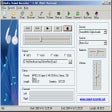
Apowersoft Streaming Audio Recorderは、コンピューターのサウンドカードとマイクからオーディオを録音するためのシンプルなアプリケーションです(必要に応じて同時に)。 Apowersoft Streaming Audio Recorderを使用すると、ストリーミングラジオステーションを録音し、MP3、WAV、WMA、OGG、AAC、FLACなどのさまざまな形式にオーディオを変換できます。お気に入りの音楽を検索してダウンロードし、オーディオファイルを編集することもできます。 主な機能は次のとおりです。 コンピューターのサウンドカード/マイクからオーディオを録音します。 オーディオファイルを多数の形式に変換します。 タイトル、アーティスト、アルバムなどのID3タグを自動的に識別します。 Apowersoft Streaming Audio Recorderには、音楽ファイル情報を自動的に認識するのに役立つ組み込みのID3タグ識別子など、いくつかの便利な機能があります。このツールは、ID3タグのバッチ識別もサポートしています。ファイル変換プロセスも迅速かつ簡単です。 MP3、WMA、WAV、OGG、AACなどのさまざまな形式にオーディオファイルを変換できます。このアプリケーションには、オーディオトラックをカットおよびスプライスできるストリーミングオーディオレコーダー機能もあるため、独自の編集を自分でミックスできます。 全体として、Apowersoft Streaming Audio Recorderは、ソフトウェアコレクションに含めるべき強力なオーディオツールです。それは軽量で、使いやすいインターフェースを持ち、いくつかの便利な機能を備えています。
Audio Sound Recorder
オーディオサウンドレコーダーの包括的レビュー
Gilisoft Audio Recorder Pro
GiliSoft Audio Recorder Proは、PCのあらゆる音を録音できる使いやすいアプリです。 GiliSoft Audio Recorder Proを使用すると、サウンドカードやコンピューターのマイクなど、内部または外部ソースから品質を損なうことなくオーディオを録音できます。出力オーディオファイルは、.MP3、.WMA、.WAVなど、さまざまな形式で保存できます。 GiliSoft Audio Recorder Proを使用すると、オンラインソースから、またはYouTube、Spotify、iTunes、Facebookなどのアプリからサウンド、音楽、音声、またはオーディオデータをキャプチャできます。 主な機能は次のとおりです。 オーディオを.MP3、.WMA、または.WAVに直接録音します。 コンピューターの音とマイクを同時に録音します。 オーディオ録音の品質を事前に定義します。 組み込みのタイマーを使用して録音をスケジュールします。 無音検出(音声アクティベーション)。 内蔵のタイマーで簡単に録音をスケジュールします。 録音前に録音デバイスをプレビューします。 GiliSoft Audio Recorder Proには多くの便利な機能がありますが、注目に値するのは、自動録音機能を介してスケジュールされた録音タスクを作成できることです。記録時間の開始と停止を事前設定すると、タスクが自動的にアクティブになります。これは、記録プロセス全体が完了するのを待ちたくない場合に非常に役立ちます。特定の時間に、または毎日および毎週の間隔で自動的に開始するように記録を設定できます。自動記録を使用すると、記録を開始する時間を設定したり、パラメータを定義したりできます。時間、ファイルサイズ、記録長など全体として、GiliSoft Audio Recorder Proは優れた録音アプリです。便利な機能のスタック、便利なプリセット、使いやすいインターフェイスがあり、操作が簡単です。
Audio & Microphone Recorder
オーディオとマイク録音機の包括的レビュー
Any Sound Recorder: audio recorder & voice recorder
あらゆるサウンドレコーダーの包括的レビュー
Wondershare Streaming Audio Recorder
包括的なオーディオ録音ソリューション
SoundTap Streaming Audio Recorder
SoundTap Audio Recorderは、Windowsコンピューターで再生されるほぼすべてのオーディオをmp3またはwavファイルに自由に録音できるツールです。 この小さなプログラムの宝石を使用すると、ストリーミングラジオや音楽、SkypeなどのVoIP通話、電話会議、インスタントメッセージングの会話などを録音できます。簡単に言えば、スピーカーから聞こえる音であれば、SoundTapが録音してくれます。 インストールは簡単でわかりやすく、ユーザーインターフェイスは見栄えがよく、うまく機能します。 SoundTapは自由にオンまたはオフにできるため、必要なものと必要なときにのみ録音します。ソフトウェアは高速で軽量であり、通常のオーディオプレーヤーの代わりにそれを使用する場合は、独自のオーディオプレーヤーが付属しています。 主なハイライトの1つは、ユーザーが自分の声だけでなく他の声も録音できるように、VoIPまたは電話会議を録音することです。これはオプションですが、少し追加すると便利です。また、オフラインでも機能します。ただし、SoundTapは、録音する他の種類のオーディオを録音するのと同じくらい上手です。 SoundTapを使用するには、単にロードして、RECを押します。 主な機能: PCで再生できるサウンドを録音します。 小規模インストール。 シンプルで使いやすいインターフェース。 非商用ユーザーは無料です! 録画は、日付、時間、期間、または形式で簡単に検索できます。 オーディオをwavまたはmp3に直接保存しますが、20種類の形式から選択できます。 幅広い選択されたコーデックと圧縮オプション。 録音しながら聴いてみましょう(オプション)。 SoundTapは、コンピューターのサウンドハードウェアのカーネル内で気の利いた「仮想」ドライバーを直接使用して機能し、デジタル品質のオーディオをキャプチャします。スピーカーの音量や、Windowsやハードウェアを介して直接録音するヘッドフォンを使用している場合は問題になりません。 また、WavePadサウンドエディターソフトウェアとSwitch MP3ファイルコンバーターに直接リンクして、オーディオファイルの編集を他の方法よりもはるかに簡単にすることもできます。 録音した音声の全体的な品質は高いことがわかりましたが、一部のユーザーからは、パチパチという音やポップ音などの問題が時々発生することが報告されています。録音したものでこの問題は発生しなかったため、SoundTapをより幅広いインターネットユーザーに推奨することに問題はありません。 SoundTap Streaming Audio Recorderは、日常的にオーディオおよびビデオアプリケーションを扱うユーザーを直接対象としていますが、ほとんど誰でも使用できる非常に簡単なソフトウェアであり、前述したように、非商用ユーザーには完全に無料です。
Apowersoft Free Audio Recorder
Apowersoft無料オーディオレコーダーの機能は何ですか?
AnyMP4 Audio Recorder
無料の録音ツール
Screen Recorder - Record Audio, Capture, Edit
スクリーンレコーダー - 音声の録音、キャプチャー、編集
Voice Recorder - Audio Record Voice Memo
Windowsでの効率的な音声録音