関連ソフトウェア

Equalizer APO
イコライザーAPOは、Windows用のパラメトリック/グラフィックイコライザーです。 Windows Vistaで導入されたシステムエフェクトインフラストラクチャのオーディオ処理オブジェクト(APO)として実装されます。 イコライザーAPOは、サウンドの品質とパワーの両方を向上できるように特別に設計されています。 主な機能: 実質的にフィルターの数に制限はありません。 任意の数のチャンネルで動作します。 レイテンシが非常に低いため、インタラクティブなアプリケーションに適しています。 低CPU使用率。 モジュラーグラフィカルユーザーインターフェイス。 イコライザーAPOはWindowsイコライザーであり、グラフィックユーザーインターフェイスを表示しません。代わりに、TXTファイルを使用してオーディオ出力の設定を変更します。このアプリはオペレーティングシステムの内部で動作し、システムリソースに痕跡を残すことなく迅速な結果を提供します。このため、イコライザーAPOは信頼性があるだけでなく、非常に効率的です。 アプリをインストールすると、APOをインストールするデバイスを選択できます。どのオーディオデバイスを強化する必要があるかを知る必要があります。アプリは、コネクタの完全なリスト、デバイス名を表示し、どのコネクタがAPOをサポートしているかを通知します。新しいイコライザーのパラメーターを変更する場合は、イコライザーAPOがインストールされている場所に移動し、構成TXTファイルを開く必要があります。

Graphic Equalizer Pro
Graphic Equalizer Pro - 本当に買う価値があるものは何ですか?

Peace Equalizer - User Interface for Equalizer APO
Windows 用のパラメトリック グラフィック イコライザー

Windows Audio Loudness Equalizer
Windowsユーザーのための高度なオーディオコントロール

MP3 Player - Music Player & Equalizer
音楽愛好家のための機能豊富なMP3プレーヤー

DJ Music Mixer
DJ Music Mixer is leading-edge and aspiring DJ software for professional and novice DJs. DJ Music Mixer’s innovative feature set, reliable mixing engine and intuitive interface will insure that you " Rock the Party " every night. Automated beat matching, real time effects, sampler, smart looping, pitch shifting, video mixing, CD ripper, audio extractor, plus many more great features are all at your fingertips. KEY FEATURES INCLUDE: Most Powerful Equalizer System. 10 band equalizer with +/-15db gain for each deck will make your work easier than before, also 16 predefined equalizer settings with adjustable EQ shelves are available for real-environment effects. Cue, Looping and Remixing Control. Remixing control cannot be achieved without cue and loop functionalities. Cue points can be dropped or triggered with ease. DJ Music Mixer playback engine is tuned for accurate and rapid cue triggering so you can remix with ease of mind without a hiccup. Set up seamless instant looping 1, 2, 4, 8, 16 or 32 beat segments with the click of a button have never been easier. Extract and Convert Audio from Video. Convert audio from video (extract audio) and save it to MP3 and WAV for importing to DJ Mixer. The process of extract and converting audio from video is fast, easy and does absolutely no damage to either the original file or the converted audio file. With DJ Music Mixer you can mix music and songs professionally with cross fade and use powerful equalizers with predefined settings.You can have complete mixing control with cue and loop functionality and employ professional and customizable effects. DJ Music Mixer even allows you to rip and convert audio CD's to audio format and extract and convert audio from video files.

EaseUS Partition Master Free
Partition Magicの代替として、EASEUS Partition Master Home Editionは無料のオールインワンパーティションソリューションおよびディスク管理ユーティリティです。パーティションの拡張(特にシステムドライブ用)、ディスク領域の管理、MBRおよびGUIDパーティションテーブル(GPT)ディスクのディスク領域不足の問題の解決を可能にします。 パーティションのサイズ変更/移動システムドライブを拡張するディスクとパーティションをコピーパーティションをマージ分割パーティション空き領域を再分配するダイナミックディスクの変換パーティションを回復する
Gemini Groove
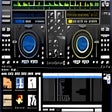
Gemini Groove is an MP3-compatible DJing application that provides all the tools that you need for mixing it up and creating that perfect sound. The basic layout is two virtual turntables and a mixing console sat in the middle of the two. As with a real turntable, each deck has its own pitch. There is also a loops and effects console, three cues and the tracks' progress bar. The console also has a three-range equalizer, individual volume controls, master volume and a cross-fader. The application is fairly easy to get to grips with and comes with a few cool functions, such as an automix function that allows you to fade into tracks. The feature also allows you to control the duration and style of fades. It also has support for MIDI controllers. Gemini Groove does have some shortcomings too though. Gemini Groove's user interface is not very intuitive, and is a little clumsy. The application hasn't got a great selection of effects, there is no skinning and really annoyingly there is not auto BPM. That being said, the interface does show you all you need and the cross-fader is very good. Overall it isn't that bad for a starter application if you want to get into the world of mixing.

Audacity
Audacity is a free, easy-to-use audio editor and recorder for Windows, Mac OS X, GNU/Linux and other operating systems. You can use Audacity to: Record live audio. Convert tapes and records into digital recordings or CDs. Edit Ogg Vorbis, MP3, WAV or AIFF sound files. Cut, copy, splice or mix sounds together. Change the speed or pitch of a recording. Add new effects with LADSPA plug-ins. And more!
PCSX2
PCSX2は、PC用のPlaystation 2エミュレーターです。エミュレータの互換性率は、プレイ可能なすべてのPS2ゲームの80%以上を誇っています。かなり強力なコンピューターを所有している場合、PCSX2は優れたエミュレーターです。また、このアプリケーションはローエンドコンピューターのサポートも提供するため、Playstation 2コンソールのすべての所有者は、PCで動作するゲームを見ることができます。 PCSX2エミュレーターを使用すると、PS2コントローラーを使用して、本物のプレイステーション体験をシミュレートできます。このアプリケーションでは、ディスクからゲームを直接実行することも、ハードドライブからISOイメージとして実行することもできます。 主な機能は次のとおりです。 Savestates:ボタンを1つ押すだけで、ゲームの現在の「状態」を保存できます。 無制限のメモリーカード:好きなだけメモリーカードを保存でき、8MBから64MBまでの単一の物理カードに制限されなくなりました。 高解像度グラフィックス:PCSX2を使用すると、1080pまたは4K HDでゲームをプレイできます。 全体として、PCSX2 PS2エミュレーターの機能は優れています。 PS2ゲームを高い精度でエミュレートでき、Windowsとエミュレーターを切り替えることができます。欠点は、高速ゲームに苦労し、時々フリーズまたはクラッシュすることです。* PCSX2を使用するには、コンソールから抽出できるPlaystation 2 BIOSが必要です。

VLC Media Player 32-bit
VLC Media Playerは、最も人気があり堅牢なマルチフォーマットの無料メディアプレーヤーです。 VLC Media Playerは、非営利団体VideoLAN Projectによって2001年に公開されました。 VLC Media Playerは、その多彩なマルチフォーマット再生機能のおかげで、すぐに非常に人気がありました。 QuickTime、Windows、Real Media Playerなどの競合メディアプレーヤーが多くの一般的なビデオおよび音楽ファイル形式に役に立たないようにする互換性とコーデックの問題によって支援されました。簡単で基本的なUIと多数のカスタマイズオプションにより、VLC Media Playerは無料のメディアプレーヤーのトップに位置付けられています。 柔軟性 VLC Media Playerは、検索可能なほぼすべてのビデオまたは音楽ファイル形式を再生します。これは、ほとんどの人がメディアファイルを再生しようとするとクラッシュしたり、「コーデックが見つかりません」というエラーメッセージを表示したりしていたデフォルトのメディアプレーヤーと比較して革命でした。 VLC Media Playerは、MPEG、AVI、RMBV、FLV、QuickTime、WMV、MP4およびその他のビデオおよびオーディオメディアファイル形式の負荷を再生できます。 VLC Media Playerはさまざまな形式のロードを処理できるだけでなく、部分的または不完全なオーディオおよびビデオメディアファイルを再生できるため、ダウンロードを終了前にプレビューできます。 使いやすい VLC Media PlayerのUIは、間違いなく機能よりも美の機能です。ただし、基本的な外観により、メディアプレーヤーは非常に使いやすくなります。ファイルやフォルダーを使用してファイルをドラッグアンドドロップして再生または開くだけで、クラシックメディアナビゲーションボタンを使用して、再生、一時停止、停止、スキップ、再生速度の編集、音量、明るさの変更などを行うことができます。つまり、標準の外観だけではVLCをデフォルトのメディアプレーヤーとして選択できなくなるわけではありません。 高度なオプション VLC Media Playerのシンプルなインターフェイスに惑わされないでください。再生、オーディオ、ビデオ、ツール、およびビューのタブには、さまざまなプレーヤーオプションがあります。複数のプリセット、オーバーレイ、特殊効果、AtmoLightビデオ効果、オーディオ空間化、カスタマイズ可能な範囲圧縮設定を備えたグラフィックイコライザーなどの同期設定で再生できます。 SRTファイルをビデオのフォルダーに追加することで、ビデオに字幕を追加することもできます。 概要 VLC Media Playerは、非常にシンプルで汎用性が高く、安定した高品質の無料メディアプレーヤーです。 10年以上にわたって無料のメディアプレーヤー市場を独占してきましたが、VideoLAN Orgによる絶え間ない開発と改善のおかげで、さらに10年間はそうなるようです。 MacバージョンのVLC Media Playerをお探しですか?ここからダウンロード

Rufus
Rufusは小さなユーティリティで、USBキーやペンドライブ、メモリスティックなどの起動可能なUSBフラッシュドライブをフォーマットおよび作成できます。 Rufusは、次のシナリオで役立ちます。 Windows、Linux、およびUEFI用の起動可能なISOからUSBインストールメディアを作成する必要がある場合。 OSがインストールされていないシステムで作業する必要がある場合。 BIOSまたはその他のファームウェアをDOSからフラッシュする必要がある場合。 低レベルのユーティリティを実行する必要がある場合。 Rufusは次の* ISOで動作します:Arch Linux、Archbang、BartPE / pebuilder、CentOS、Damn Small Linux、Fedora、FreeDOS、Gentoo、gNewSense、Hiren's Boot CD、LiveXP、Knoppix、Kubuntu、Linux Mint、NT Password Registry Editor、 OpenSUSE、Parted Magic、Slackware、Tails、Trinity Rescue Kit、Ubuntu、Ultimate Boot CD、Windows XP(SP2以降)、Windows Server 2003 R2、Windows Vista、Windows 7、Windows 8。 *このリストは完全ではありません。 サポートされている言語は次のとおりです。インドネシア語、マレーシア語、セシュティナ、ダンスク、ドイツ語、英語、スペイン語、フランス語、フルバツキー、イタリア語、ラトヴィエシュ、リエトゥビウ、マジャール、オランダ、ノルスク、ポルスキ、ポルトガル、ポルトガル、スロヴェンスキー、スロベンツキー、スロヴェンスキーSrpski、Suomi、Svenska、Türkçe。