関連ソフトウェア

HandBrake 32-bit
With HandBrake you can successfully convert video from almost any format to a plethora of widely supported and up-to-date codecs. The free and open-source program is a GPL-licensed, multiplatform and multi-threaded DVD to MPEG-4 converter, available for Windows, Mac and Linux. HandBrake is not limited to DVDs, it will now accept practically any type of video as a source. Its latest version was launched in late 2018 and comes with a wealth of updates and fixed issues. As ever you can get started in seconds by choosing a profile optimised for your device and navigating this easy to use interface. Key features include: Title and chapter selection. Subtitle support (VobSub Closed Captions CCEA-608, SSA, SRT). Integrated bitrate calculator. Live static and video preview. Picture deinterlacing, cropping and scaling. Video filters and Grayscale encoding. Support for VFR and CFR. The open source video transcoder promises to offer a “simple, easy and fast” service as well as high-quality conversions. It is considered a great program to use if you want more choice or to tweak many basic and advanced options in order to improve encoding. Overall, the new and improved version of HandBrake offers a straightforward and results-driven approach. It can process most common multimedia files and any DVD or BluRay sources that do not contain any kind of copy protection. Further details and the latest news surrounding the program can be viewed on the software creator’s website.
UltraVNC
UltraVNC is a powerful, easy to use and free software that can display the screen of another computer (via internet or network) on your own screen. The program allows you to use your mouse and keyboard to control the other PC remotely. It means that you can work on a remote computer, as if you were sitting in front of it, right from your current location. If you provide computer support, you can quickly access your customer's computers from anywhere in the world and resolve helpdesk issues remotely! With addons like SingleClick your customers don't even have to pre-install software or execute complex procedures to get remote helpdesk support. Key features: File transfer, Video driver, Optional Encryption Plugins, MS Logon, Text chat, Viewer Toolbar, Java Viewer with File Transfer , as well as Auto scaling and Server Side Scaling, Multiple-Monitors-support,Repeater/Proxy-support, Auto reconnection, good performances and tons of other functionalities.
Gemini Groove
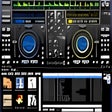
Gemini Groove is an MP3-compatible DJing application that provides all the tools that you need for mixing it up and creating that perfect sound. The basic layout is two virtual turntables and a mixing console sat in the middle of the two. As with a real turntable, each deck has its own pitch. There is also a loops and effects console, three cues and the tracks' progress bar. The console also has a three-range equalizer, individual volume controls, master volume and a cross-fader. The application is fairly easy to get to grips with and comes with a few cool functions, such as an automix function that allows you to fade into tracks. The feature also allows you to control the duration and style of fades. It also has support for MIDI controllers. Gemini Groove does have some shortcomings too though. Gemini Groove's user interface is not very intuitive, and is a little clumsy. The application hasn't got a great selection of effects, there is no skinning and really annoyingly there is not auto BPM. That being said, the interface does show you all you need and the cross-fader is very good. Overall it isn't that bad for a starter application if you want to get into the world of mixing.

mrViewer 64-bit
mrViewer is a small, lightweight utility that can open images and play video files. It supports .BMP, .JPG, .PNG, .PSD, .MAP, .DPX, .MP4, .MPG, .MOV, .AVI, .DIVX, and .WMV file formats. With mrViewer you can add files by simply dragging and dropping them into the main panel or you can use the browse button to locate your media. It comes with a couple of tools that allow you to specify the frame rate, play or stop the current video selection, skip to the start or end position of a clip, adjust the volume, alter the RGB value, and adjust the levels for gamma and exposure. Key Features include: Flipbook player. HDRI viewer. Multichannel support in OpenEXR, .PSD, .MIFF and .TIFF formats. MultiView OpenEXR support. Video and Audio player. Network syncing support. Non-destructive EDL. Grease Pencil support. Multi Part EXR images. Deep OpenEXR images. Animated GIF support. Color Transformation Language support. ACES 1.0 support. Passive 3D Stereo Support (anaglyphs, side by side, interlaced, checkerboard). We found mrViewer’s layout seemed to be a little cluttered and it is difficult to understand the functions easily. That having been said, there are however, tooltips for giving you some hints to help you along. The app does have some good features though, such as support for hotkeys, which can be reassigned, and it also comes with viewable log files. It provides information on filenames, size, ratio aspect, gamma, format, memory, and compression. For images, you can analyze a histogram, and it has touchscreen editing support as well. Overall, mrViewer has some useful features but we found the interface not that intuitive and slightly cumbersome.
EaseUS Partition Master Free
Partition Magicの代替として、EASEUS Partition Master Home Editionは無料のオールインワンパーティションソリューションおよびディスク管理ユーティリティです。パーティションの拡張(特にシステムドライブ用)、ディスク領域の管理、MBRおよびGUIDパーティションテーブル(GPT)ディスクのディスク領域不足の問題の解決を可能にします。 パーティションのサイズ変更/移動システムドライブを拡張するディスクとパーティションをコピーパーティションをマージ分割パーティション空き領域を再分配するダイナミックディスクの変換パーティションを回復する

ToolbarTerminator
Toolbar Terminator is a useful little app that can help you remove unwanted and unnecessary add-ons in no time. Rubbish Toolbars that come with some software are able to take over your web browser and can get into your system. These pesky toolbars can alter the start settings of your browser, take control and they can often install malware. Most annoyingly, most of these Toolbars will not allow you to uninstall them properly. Instead they integrate themselves deep into your system, and can be a real pain to remove. As soon as you install the app and run it, Toolbar Terminator automatically analyzes any browser yu may ha installed and it will display a list of all the installed toolbars. If you wan to remove them, simply choose any or all of them and click remove. That’s it. The interface is simple, straightforward and easy to navigate. The app itself is lightweight and hardly consumers any system resources at all. If you are in the habit of being a little ‘click happy’ and tend to install everything when trying out new software, not really realising what you are accepting, then this is an app for you.
Connectify Hotspot
Connectify Hotspot is a relatively lightweight app that allows you to transform your PC into a WiFi Hotspot and share Internet with all your devices . Connectify Hotspot has a really easy to understand and intuitive user interface that makes it simple to manage your connections on your network. Once installed, the configuration process can be done very quickly. Connectify will prompt you to choose the hotspot name, the password, the WiFi device that you want to use, the security mode, and if you want to enable Internet sharing. Connectify Hotspot allows you to explore all the devices that are connected to your network, so you have full control over your wireless network. The app has some really neat features such as the ability to explore shared resources from the devices that are paired with your system. Overall, Connectify Hotspot performs well and has a solid list of features. The app is easy on the eyes and the user interface is simple to get to grips with, even novice users will be able to set-up and use this app with ease. The Pro and Max versions of the app provide more than the basic functions, such as WiFi repeater mode, bridging mode and the ability to share 3G, 4G, and tethered connections.
Apowersoft iPhone/iPad Recorder
Apowersoft iPhone/iPad Recorder is a popular app for recording the screen of any iOS device. The app can record anything you like; from video chat and demos through to gameplay or tutorials. Moreover, it is able to capture anything on the iPad Pro. The app is also capable of mirroring the image to your computer screen at the same time, provided that your iPad Pro and computer connect the same Wi-Fi network. Key Features include Connect Wirelessly via AirPlay. Real-time Mirroring in HD. Record Screen Easily with 1 Click. Diversified Settings for Recording. Instant Sharing for Quick Access. Apowersoft iPhone/iPad Recorder is really easy to use. Simply make sure your computer and iOS device are connected to the same Wi-Fi network. Next, adjust the settings, such as output format, audio input, etc. that are located at the top of the window of the app’s interface. Then on your iOS device open up the control center and tap the AirPlay button. On seeing the screen icon, you can turn on the mirror option. As soon as your iOS screen is synchronized on computer, you can start screen recording immediately. Just click on the record button showing on the upper-left area of the screen mirrored on the computer. When you are finished recording, just click the stop button. You can find the recorded file by simply hitting on the folder icon. That’s it. Overall, Apowersoft iPhone/iPad Recorder is a great app that does exactly what it says on the tin. The only downside with the trial version is that you tend to get a few reminders about the paid version and there is a watermark on your recorded media and some limited functionality. Apart from that, the app has a simple interface that can be navigated by users of all levels of expertise. It is fairly lightweight and has a small footprint. Looking for the Mac version of Apowersoft iPhone/iPad Recorder? Download Here
BullGuard Internet Security
Use this link to get 70% off BullGuard Internet Security! Offer ends 30th November! BullGuard Internet Security is a highly efficient security suite that is able to safeguard you against all manner of threats such as viruses, Trojans, keyloggers, adware, spyware, malicious scripts, and worms. It offers a backup system and a tool for PC performance optimization. BullGuard Internet Security also provides 5GB space for online backup as well. Key Features include: 5GB of online backup Real-time Protection Spam Filtering PC Tune-up Vulnerability Scanner Firewall Safe Browsing Parental Control 24/7 Support The app is easy to use and can be navigated by users of all levels of expertise. The main window features square panels in rows, each of which manages a security component. By clicking each panel's three-dots you are presented with a menu of options. There is an adjacent button that shows previously used menu choices, and this also serves as a progress bar during any system scans. A really great feature of this suite is Bullguard's backup system. This allows you to store archived files locally, or in the BullGuard Online Drive. From the online backup sets, you are able to share a link to any file or folder you choose, and as an added security measure, set the link to expire in a day, a week, or a month. Overall, BullGuard Internet Security has excellent help and support via live chat, any day and at any hour. The interface of the main app is uncluttered and easy to navigate. Along with an Antivirus and a Firewall, it provides other strong features such as a Vulnerability Scanner and Spam Filtering. This professional protective suite has been rated among the best security software products on the market today. In fact, BullGuard achieved a maximum 6 out of 6 points in protection against malware infections & PC performance from independent security experts AV Test.
Rufus
Rufusは小さなユーティリティで、USBキーやペンドライブ、メモリスティックなどの起動可能なUSBフラッシュドライブをフォーマットおよび作成できます。 Rufusは、次のシナリオで役立ちます。 Windows、Linux、およびUEFI用の起動可能なISOからUSBインストールメディアを作成する必要がある場合。 OSがインストールされていないシステムで作業する必要がある場合。 BIOSまたはその他のファームウェアをDOSからフラッシュする必要がある場合。 低レベルのユーティリティを実行する必要がある場合。 Rufusは次の* ISOで動作します:Arch Linux、Archbang、BartPE / pebuilder、CentOS、Damn Small Linux、Fedora、FreeDOS、Gentoo、gNewSense、Hiren's Boot CD、LiveXP、Knoppix、Kubuntu、Linux Mint、NT Password Registry Editor、 OpenSUSE、Parted Magic、Slackware、Tails、Trinity Rescue Kit、Ubuntu、Ultimate Boot CD、Windows XP(SP2以降)、Windows Server 2003 R2、Windows Vista、Windows 7、Windows 8。 *このリストは完全ではありません。 サポートされている言語は次のとおりです。インドネシア語、マレーシア語、セシュティナ、ダンスク、ドイツ語、英語、スペイン語、フランス語、フルバツキー、イタリア語、ラトヴィエシュ、リエトゥビウ、マジャール、オランダ、ノルスク、ポルスキ、ポルトガル、ポルトガル、スロヴェンスキー、スロベンツキー、スロヴェンスキーSrpski、Suomi、Svenska、Türkçe。

WinRAR 32-bit
WinRAR はRAR と ZIP アーカイブに完全対応したアーカイブユーティリティーで、CAB, ARJ, LZH, TAR, GZ, ACE, UUE, BZ2, JAR, ISO, 7Z, Z のアーカイブを解凍する事ができます。他のソフトに比べ小容量のアーカイブを作成するので、これによりディスクスペースを確保する事ができ、送信コストの削減にもなります。 WinRAR はマウスやメニュー、コマンドラインインターフェースを利用した対話型グラフィックインターフェースを提供します。WinRAR は単純な質問応答のプロセスで基本的なアーカイブ機能に即時アクセスできる特別な"Wizard"モードを採用することにより、他のアーカイブソフトに比べ使用が簡単になりました。 WinRAR は128ビットキーのAES (Advanced Encryption Standard)でアーカイブを暗号化するので安心に使用でき、8兆5千890億ギガバイトまでのファイルやアーカイブに対応します。WinRARでは自己解凍アーカイブやマルチボリュームアーカイブの作成もでき、リカバリー記録とリカバリー容量により物理的に損傷したアーカイブまで再構成することが可能です。

VMware Workstation Player
仮想マシンは、ソフトウェアで定義されたコンピューターです。 PCでPCを実行するようなものです。 この無料のデスクトップ仮想化ソフトウェアアプリケーションにより、VMware Workstation、VMware Fusion、VMware Server、またはVMware ESXで作成された仮想マシンを簡単に操作できます。 主な機能は次のとおりです。 1台のPCで複数のオペレーティングシステムを同時に実行します。 インストールや構成の問題なしに、事前構成された製品の利点を体験してください。 ホストコンピューターと仮想マシン間でデータを共有します。 32ビットと64ビットの両方の仮想マシンを実行します。 2-way Virtual SMPを活用します。 サードパーティの仮想マシンとイメージを使用します。 ホストコンピューターと仮想マシン間でデータを共有します。 幅広いホストおよびゲストオペレーティングシステムのサポート。 USB 2.0デバイスのサポート。 起動時にアプライアンス情報を取得します。 直感的なホームページインターフェイスを介して仮想マシンに簡単にアクセスできます。 VMware Playerは、Microsoft Virtual Server仮想マシンまたはMicrosoft Virtual PC仮想マシンもサポートしています。