Graph Windows向けのアプリ
- Padowan による
- 無料
- 4.4.2
関連ソフトウェア
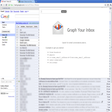
Graph Your Inbox
Windows用の無料アプリ。
Net Speed Graph
包括的なインターネット速度テストツール
Beyond Compare
Beyond Compare 3は、Windowsシステム上のファイルとフォルダーを比較するための理想的なツールです。コードの変更を視覚化し、慎重に調整します。 ファイル、フォルダーの比較 Beyond Compareを使用すると、ファイルとフォルダーをすばやく簡単に比較できます。シンプルで強力なコマンドを使用することで、関心のある違いに焦点を当て、そうでない違いを無視できます。その後、変更をマージし、ファイルを同期して、レコードのレポートを生成できます。 専門の視聴者 Beyond Compareには、さまざまなデータタイプの組み込み比較ビューアが含まれています。データ比較セッションで.csvデータまたはHTMLテーブル、または画像比較セッションで画像を比較します。 3方向マージ Beyond Compareの新しいマージビューでは、ファイルの2つのバージョンからの変更を1つの出力に結合できます。そのインテリジェントなアプローチにより、競合を慎重に調査しながら、ほとんどの変更を迅速に受け入れることができます。 フォルダーの同期 Beyond Compareの直感的なFolder Syncインターフェイスを使用すると、データの違いを自動的に調整できます。
Poker Tournament Supervisor
適切なポーカー トーナメント スーパーバイザーの選び方
EaseUS Partition Master Free
Partition Magicの代替として、EASEUS Partition Master Home Editionは無料のオールインワンパーティションソリューションおよびディスク管理ユーティリティです。パーティションの拡張(特にシステムドライブ用)、ディスク領域の管理、MBRおよびGUIDパーティションテーブル(GPT)ディスクのディスク領域不足の問題の解決を可能にします。 パーティションのサイズ変更/移動システムドライブを拡張するディスクとパーティションをコピーパーティションをマージ分割パーティション空き領域を再分配するダイナミックディスクの変換パーティションを回復する
FreeMind Portable
FreeMind Portable - マインド マッピングの新しい方法
JDiskReport
JDiskReport is a lightweight app that enables you to understand how much space the files, folders and directories take up on your computer's disk drives. The app analyses your disk drives and collects numerous statistics, which you can then view as charts or tables. From this data you can then decide which files and folders are obsolete and deal with them accordingly. JDiskReport is a free Java based app, which displays data such as the size, capacity, and other parameters of your files, folders and directories. JDiskReport displays data in different viewable formats, which you can switch between. With JDiskReport you can scan either a selected tree directory or your C drive. Once the scans have been completed, you can view or save them. The user interface is a standard explorer view that display a folder tree view in the left-hand panel and five tabs in the main window which consist of; size, top 50, size distribution, modified, and types. Each of the tabs shows a series of icons that run along the bottom of the main window for switching between the styles like chart, graph, and list. All the available views are useful and provide slightly different info. There are lots of different options to use, including look & feel, filters, and commands. JDiskReport runs on both Windows and Mac and requires Java.

Stellarium 64-bit
Stellarium provides you with accurate data about the night sky, which can be used by professional and amateur astronomers alike. Basically, it's a planetarium for your computer! The application is feature packed and can show a realistic sky in 3D; the same as what you'd see with a telescope. Key features include: Default catalog of over 600,000 stars (extra catalogs with more than 210 million stars). Asterisms and illustrations of the constellations. Constellations for 20+ different cultures. Images of nebulae (full Messier catalog). The planets and their satellites. Very realistic atmosphere, sunrise and sunset. Realistic Milky Way. Stellarium has a great looking interface that can be accessed by all levels of user. It comes with a powerful zoom feature, time control, fish-eye projection for planetarium domes, extensive keyboard control and telescope control. Stellarium also comes with plugin control, so you can add functions like artificial satellites, ocular simulation, and telescope configuration. You can also add to your database, new solar system objects from online resources. Looking for the Mac version of Stellarium? Download Here
Rufus
Rufusは小さなユーティリティで、USBキーやペンドライブ、メモリスティックなどの起動可能なUSBフラッシュドライブをフォーマットおよび作成できます。 Rufusは、次のシナリオで役立ちます。 Windows、Linux、およびUEFI用の起動可能なISOからUSBインストールメディアを作成する必要がある場合。 OSがインストールされていないシステムで作業する必要がある場合。 BIOSまたはその他のファームウェアをDOSからフラッシュする必要がある場合。 低レベルのユーティリティを実行する必要がある場合。 Rufusは次の* ISOで動作します:Arch Linux、Archbang、BartPE / pebuilder、CentOS、Damn Small Linux、Fedora、FreeDOS、Gentoo、gNewSense、Hiren's Boot CD、LiveXP、Knoppix、Kubuntu、Linux Mint、NT Password Registry Editor、 OpenSUSE、Parted Magic、Slackware、Tails、Trinity Rescue Kit、Ubuntu、Ultimate Boot CD、Windows XP(SP2以降)、Windows Server 2003 R2、Windows Vista、Windows 7、Windows 8。 *このリストは完全ではありません。 サポートされている言語は次のとおりです。インドネシア語、マレーシア語、セシュティナ、ダンスク、ドイツ語、英語、スペイン語、フランス語、フルバツキー、イタリア語、ラトヴィエシュ、リエトゥビウ、マジャール、オランダ、ノルスク、ポルスキ、ポルトガル、ポルトガル、スロヴェンスキー、スロベンツキー、スロヴェンスキーSrpski、Suomi、Svenska、Türkçe。
Audacity
Audacity is a free, easy-to-use audio editor and recorder for Windows, Mac OS X, GNU/Linux and other operating systems. You can use Audacity to: Record live audio. Convert tapes and records into digital recordings or CDs. Edit Ogg Vorbis, MP3, WAV or AIFF sound files. Cut, copy, splice or mix sounds together. Change the speed or pitch of a recording. Add new effects with LADSPA plug-ins. And more!
PCSX2
PCSX2は、PC用のPlaystation 2エミュレーターです。エミュレータの互換性率は、プレイ可能なすべてのPS2ゲームの80%以上を誇っています。かなり強力なコンピューターを所有している場合、PCSX2は優れたエミュレーターです。また、このアプリケーションはローエンドコンピューターのサポートも提供するため、Playstation 2コンソールのすべての所有者は、PCで動作するゲームを見ることができます。 PCSX2エミュレーターを使用すると、PS2コントローラーを使用して、本物のプレイステーション体験をシミュレートできます。このアプリケーションでは、ディスクからゲームを直接実行することも、ハードドライブからISOイメージとして実行することもできます。 主な機能は次のとおりです。 Savestates:ボタンを1つ押すだけで、ゲームの現在の「状態」を保存できます。 無制限のメモリーカード:好きなだけメモリーカードを保存でき、8MBから64MBまでの単一の物理カードに制限されなくなりました。 高解像度グラフィックス:PCSX2を使用すると、1080pまたは4K HDでゲームをプレイできます。 全体として、PCSX2 PS2エミュレーターの機能は優れています。 PS2ゲームを高い精度でエミュレートでき、Windowsとエミュレーターを切り替えることができます。欠点は、高速ゲームに苦労し、時々フリーズまたはクラッシュすることです。* PCSX2を使用するには、コンソールから抽出できるPlaystation 2 BIOSが必要です。
Auslogics Disk Defrag
Auslogics Disk Defragは、FAT 16/32とNTFSファイルシステムの両方をサポートするコンパクトで高速なデフラグツールです。高度なディスク最適化技術が搭載されており、システムの遅延とディスクの断片化によるクラッシュを改善します。 ディスクの断片化は、システムのスローダウン、PCのクラッシュ、起動とシャットダウンの遅延につながります。 Auslogics Disk Defragは、最新のハードディスクの高速デフラグ用に設計されています。 特徴: デフラグと最適化空き領域の統合システムファイルのスマートな配置 MFT予約済みゾーンを明確に保つ単一のファイルまたはフォルダーの最適化断片化されたファイルのリスト自動デフラグモードスケジュールされたデフラグディスクデフラグのカスタマイズ多言語