Office Key Windows向けのアプリ
- Lostpassword による
- トライアル版
- 7.9
関連ソフトウェア
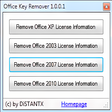
Microsoft Office Product Key Remover
オフィス製品キーを簡単に管理する
WPS Office for Windows
WPS Office 2016 Free is the most versatile free office suite, which includes free word processor, spreadsheet program and presentation maker. With these three programs you will easily be able to deal with any office related tasks. WPS Office 2016 Free has multiple language support for English, French, German, Spanish, Portuguese,Russian and Polish languages. To switch between languages requires only a single click! Despite being a free suite, WPS Office comes with many innovative features, such as the paragraph adjustment tool and multiple tabbed feature. It also has a PDF converter, spell check and word count feature. WPS Office 2016 Personal Edition supports switching language UI,File Roaming and Docer online templates. Key features include: Writer Efficient word processor. Presentation Multimedia presentations creator. Spreadsheets Powerful tool for data processing and analysis. 100% compatible with MS Office document file types (.docx, .pptx, .xlsx, etc.). Thousands of free document templates. Built-in PDF reader. Mobile device support (iOS and Android). WPS Cloud Storage included. Although it is a free suite, WPS Office 2016 Free comes with many innovative features, including a useful a paragraph adjustment tool int he Writer program. It has an Office to PDF converter, automatic spell checking and word count features. It also has some neat tools such as the Watermark in document, and converting PowerPoint to Word document support. Overall, WPS Office 2016 Free is a good alternative to Microsoft's offering. The Writer program is a versatile word processor; the Presentation program is an easy to use and effective slide show maker that helps you to create impressive multimedia presentations; and the Spreadsheets program is both a flexible and a powerful spreadsheet application.
VMware Workstation Pro
There are numerous virtual environment provides on the market today, some put ease of use above functionality, other place integration above stability. VMware Workstation Pro is the easiest to use, the fastest and the most reliable app when it comes to evaluating a new OS, or new software apps and patches, in an isolated and safe virtualized environment. Key Features include: Powerful 3D Graphics - DirectX 10* and OpenGL 3.3 support. VMware Compatibility - Create one; Run anywhere on VMware software. vSphere and vCloud Air Support - Drag and drop VMs between environments. Restricted and Encrypted VMs - Protection and performance enhancements. Expiring Virtual Machines - Time-limited virtual machines. Latest Hardware Support - Broadwell and Haswell CPU support. Enterprise Quality Virtual Machines - 16 vCPUs, 8TB virtual disks, and 64GB memory. Enhanced IPv6 Support - IPv6-to-IPv4 NAT (6to4 and 4to6). Virtual Machine Video Memory - Up to 2GB. Enhanced Connectivity - USB 3.0, Bluetooth, HD audio, printers, and Skype support. High Resolution Displays - 4K UHD and QHD+ support. VMware Workstation Pro is a perfect choice for those of you who are a little skeptical about making the leap over to Windows 10. By utilizing an app like this, you'll get to try out all of Windows 10's new features in a safe sandboxed environment, without the need to install the OS natively. VMware Workstation Pro doesn't just support Microsofts OS, you can also install Linux VMs, including Ubuntu, Red Hat, Fedora, and lots of other distributions as well. Overall, Workstation Pro offers high performance, strong reliability, and cutting edge features that make it stand out from the crowd. The full version is a little pricey, but you do get what you pay for.
PDF Split and Merge
PDF Split and Merge Basic is an easy-to-use tool with both graphical and command line interfaces that enable you to split, merge, mix, and rotate documents in the .PDF format. Key features include: Merge PDF documents together. Split PDF documents specifying the page number. Rotate PDF documents. Split PDF documents specifying the level of bookmarks. Mix two PDF documents taking pages alternately. Visually compose your PDF dragging pages from other PDF. PDF Split and Merge allows you to split up and merge any PDF document in only a few step. The downside is the user interface is not that friendly and it can take a while to get to grips with. PDF Split and Merge has multi-language support for French, Dutch, Polish, Czech, Finnish, Italian, Greek, English, Slovak, Chinese (Traditional), Estonian, Swedish, Turkish, Brazilian Portuguese, Chinese (Simplified), Danish, Bosnian, German, Spanish, Russian, and Hungarian. Looking for the Mac version of PDF Split and Merge Basic? Download Here

Kingsoft Presentation Free 2013
Kingsoft Presentation Free 2013 is a free presentation alternative to Microsoft PowerPoint, which is solid enough to make impressive presentation slide shows with media rich elements. With Kingsoft Presentation Free 2013 you can quickly and easily create professional and dynamic slide shows that offer a wide range of easy to use features. Key Features include: Built-in PowerPoint to PDF converter. Multiple document tabs. Design slide layout. Various PPT templates. Insert Movie, Flash, Chart, and Graphics. Document encryption. Kingsoft Presentation Free 2013 is played out well and has a clear user interface, with a clear toolbar, making it suitable for novice users as well as providing more advanced features for experienced users. Kingsoft Presentation Free 2013 is a powerful presentation software that can open and edit all Microsoft PowerPoint 2003, PowerPoint 2007 and PowerPoint 2010 presentations. Supported Input file formats include: Microsoft PowerPoint 97/2000/XP/2003/2007/2010) *.ppt, *.pps, *.pot, *.pptx, *.ppsx. Supported Output file formats include: Microsoft PowerPoint (97/2000/XP/2003) *.ppt, *.pot, *.pps, as well as Kingsoft Presentation *.dps, *.dpt.

Corel Office
Corel Office is a simple and sleek, Microsoft compatible office suite, which comes loaded with three individual applications: Corel Write, Corel Calculate and CorelShow. Corel Office gives you a complete office suite that has a familiar look and feel to it. The application also comes with built-in PDF creation tools that allow you to save your files in PDF format. KEY FEATURES INCLUDE: Easy to learn and use. With a familiar ribbon-style interface, Corel Office appears like the office software you're used to, thereby making it easy to start work immediately. Microsoft compatibility. With Corel Office you can open, edit, create and save Microsoft Office documents with just one click! One-click online sharing. Corel Office allows you to share your work easily thanks to support for Dropbox, the file-sharing service, which lets you securely post files online. System requirements: Microsoft Windows 8, Microsoft Windows 7, Windows Vista or Windows XP (32-bit and 64-bit editions). 256 MB RAM. 1 GHz processor. 152 MB hard disk space for English; 165 MB for English and French. 1024 x 600 screen resolution.
Product Key Decryptor
プロダクトキーデクリプター:紛失したプロダクトキーを見つける
GoodSync for Windows
GoodSync for Windows is an easy, secure, and reliable way to automatically synchronize and back up your photos, MP3s, and important files. Backing-up and/or synchronizing your critical documents is an easy affair, with tasks that can be scheduled using a variety of Google Drive, Amazon S3, and SkyDrive supportautomatic options. GoodSync for Windows offers true bi-directional file synchronization that prevents any data loss. The app can be used to synchronize data between your desktop PC and laptop, home and office computers, computer and removable devices (USB Key, Flash Drive, CDRW disc). This can be done over a local network or via the Internet. Key Features include: Powerful syncing capabilities. Compare and analyze changes to files. Can backup multiple versions of files. Google Drive, Amazon S3, and SkyDrive support. Overall, GoodSync for Windows is a powerful file synchronization app. It offers cross platform availability and currently available for Windows, Mac, and Linux. The app lets you backup and sync files to any number of locations, including online storage, other computers, and even mobile devices. The only downside we can see, is that it has no compression or encryption options.
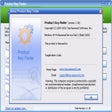
Product Key Finder
Windows用の効率的なプロダクトキー取得ツール
Notepad3
Notepad3 is a revamp of the standard, vanilla offering Windows Notepad that comes with Microsoft’s operating system. Notepad3 is a fast and lightweight Scintilla-based text editor with syntax highlighting capability. Although it has a small footprint, it is powerful enough to handle most programming jobs thrown at it. Key Features include: Code folding. Bracket matching. Automatic indentation. Word auto-completion. Convert character encoding between various formats (ASCII, UTF-8, and UTF-16). Newline format conversion (between DOS (CR/LF). Unix (LF), and Macintosh (CR) formats), multiple undo or redo, bookmarks, and regular expression-based find and replace. Notepad3 also supports many programming languages including syntax highlighting support for ASP, assembly language, AutoHotkey, AutoIt3, AviSynth, Bash, BAT, C, C++, C#, CMake, CoffeeScript, Common Gateway Interface (CGI), Cascading Style Sheets (CSS), DIFF, HTML, INF, INI, Inno Setup, Java, JavaScript, LaTeX, Lua, Markdown, NSIS, Pascal, Perl, PHP, Python, REG, Ruby, SQL, Tcl, Visual Basic (VB), VBScript, VHDL scripts, XHTML, XML, YAML and improved support for NFO ANSI art.

Regain EML to PST Converter
Regain EML to PST Converter is a good tool that is able to convert all your EML files from various different email clients, such as Windows Live Mail, Apple Mail, Mozilla Thunderbird, Outlook Express to Outlook PST file format. Key Features include: Convert EML to PST file. Convert EML files into MSG or Outlook PST File format. Trial version allow you to save first 15 emails per mailbox. No technical skill is required. Preserve original file structure and retain all Meta data during conversion. Regain EML to PST Converter is efficient as it is simple. You can convert EML/EMLX to PST format and you can convert multiple EML files to PST format with the batch tool. Overall, Regain EML to PST Converter is an efficient tool for batch EML file conversion. It is fast and efficient at importing EML mailbox data into the new PST file format. You can also save the output files to any chosen location. The free trial version allows you to see a preview of convertible emails.
gnuplot
Gnuplot is a portable command-line driven graphing utility for Windows, Linux, OS/2, OSX, VMS, and many other platforms. Gnuplot is able to generate both 2D and 3D plots; delivering the results in animated views. You can also save the graphs to a variety of image formats, including PNG, SVG, JPEG and EPS. Supported outputs include: Interactive screen display: cross-platform (Qt, wxWidgets, x11) or system-specific (MS Windows, OS/2). Direct output to file: postscript (including eps), pdf, png, gif, jpeg, LaTeX, metafont, emf, svg.. Web display formats: HTML5, svg. Gnuplot was originally created to allow scientists and students to visualize mathematical functions and data interactively, but it has grown to support many non-interactive uses such as web scripting. It is also used as a plotting engine by third-party applications such as Octave.
Icecream PDF Converter
Icecream PDF Converter is a free app that lets you convert files from PDF and to PDF, with an easy to use interface that has multiple advanced features. You can convert DOC to PDF, EPUB to PDF, JPG to PDF and more. The app gives you the ability to merge all files in one PDF document and use various output file settings. Icecream PDF Converter lets you convert PDF to JPG, BMP, EPS and other formats without any page limit or file limit. Key Features Include: Bulk conversion: Add multiple files to the queue and convert them in a single click. Multi-format support: PDF, DOC, JPG, PNG, EPUB, MOBI, BMP, XLS, TIFF, ODT, HTML and more. Layout settings: Choose page size, orientation and margins; rotate and select content position. Select page ranges: Select page ranges of a PDF file to convert to images. Merge files: Merge several documents or images in one PDF file. Page sequence: Edit file sequence when merging files in one PDF. Drag and drop: Use drag and drop for adding files for conversion and arranging pages of the output PDF file. Protected files: Convert password-protected PDF documents and set up your own password when converting to PDF. Overall, Icecream PDF Converter is a good app that has many features with a clean and fresh looking user interface. System requirements: Windows 8, Windows 7, Windows 2000, Windows Vista, Windows XP or Windows Server 2008. 1.33 Ghz processor, 512 MB of RAM, 350 MB to 2 GB of free disk space.