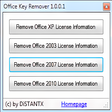
Office Key Windows向けのアプリ
- Lostpassword による
- トライアル版
- 7.9
関連ソフトウェア
WPS Office for Windows
WPS Office 2016 Free is the most versatile free office suite, which includes free word processor, spreadsheet program and presentation maker. With these three programs you will easily be able to deal with any office related tasks. WPS Office 2016 Free has multiple language support for English, French, German, Spanish, Portuguese,Russian and Polish languages. To switch between languages requires only a single click! Despite being a free suite, WPS Office comes with many innovative features, such as the paragraph adjustment tool and multiple tabbed feature. It also has a PDF converter, spell check and word count feature. WPS Office 2016 Personal Edition supports switching language UI,File Roaming and Docer online templates. Key features include: Writer Efficient word processor. Presentation Multimedia presentations creator. Spreadsheets Powerful tool for data processing and analysis. 100% compatible with MS Office document file types (.docx, .pptx, .xlsx, etc.). Thousands of free document templates. Built-in PDF reader. Mobile device support (iOS and Android). WPS Cloud Storage included. Although it is a free suite, WPS Office 2016 Free comes with many innovative features, including a useful a paragraph adjustment tool int he Writer program. It has an Office to PDF converter, automatic spell checking and word count features. It also has some neat tools such as the Watermark in document, and converting PowerPoint to Word document support. Overall, WPS Office 2016 Free is a good alternative to Microsoft's offering. The Writer program is a versatile word processor; the Presentation program is an easy to use and effective slide show maker that helps you to create impressive multimedia presentations; and the Spreadsheets program is both a flexible and a powerful spreadsheet application.
VMware Workstation Pro
There are numerous virtual environment provides on the market today, some put ease of use above functionality, other place integration above stability. VMware Workstation Pro is the easiest to use, the fastest and the most reliable app when it comes to evaluating a new OS, or new software apps and patches, in an isolated and safe virtualized environment. Key Features include: Powerful 3D Graphics - DirectX 10* and OpenGL 3.3 support. VMware Compatibility - Create one; Run anywhere on VMware software. vSphere and vCloud Air Support - Drag and drop VMs between environments. Restricted and Encrypted VMs - Protection and performance enhancements. Expiring Virtual Machines - Time-limited virtual machines. Latest Hardware Support - Broadwell and Haswell CPU support. Enterprise Quality Virtual Machines - 16 vCPUs, 8TB virtual disks, and 64GB memory. Enhanced IPv6 Support - IPv6-to-IPv4 NAT (6to4 and 4to6). Virtual Machine Video Memory - Up to 2GB. Enhanced Connectivity - USB 3.0, Bluetooth, HD audio, printers, and Skype support. High Resolution Displays - 4K UHD and QHD+ support. VMware Workstation Pro is a perfect choice for those of you who are a little skeptical about making the leap over to Windows 10. By utilizing an app like this, you'll get to try out all of Windows 10's new features in a safe sandboxed environment, without the need to install the OS natively. VMware Workstation Pro doesn't just support Microsofts OS, you can also install Linux VMs, including Ubuntu, Red Hat, Fedora, and lots of other distributions as well. Overall, Workstation Pro offers high performance, strong reliability, and cutting edge features that make it stand out from the crowd. The full version is a little pricey, but you do get what you pay for.
Microsoft Office Product Key Remover
オフィス製品キーを簡単に管理する
gnuplot
Gnuplot is a portable command-line driven graphing utility for Windows, Linux, OS/2, OSX, VMS, and many other platforms. Gnuplot is able to generate both 2D and 3D plots; delivering the results in animated views. You can also save the graphs to a variety of image formats, including PNG, SVG, JPEG and EPS. Supported outputs include: Interactive screen display: cross-platform (Qt, wxWidgets, x11) or system-specific (MS Windows, OS/2). Direct output to file: postscript (including eps), pdf, png, gif, jpeg, LaTeX, metafont, emf, svg.. Web display formats: HTML5, svg. Gnuplot was originally created to allow scientists and students to visualize mathematical functions and data interactively, but it has grown to support many non-interactive uses such as web scripting. It is also used as a plotting engine by third-party applications such as Octave.
Product Key Decryptor
プロダクトキーデクリプター:紛失したプロダクトキーを見つける
GoodSync for Windows
GoodSync for Windows is an easy, secure, and reliable way to automatically synchronize and back up your photos, MP3s, and important files. Backing-up and/or synchronizing your critical documents is an easy affair, with tasks that can be scheduled using a variety of Google Drive, Amazon S3, and SkyDrive supportautomatic options. GoodSync for Windows offers true bi-directional file synchronization that prevents any data loss. The app can be used to synchronize data between your desktop PC and laptop, home and office computers, computer and removable devices (USB Key, Flash Drive, CDRW disc). This can be done over a local network or via the Internet. Key Features include: Powerful syncing capabilities. Compare and analyze changes to files. Can backup multiple versions of files. Google Drive, Amazon S3, and SkyDrive support. Overall, GoodSync for Windows is a powerful file synchronization app. It offers cross platform availability and currently available for Windows, Mac, and Linux. The app lets you backup and sync files to any number of locations, including online storage, other computers, and even mobile devices. The only downside we can see, is that it has no compression or encryption options.

DearMob iPhone Manager
DearMob iPhone Manager is a solid tool that has category-wide iOS data support. This means that you can backup iPhone photos in JPG, HEIC and music in MP3 AAC format, 2-way transfer videos in MP4 MKV H.264 and manage various other types of iOS files such as SMS, Podcasts, voice memos, ebooks, bookmarks, calendars and contacts, between iPhone and your PC. DearMob iPhone Manager allows you to transfer files singularly or in batch between your iOS device and your PC at extremely fast speed, and backup & restore all your iOS data with only one click. You can manage iOS files by category, i.e. photo, music, video, book, contact, Podcast, iTunes U, ringtone, Voice Memos, App, Office files, SMS, calendar, bookmark, etc. or you can also switch your iOS device to act as a Flash Drive. Key Features include: Selectively transfer photos, export HEIC photo as JPG. Create, modify, delete photos/albums. Export/import music without iTunes. Add, edit, delete songs & playlists. Auto convert Apple-unfriendly format to MP3. Transfer your 4K videos from iPhone to free up storage space. Convert MKV, AVI, FLV, etc. to MP4, compress large videos in case. Backup all your iPhone, iPad, iPod Touch data and restore it to any iOS devices. Save contacts as VCF/PDF/TXT/HTML. Backup SMS, download pictures in message to PC. Manage your Podcast, iTunes, and Voice Memos, create your own ringtone with iPhone music. Convert ePub books to PDF/TXT/ HTML for Kindle. Add new books to iPhone. Install Apps that are not in App Store without Jailbreak. Manage App files, Office files and more. Supported iPhone file types include photos, music, videos, ebooks, voice memos, calendars, APPs, bookmarks, SMS, and contacts. The app can also add ringtones to iPhone, backup iPhone data (encrypted) or restore your iPhone from backup. Overall, DearMob iPhone Manager is a stable, secure, and super-fast utility that can manage, transfer, backup and restore iPhone or iPad data. There is no complex configuration to setup, and you can manage your iOS data in a secured manner without any data loss. Looking for the Mac version of DearMob iPhone Manager? Download here
Product Key Finder
Windows用の効率的なプロダクトキー取得ツール
PDF Split and Merge
PDF Split and Merge Basic is an easy-to-use tool with both graphical and command line interfaces that enable you to split, merge, mix, and rotate documents in the .PDF format. Key features include: Merge PDF documents together. Split PDF documents specifying the page number. Rotate PDF documents. Split PDF documents specifying the level of bookmarks. Mix two PDF documents taking pages alternately. Visually compose your PDF dragging pages from other PDF. PDF Split and Merge allows you to split up and merge any PDF document in only a few step. The downside is the user interface is not that friendly and it can take a while to get to grips with. PDF Split and Merge has multi-language support for French, Dutch, Polish, Czech, Finnish, Italian, Greek, English, Slovak, Chinese (Traditional), Estonian, Swedish, Turkish, Brazilian Portuguese, Chinese (Simplified), Danish, Bosnian, German, Spanish, Russian, and Hungarian. Looking for the Mac version of PDF Split and Merge Basic? Download Here
Notepad3
Notepad3 is a revamp of the standard, vanilla offering Windows Notepad that comes with Microsoft’s operating system. Notepad3 is a fast and lightweight Scintilla-based text editor with syntax highlighting capability. Although it has a small footprint, it is powerful enough to handle most programming jobs thrown at it. Key Features include: Code folding. Bracket matching. Automatic indentation. Word auto-completion. Convert character encoding between various formats (ASCII, UTF-8, and UTF-16). Newline format conversion (between DOS (CR/LF). Unix (LF), and Macintosh (CR) formats), multiple undo or redo, bookmarks, and regular expression-based find and replace. Notepad3 also supports many programming languages including syntax highlighting support for ASP, assembly language, AutoHotkey, AutoIt3, AviSynth, Bash, BAT, C, C++, C#, CMake, CoffeeScript, Common Gateway Interface (CGI), Cascading Style Sheets (CSS), DIFF, HTML, INF, INI, Inno Setup, Java, JavaScript, LaTeX, Lua, Markdown, NSIS, Pascal, Perl, PHP, Python, REG, Ruby, SQL, Tcl, Visual Basic (VB), VBScript, VHDL scripts, XHTML, XML, YAML and improved support for NFO ANSI art.
EdrawMax
Edraw Max Professional is a useful flowchart design app that allows you to visualise your ideas. With Edraw Max Professional, users, such as students, teachers, and business professionals, are able to reliably create and publish various kinds of diagrams to represent any idea. The app provides a versatile, easy, quick and professional solution to working with diagrams. With rich forms, templates, enhanced effects and themes, Edraw Max Professional allows you to create intuitive diagrams for your every need. The scope of design is vast; you can create a house or floor plan, an evacuation plan, a wiring plan, a CVC plan, computer graphics, Gantt charts, decision trees, a UML diagram, business cards, flyers, certificates, invoices, a purchase order scheme, and much more. Key features include: All-in-one diagram software. Create flow charts. Free templates. Extensive symbols, icons and shapes. Edit and customise symbols. Fast and intuitive editing. Built-in cloud storage. Over 50,000 built-in vector graphics. Because Edraw Max Professional is based on cloud storage, you can access your work on any device, at any time, wherever you are. It also provides a range of collaboration tools that allow you and your team to edit files simultaneously. You can even share your designs with others via HTML links. With rich forms, templates, enhanced effects and themes, you can create fresh looking, polished diagrams that really stand out. Edraw Max Professional makes your diagrams more dynamic by linking real-time graphics to your data. With pre-drawn libraries and more than 50,000 vector symbols, creating diagrams couldn't be simpler. Overall, Edraw Max Professional is a great piece of all-in-one diagram software. It gives you all the tools you need to create detailed diagrams. It integrates well with office apps and has some powerful functions. The interface is intuitive and easy to get to grips with. This version of Edraw Max Professional is a 30-day trial. Find Edraw Max Professional for Mac here.

Corel Office
Corel Office is a simple and sleek, Microsoft compatible office suite, which comes loaded with three individual applications: Corel Write, Corel Calculate and CorelShow. Corel Office gives you a complete office suite that has a familiar look and feel to it. The application also comes with built-in PDF creation tools that allow you to save your files in PDF format. KEY FEATURES INCLUDE: Easy to learn and use. With a familiar ribbon-style interface, Corel Office appears like the office software you're used to, thereby making it easy to start work immediately. Microsoft compatibility. With Corel Office you can open, edit, create and save Microsoft Office documents with just one click! One-click online sharing. Corel Office allows you to share your work easily thanks to support for Dropbox, the file-sharing service, which lets you securely post files online. System requirements: Microsoft Windows 8, Microsoft Windows 7, Windows Vista or Windows XP (32-bit and 64-bit editions). 256 MB RAM. 1 GHz processor. 152 MB hard disk space for English; 165 MB for English and French. 1024 x 600 screen resolution.

Indya OST to PST Converter
Indya OST to PST Converter is a great tool that can efficiently and reliably convert single or multiple files from offline .OST to Outlook .PST format. Key features include: Convert single files or in bulk Convert OST files along with the attachments Simple interface Lightweight Compatible with all versions of Windows This application is simple to use and can be operated by users with all levels of expertise. Simply drag and drop your OST files on to the program, adjust output location if needed, and click convert. Overall Indya OST to PST Converter is a lightweight and reliable tool with minimal system impact. A great choice when looking for a simple, yet sturdy, OST to PST Converter.