Code SparkによるWindows用の無料アプリ。
One Task について
このプログラムは2023年10月26日にFilehippoに公開され、私たちはまだテストする機会がありませんでした。
ぜひお試しいただき、コメントを残すか、私たちのウェブサイトで評価してください。私たちのユーザーコミュニティは本当に感謝します!
One TaskはWindows 11以上で利用可能です。現在のソフトウェアのバージョンは2021.402.1.0で、英語、スペイン語、オランダ語で入手できます。

編集者レビュー · 2025年10月30日
このプログラムは2023年10月26日にFilehippoに公開され、私たちはまだテストする機会がありませんでした。
ぜひお試しいただき、コメントを残すか、私たちのウェブサイトで評価してください。私たちのユーザーコミュニティは本当に感謝します!
One TaskはWindows 11以上で利用可能です。現在のソフトウェアのバージョンは2021.402.1.0で、英語、スペイン語、オランダ語で入手できます。
One Taskのバージョン2021.402.1.0に関する変更ログ情報はまだありません。出版社がこの情報を公開するのに時間がかかる場合がありますので、数日後にもう一度チェックして更新されたかどうかを確認した後、
変更ログ情報に変更があった場合には、お客様からの連絡をお待ちしております!次に進みます。お問い合わせページ 当社にご連絡ください。

The Winstep Nexus Dock is a FREE professional dock for Windows. With Nexus, your most frequently used applications are only a mouse click away - and Nexus turns working with your computer into a fun and exciting experience. The Nexus dock provides one-click access to frequently used applications, folders and documents. Main features: Display running applications on the dock with task grouping, filtering and icon customization options. Display system tray on the dock as single or grouped icons. Blur-Behind and colorization of dock backgrounds. Monitor active connections and bandwidth usage with Net Meter module. Get weather forecast for over 39,000 cities world-wide. Multiple mouse over effects: zoom, swing, bounce and more! Live icon reflections and animated water-like effects for reflections and dock backgrounds. Easily change appearance of icons of running programs and shortcuts by drag & dropping PNG, ICO and TIF files directly into the icon. Multi-monitor support. Compatible with skins for all 3rd party docks.
ApowerREC is being hailed as the “ultimate screen recorder” for a range of devices. As its name suggests, the product’s primary objective is to record anything on your screen. This can range from desktop activities to the live streaming of videos and meetings. The user will be able to capture the activity on the full screen or within a specifically set or customised region of the display. Audio will also be recorded, with the software boasting a great ability to keep videos synchronised with that sound. Moreover, you can record a video chat or make a tutorial video with the screen recording software by capturing the screen together with the webcam. Key features include: Edit videos Record webcam Task recording Convert video Take screenshots Record audio Flexible overlay toolbar Visual recording settings High output quality Apowersoft wanted their product to provide a “seamless screen recording experience” on all devices, and if the reviews are anything to go by – they succeeded. And they mean all devices, aside from being a powerful screen recorder for Windows and Mac it also provides screen recording for mobiles. ApowerREC also captures screen activities with audio from Android and iOS devices. The software manufacturer urges people to make the most of the product, promising them that they will see a cost-effective work and productivity increase. It is designed for business use, training, teaching and studying as well as gaming and general use. After you have captured your content you can then share it with the world through a variety of sites, including YouTube which can be uploaded to with just one click. Overall ApowerREC is a handy and wide-ranging product to have in your armoury. It does much more than just recording, with a brilliant ability to also capture audio as well as file conversion and footage editing. Available across almost all devices, the timeless product has already attracted a lot of great attention.

Quip has been specifically designed to help you work better. It combines chat, docs, task lists, and spreadsheets in one application thereby making collaboration both fast and easy. Quip enables you to create and share docs from any device you choose, whether that be a mobile device running iOS or Android, or your desktop PC or Mac. Quip has a fresh looking, modern styled interface and has been designed to be clean, simple and easy to use. With Quip you can now collaborate on documents, tasks and spreadsheets with ease, and without worrying about who has the latest data; because you all do. Key features include: Easy to use interface. Modern design. Real time collaboration. Chat and messaging support. The application allows you to work together on almost anything you need. You can take notes, share grocery lists, organize task lists, edit docs with your office coworkers, and collaborate with any group or team on projects. As well as sharing documents you can also chat and message in real-time, and because it has seamless integration you never have to switch to email. Overall, Quip is a powerful tool that is really useful. It has a clean and crisp looking user interface and has excellent support for spreadsheets, PDFs and Microsoft Office documents. You can import and export your documents from Dropbox, Evernote, Google Drive, Box and Google Docs. You can also import your address book from Gmail, Yahoo, Hotmail, Microsoft Outlook, Google, or iCloud. If implemented correctly, Quip really could help you accomplish things better. Looking for the Mac version of Quip? Download Here

Legal and legitimate iTunes, M4V movies, music videos, and TV shows usually have some sort of DRM protection and are saved in the M4V file format. So, despite legally owning the content you still have some annoyances with DRM to deal with. In essence, this means you can't play your files on non-Apple devices, such as an Android smartphone or your XBox One or PS4 Pro console, etc. One solution is to make sure that all your media and mobile tech devices are Apple products. But not everyone can afford to, or indeed even want to, especially if you use Windows OS as your desktop of choice. Enter TuneFab M4V Converter! The app offers you a solution to overcome such problems, by getting rid of DRM restrictions from protected M4V and converting them to MP4 formats o you can play your legally owned content on whatever device you want. Key Features include: Strip DRM from iTunes Rental & Purchases. Convert M4V to Lossless MP4 Format. Keep 5.1 Audio, AD Track and Subtitles. Easy-to-Use and Fast Conversion Speed. TuneFab M4V Converter can help you to legally strip DRM from both iTunes purchased and rented M4V videos. This lets you watch the iTunes movies, TV shows and music videos on whatever device you want. You can convert any protected M4V videos including iTunes movies purchases or rentals, TV shows, episodes, music videos, etc. to MP4 with lossless quality, and 100% original video quality will be preserved. This application can keep AC3 Dolby 5.1 audio & AD track when converting iTunes videos. TuneFab M4V Converter Multi-language subtitles including CC and audio tracks (including audio descriptions) of iTunes videos can also be saved with this powerful DRM Removal software. Even better, you can do all the above and choose the language you want it to be played in. TuneFab M4V Converter provides an easy-to-use interface which makes the M4V to MP4 conversion as intuitive as possible. Every user can finish the conversion within few clicks. And it can perform its task in a short time. You can also convert multiple files at a time as it supports batch conversion.
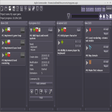
Agile Commander is a simple, offline workflow tool specifically designed for independent programmers and small teams. Also known as a Kanban board, it is essentially a workflow visualisation tool used to increase productivity and optimize the flow of your work. Unlike similar workflow tools, Agile Commander isn't online, it is a native application installed on your laptop or desktop. Because it is all stored on your own device, you keep full control of your data. Agile Commander is compatible with Windows and Linux. Key features include: Visualise and optimize your workflow. Track tasks and log changes. Simple desktop application. Limit the number of projects to be worked on at once. Work offline. Link tasks to hard drive files. Compatible with Windows and Linux. It is easy to customise Agile Commander to work for you, with multiple optional features to improve your workflow. You can add checklists and extra descriptions to more complex tasks, without cluttering your Kanban board thanks to a handy 'fold' feature to streamline tasks. You can also link a task with a specific file on your hard drive, that will open with just one click. Agile Commander even allows you to identify cards by an ID, filter cards to find exactly what you're looking for, and easily restore completed or trashed cards. Because Agile Commander works offline, you can install the application on your laptop and take it with you wherever you are and access your tasks even without an internet connection. It is easy to migrate to a new laptop or desktop, simply install the application on your chosen device and copy the project file to bring all your tasks with you. You can also track changes to projects using Agile Commander thanks to its handy activity log. Overall, Agile Commander is a simple offline workflow tool to visualise and optimise your tasks and work processes. It includes features specifically designed for independent programmers, including the ability to link a task directly to a file on your hard drive. If you're looking for a simple tool to keep track of your work and easily log tasks, why not try Agile Commander for yourself today. Do you work with a larger team? Check out the full range of business project management and collaboration apps on FileHippo.

WebElf is an intuitive application that can help you manage your computer and your home smartly and remotely. As long as you have an internet connection, you can use WebElf to control your computer and all your internet connected devices. Key Features: Remote control your computers. Customisable macro feature. Control your smart home from one app. Workarounds for embedded connectivity devices. Easy to control and monitor device use remotely. Free trial. Good support. WebElf allows you to create macros for specific programs and devices. This means that as far as your computer is concerned you can created special commands to terminate processes or for registry cleaning. Where WebElf really shines though is that you can use it to control any internet connected device in your home through it. This could be as mundane a task as using WebElf to turn on your central heating or regulating pool temperatures, to unlocking office doors, controlling lighting and even opening your garage doors. WebElf is simple and easy to use, and the interface is intuitive, and uses minimal system resources. There's literally an unlimited number of smart devices you can't manage from anywhere on the planet using WebElf. The software can be used on both tablets and smartphones as well. Overall, WebElf can best be described as useful and versatile utility especially for those people who live in Smart-Home environments.

Ant Renamer is a Batch renaming utility that has a simple interface, which will easily allow you to quickly automate the task of renaming multiple files. Ant Renamer is really simple to use; drag your files into the Files pane and select from one of the many available functions in the Actions pane. The app has plenty of functions to choose from such as changing extensions and string replacement, to more advanced tasks like regular expressions or the ability to use the EXIF info from your camera. With Ant Renamer you can also link up multiple renaming tasks together into a batch. This batch feature can be saved for use at a later date; a useful tool if you work with numerous downloaded files. Ant Renamer is a free app that makes it simple to rename lots of files and folders by using specified settings. Overall, the app is a lightweight utility that has powerful batch features, which can accomplish numerous tasks in only a few clicks.

Partition Magicの代替として、EASEUS Partition Master Home Editionは無料のオールインワンパーティションソリューションおよびディスク管理ユーティリティです。パーティションの拡張(特にシステムドライブ用)、ディスク領域の管理、MBRおよびGUIDパーティションテーブル(GPT)ディスクのディスク領域不足の問題の解決を可能にします。 パーティションのサイズ変更/移動システムドライブを拡張するディスクとパーティションをコピーパーティションをマージ分割パーティション空き領域を再分配するダイナミックディスクの変換パーティションを回復する

Rufusは小さなユーティリティで、USBキーやペンドライブ、メモリスティックなどの起動可能なUSBフラッシュドライブをフォーマットおよび作成できます。 Rufusは、次のシナリオで役立ちます。 Windows、Linux、およびUEFI用の起動可能なISOからUSBインストールメディアを作成する必要がある場合。 OSがインストールされていないシステムで作業する必要がある場合。 BIOSまたはその他のファームウェアをDOSからフラッシュする必要がある場合。 低レベルのユーティリティを実行する必要がある場合。 Rufusは次の* ISOで動作します:Arch Linux、Archbang、BartPE / pebuilder、CentOS、Damn Small Linux、Fedora、FreeDOS、Gentoo、gNewSense、Hiren's Boot CD、LiveXP、Knoppix、Kubuntu、Linux Mint、NT Password Registry Editor、 OpenSUSE、Parted Magic、Slackware、Tails、Trinity Rescue Kit、Ubuntu、Ultimate Boot CD、Windows XP(SP2以降)、Windows Server 2003 R2、Windows Vista、Windows 7、Windows 8。 *このリストは完全ではありません。 サポートされている言語は次のとおりです。インドネシア語、マレーシア語、セシュティナ、ダンスク、ドイツ語、英語、スペイン語、フランス語、フルバツキー、イタリア語、ラトヴィエシュ、リエトゥビウ、マジャール、オランダ、ノルスク、ポルスキ、ポルトガル、ポルトガル、スロヴェンスキー、スロベンツキー、スロヴェンスキーSrpski、Suomi、Svenska、Türkçe。

Auslogics Disk Defragは、FAT 16/32とNTFSファイルシステムの両方をサポートするコンパクトで高速なデフラグツールです。高度なディスク最適化技術が搭載されており、システムの遅延とディスクの断片化によるクラッシュを改善します。 ディスクの断片化は、システムのスローダウン、PCのクラッシュ、起動とシャットダウンの遅延につながります。 Auslogics Disk Defragは、最新のハードディスクの高速デフラグ用に設計されています。 特徴: デフラグと最適化空き領域の統合システムファイルのスマートな配置 MFT予約済みゾーンを明確に保つ単一のファイルまたはフォルダーの最適化断片化されたファイルのリスト自動デフラグモードスケジュールされたデフラグディスクデフラグのカスタマイズ多言語

Audacity is a free, easy-to-use audio editor and recorder for Windows, Mac OS X, GNU/Linux and other operating systems. You can use Audacity to: Record live audio. Convert tapes and records into digital recordings or CDs. Edit Ogg Vorbis, MP3, WAV or AIFF sound files. Cut, copy, splice or mix sounds together. Change the speed or pitch of a recording. Add new effects with LADSPA plug-ins. And more!

PCSX2は、PC用のPlaystation 2エミュレーターです。エミュレータの互換性率は、プレイ可能なすべてのPS2ゲームの80%以上を誇っています。かなり強力なコンピューターを所有している場合、PCSX2は優れたエミュレーターです。また、このアプリケーションはローエンドコンピューターのサポートも提供するため、Playstation 2コンソールのすべての所有者は、PCで動作するゲームを見ることができます。 PCSX2エミュレーターを使用すると、PS2コントローラーを使用して、本物のプレイステーション体験をシミュレートできます。このアプリケーションでは、ディスクからゲームを直接実行することも、ハードドライブからISOイメージとして実行することもできます。 主な機能は次のとおりです。 Savestates:ボタンを1つ押すだけで、ゲームの現在の「状態」を保存できます。 無制限のメモリーカード:好きなだけメモリーカードを保存でき、8MBから64MBまでの単一の物理カードに制限されなくなりました。 高解像度グラフィックス:PCSX2を使用すると、1080pまたは4K HDでゲームをプレイできます。 全体として、PCSX2 PS2エミュレーターの機能は優れています。 PS2ゲームを高い精度でエミュレートでき、Windowsとエミュレーターを切り替えることができます。欠点は、高速ゲームに苦労し、時々フリーズまたはクラッシュすることです。* PCSX2を使用するには、コンソールから抽出できるPlaystation 2 BIOSが必要です。

最大の生産性のための洗練されたノート取りソリューション

無料で使いやすい PDF エディター

無料の PDF ビューアおよびエディタ

ユニークな機能を備えた強化されたメールクライアント

効率的な領収書管理とクイック領収書ソフトウェア

有料の Foxit PDF スイート

PDFにすばやく変換

画面ズームソフトウェア
無料のデータ分析およびモデリング アプリ

eM Client: 効率的な電子メール、連絡先、カレンダー、およびインスタントメッセージングソリューション

ClickUp:包括的なプロジェクト管理ツール
効率的で効果的なPDFファイルの作成と編集のためのソフトウェア