
関連ソフトウェア

Animiz
Animiz is a great app for creating animated video media. Animiz is a simple yet powerful video presentation creation app that can be used to make engaging animated videos for free. With Animiz no coding or experience is required. Animiz can be used to create animated video presentation, product video demos, and business video presentations. Making stunning animated videos is just easy with Animiz. Key Features include: Rich online video templates: Animiz provides well-made templates that cover almost all the topics, such as Business, Education, Festival, Food, and Technology. Simply download and edit the template and add your flair. Cool camera effects: In animated videos, visual aspects are key. Animated video with eye-catching effects get straight to your points quickly. Diverse video assets: Interactive videoas help you engage with your audience better. Animiz has an element toolbar that allows you to add shape, image, text, role, effect, callout, SVG, sound, video, SWF, symbol, actor, chart, formula, and label to your videos. Powerful multi-track timeline: Customization is easy with Animiz. You can customize camera, background, caption, and animation. Flexible output options:Animiz provides you with three options to publish your project.Publish it to the cloud, publish it offline in 6 different formats (.mp4, .mov, .wmv, .avi, .flv, .mkv) based on your requirements, and you can save it as GIF format. Overall, Animiz is a powerful set of tools that can help you save a considerable amount of time and effort for in creating animated videos. the interface is easy to use and looks well designed, and the learning curve is fairly shallow considering all the tools that can be used.
Freac
If you are in the market for a free, Open Source audio conversion app, and you don’t mind a working with a simple interface, then you can’t go far wrong with Freac. Beneath the standard, bare bones window lies powerful open source conversion encoders that are able to rapidly convert your audio files to a good selection of formats. Not only can Freac convert an array of audio files, but it can also rip audio CDs as well. The app can access the online CDDB database to automatically populate the metadata attached to your media files, so they can be organized correctly in your media library. This is really useful as it saves a stack of time in manually adding the data yourself. Freac also comes with a couple of neat tools and configurable features, such as a built-in media player, with standard functionality; play, pause, stop, and skip next or skip previous. When saving content, you can choose a default saving directory, select the encoder you need, apply some audio filters, such as High-pass or Low-pass, create various playlists and cue sheets, install plugins, and you can edit ID3 tags as well. You can even batch process files, if you need to. Overall, Freac supports a wide array of formats, including .MP3, .Bonk, .WMA, .MP4/M4A, .AAC, .Ogg .Vorbis, .FLAC, and .WAV. It has a good selection of configurable options, and it is available in over 36 languages.
Agile Commander
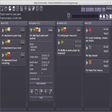
Agile Commander is a simple, offline workflow tool specifically designed for independent programmers and small teams. Also known as a Kanban board, it is essentially a workflow visualisation tool used to increase productivity and optimize the flow of your work. Unlike similar workflow tools, Agile Commander isn't online, it is a native application installed on your laptop or desktop. Because it is all stored on your own device, you keep full control of your data. Agile Commander is compatible with Windows and Linux. Key features include: Visualise and optimize your workflow. Track tasks and log changes. Simple desktop application. Limit the number of projects to be worked on at once. Work offline. Link tasks to hard drive files. Compatible with Windows and Linux. It is easy to customise Agile Commander to work for you, with multiple optional features to improve your workflow. You can add checklists and extra descriptions to more complex tasks, without cluttering your Kanban board thanks to a handy 'fold' feature to streamline tasks. You can also link a task with a specific file on your hard drive, that will open with just one click. Agile Commander even allows you to identify cards by an ID, filter cards to find exactly what you're looking for, and easily restore completed or trashed cards. Because Agile Commander works offline, you can install the application on your laptop and take it with you wherever you are and access your tasks even without an internet connection. It is easy to migrate to a new laptop or desktop, simply install the application on your chosen device and copy the project file to bring all your tasks with you. You can also track changes to projects using Agile Commander thanks to its handy activity log. Overall, Agile Commander is a simple offline workflow tool to visualise and optimise your tasks and work processes. It includes features specifically designed for independent programmers, including the ability to link a task directly to a file on your hard drive. If you're looking for a simple tool to keep track of your work and easily log tasks, why not try Agile Commander for yourself today. Do you work with a larger team? Check out the full range of business project management and collaboration apps on FileHippo.

Corel Office
Corel Office is a simple and sleek, Microsoft compatible office suite, which comes loaded with three individual applications: Corel Write, Corel Calculate and CorelShow. Corel Office gives you a complete office suite that has a familiar look and feel to it. The application also comes with built-in PDF creation tools that allow you to save your files in PDF format. KEY FEATURES INCLUDE: Easy to learn and use. With a familiar ribbon-style interface, Corel Office appears like the office software you're used to, thereby making it easy to start work immediately. Microsoft compatibility. With Corel Office you can open, edit, create and save Microsoft Office documents with just one click! One-click online sharing. Corel Office allows you to share your work easily thanks to support for Dropbox, the file-sharing service, which lets you securely post files online. System requirements: Microsoft Windows 8, Microsoft Windows 7, Windows Vista or Windows XP (32-bit and 64-bit editions). 256 MB RAM. 1 GHz processor. 152 MB hard disk space for English; 165 MB for English and French. 1024 x 600 screen resolution.

Surf Anonymous Free
Surf Anonymously Free is a useful app that replaces your Internet connection's standard IP address with an anonymous one, which changes regularly, thereby hiding your identity from threats such as hackers and identity thieves. Surf Anonymous Free has a simple user interface that is small enough to keep open on your desktop. The app displays national flags and IP addresses for two locations* that are large enough to be seen at a glance. These two IP addresses consist of your real IP address, including your city and country, and a fake Surf Anonymous Free IP address that is showed online. Surf Anonymous Free is a handy little app that provides a measure of anonymity by hiding your IP address, thereby protecting you from any vulnerabilities that are associated with it. * Surf Anonymous Free is free but is limited to U.S.only IP addresses. To use Surf Anonymous Free from a non-U.S. IP address or to disguise a U.S. address as a foreign IP, a Pro version is available.

CryptBox
CryptBox is a very useful security utility that creates secure safes, which are handled like normal drives and which you are able to store your data in, in an encrypted, secure environment that can only be accessed by you. CryptBox can encrypt your data with the AES-256 algorithm, which is the standard for secure banking and online monetary transactions. Using CryptBox is easy. The app provides a few nice walk through wizards for the main tasks, which help you step by step to your own safe. CryptBox also has a number of useful tools, for example you can transform existing folders and convert them into safe folders. A great feature of CryptBox is that it accepts different types of passwords for your safe. You can almost anything to secure you data in your safes. For example, you could use a USB device, an alphanumeric password or a series of images to open your safes. CryptBox also allows you to create a TravelSafe, which can be exported to an USB-Stick or on a CD. If you are on the road, e.g. for visiting friends, surfing in an InternetCafe or at working at another PC, you still have full access to your data, because the TravelSafe can be started directly from a USB stick. Overall, CryptBox is a simple, yet secure method of ensuring your data remain under lock and key. With various options to create passwords and the ability to store safes on usb drives and optical media, you can see why CryptBox is something that should check out.

EaseUS Partition Master Free
Partition Magicの代替として、EASEUS Partition Master Home Editionは無料のオールインワンパーティションソリューションおよびディスク管理ユーティリティです。パーティションの拡張(特にシステムドライブ用)、ディスク領域の管理、MBRおよびGUIDパーティションテーブル(GPT)ディスクのディスク領域不足の問題の解決を可能にします。 パーティションのサイズ変更/移動システムドライブを拡張するディスクとパーティションをコピーパーティションをマージ分割パーティション空き領域を再分配するダイナミックディスクの変換パーティションを回復する

LibreOffice 32-bit
LibreOfficeは、Windows、Macintosh、Linux向けの無料のパワーパックされたオープンソースの個人生産性スイートであり、すべてのドキュメント作成およびデータ処理のニーズに対応する6つの機能豊富なアプリケーションを提供します。 Writerは、LibreOffice内のワードプロセッサです。簡単な手紙の打ち出しから、目次、埋め込まれたイラスト、書誌、図表を含む本全体の作成まで、あらゆる用途に使用できます。 Calcは 、数字を使いこなし、選択肢を比較検討する際の難しい決定を支援します。 Impressは、効果的なマルチメディアプレゼンテーションを作成するための最速かつ最も簡単な方法です。 Drawを使用すると、ダイアグラムとスケッチをゼロから作成できます。絵は千の言葉に値するので、箱型図と線図で簡単なものを試してみませんか? Baseは、LibreOfficeスイートのデータベースフロントエンドです。 Mathは、数学、化学、電気、または科学の方程式を標準の表記法ですばやくレイアウトして表示できる単純な方程式エディターです。

LibreOffice 64-bit
LibreOfficeは、Windows、Macintosh、Linux向けの無料のパワーパックされたオープンソースの個人生産性スイートであり、すべてのドキュメント作成およびデータ処理のニーズに対応する6つの機能豊富なアプリケーションを提供します。 Writerは、LibreOffice内のワードプロセッサです。簡単な手紙の打ち出しから、目次、埋め込まれたイラスト、書誌、図表を含む本全体の作成まで、あらゆる用途に使用できます。 Calcは 、数字を使いこなし、選択肢を比較検討する際の難しい決定を支援します。 Impressは、効果的なマルチメディアプレゼンテーションを作成するための最速かつ最も簡単な方法です。 Drawを使用すると、ダイアグラムとスケッチをゼロから作成できます。絵は千の言葉に値するので、箱型図と線図で簡単なものを試してみませんか? Baseは、LibreOfficeスイートのデータベースフロントエンドです。 Mathは、数学、化学、電気、または科学の方程式を標準の表記法ですばやくレイアウトして表示できる単純な方程式エディターです。

Audacity
Audacity is a free, easy-to-use audio editor and recorder for Windows, Mac OS X, GNU/Linux and other operating systems. You can use Audacity to: Record live audio. Convert tapes and records into digital recordings or CDs. Edit Ogg Vorbis, MP3, WAV or AIFF sound files. Cut, copy, splice or mix sounds together. Change the speed or pitch of a recording. Add new effects with LADSPA plug-ins. And more!

VLC Media Player 32-bit
VLC Media Playerは、最も人気があり堅牢なマルチフォーマットの無料メディアプレーヤーです。 VLC Media Playerは、非営利団体VideoLAN Projectによって2001年に公開されました。 VLC Media Playerは、その多彩なマルチフォーマット再生機能のおかげで、すぐに非常に人気がありました。 QuickTime、Windows、Real Media Playerなどの競合メディアプレーヤーが多くの一般的なビデオおよび音楽ファイル形式に役に立たないようにする互換性とコーデックの問題によって支援されました。簡単で基本的なUIと多数のカスタマイズオプションにより、VLC Media Playerは無料のメディアプレーヤーのトップに位置付けられています。 柔軟性 VLC Media Playerは、検索可能なほぼすべてのビデオまたは音楽ファイル形式を再生します。これは、ほとんどの人がメディアファイルを再生しようとするとクラッシュしたり、「コーデックが見つかりません」というエラーメッセージを表示したりしていたデフォルトのメディアプレーヤーと比較して革命でした。 VLC Media Playerは、MPEG、AVI、RMBV、FLV、QuickTime、WMV、MP4およびその他のビデオおよびオーディオメディアファイル形式の負荷を再生できます。 VLC Media Playerはさまざまな形式のロードを処理できるだけでなく、部分的または不完全なオーディオおよびビデオメディアファイルを再生できるため、ダウンロードを終了前にプレビューできます。 使いやすい VLC Media PlayerのUIは、間違いなく機能よりも美の機能です。ただし、基本的な外観により、メディアプレーヤーは非常に使いやすくなります。ファイルやフォルダーを使用してファイルをドラッグアンドドロップして再生または開くだけで、クラシックメディアナビゲーションボタンを使用して、再生、一時停止、停止、スキップ、再生速度の編集、音量、明るさの変更などを行うことができます。つまり、標準の外観だけではVLCをデフォルトのメディアプレーヤーとして選択できなくなるわけではありません。 高度なオプション VLC Media Playerのシンプルなインターフェイスに惑わされないでください。再生、オーディオ、ビデオ、ツール、およびビューのタブには、さまざまなプレーヤーオプションがあります。複数のプリセット、オーバーレイ、特殊効果、AtmoLightビデオ効果、オーディオ空間化、カスタマイズ可能な範囲圧縮設定を備えたグラフィックイコライザーなどの同期設定で再生できます。 SRTファイルをビデオのフォルダーに追加することで、ビデオに字幕を追加することもできます。 概要 VLC Media Playerは、非常にシンプルで汎用性が高く、安定した高品質の無料メディアプレーヤーです。 10年以上にわたって無料のメディアプレーヤー市場を独占してきましたが、VideoLAN Orgによる絶え間ない開発と改善のおかげで、さらに10年間はそうなるようです。 MacバージョンのVLC Media Playerをお探しですか?ここからダウンロード

360 Total Security
QIHUの360 Total Security Premiumは、高品質のウイルス対策セキュリティ製品です。 このソフトウェアは、重要な機能を簡単に実行し、モダンでありながらシンプルで直感的な感覚を持つクリーンなユーザーインターフェイスを備えています。 360 Total Security Premiumは迅速にインストールされ、比較的軽いプログラムであり、システムを詰まらせません。 主な機能は次のとおりです。 完全チェック。 ウイルススキャン。 スピードアップ。 掃除。 保護。 WiFiセキュリティチェック。 サンドボックス。 繕う。 360 Total Security Premiumは、360ヒューリスティックエンジン、360クラウドエンジン、およびBit-Defenderを搭載した最先端のウイルス対策保護を使用します。ソフトウェアの背後にあるこの種のパワーにより、Realtime ProtectionとProactive Defenseの両方でPCが安全であることを確認できます。 360 Total Securityのプレミアム機能には、セキュアブラウジング、プライバシー保護、サンドボックスが含まれます。 360 Total Security Premiumには、自動更新とテーマサポートも含まれています。 プレミアム機能を備えた高品質のセキュリティ製品については、QIHUの360 Total Security Premiumをご覧ください。