関連ソフトウェア
Tux Paint
Tux Paint is a free, award-winning drawing application aimed at children ages 3 to 12 (preschool and K-6). Tux Paint is used in schools around the world as a computer literacy drawing activity. It has an easy-to-use interface that is combined with fun sound effects, and an encouraging cartoon mascot called Tux, who appears at the bottom of the screen to give tips, hints and information to guide children as they use the application. To begin, children are presented with a blank canvas and a variety of tools to help them be creative. The drawing tools are made available on the drawing canvas and are easily accessible. The canvas is a fixed size, so there is no need to worry about 'pixels' or 'inches' when making a new picture. The entire program fits on a screen as small as 640x480, and can be displayed full-screen, to mask the computer's underlying 'desktop' interface. (It defaults to 800x600 mode, but can run at larger sizes and in portrait or landscape mode, as well.) To load and save images a simple thumbnail display is used, so no knowledge of the file system structure is required. Even file names are unnecessary. The interface is both entertaining and useful for children to use. It is also configurable and sound effects, print, and quit options can be disabled. Tux Paint has massive multi-language support, with parts of Tux Paint translated into 129 languages Overall, Tux Paint is a great tool that allows pre-school children onward, the ability to explore their creativity. It has a simple interface that young minds can easily grasp and there are numerous different drawing tools available; from brushes and stamps to alternate colour palettes. Text can be input in various different fonts and there is also an effects tool to tinker around with too.

TinyTake
TinyTake is a screen capture tool that allows the user to capture an image of any window or region of your screen. Add captions, textboxes, arrows, or highlights to your image after capture. Features Include: Annotate Images Bulk File Sharing Share image online Directly upload to YouTube Online Gallery Print, email, upload online, or directly share your images to YouTube. TinyTake provides plenty of tools and manages to keep its self simple and resource efficient. Overall, TinyTake provides a simple way of capturing and annotating screen images. TinyTake's basic package is free to use, download it now and enjoy.

XnView
XnView is freeware software that allows you to view and convert graphic files. It's very fast and easy to use. But more importantly it supports more than 400 graphics formats! Import about 400 graphic file formats Export about 50 graphic file formats Multipage TIFF, Animated GIF, Animated ICO support Image IPTC, EXIF metadata support EXIF auto rotation support IPTC editing Resize, rotate, crop support Lossless rotate & crop (jpeg) support Adjust brightness, contrast... Auto levels, contrast Modify number of colors Apply filters (blur, average, emboss, ...) Apply effects (lens, wave, ...) Fullscreen mode Slide show with effects Batch convert, batch rename Create WEB page easily Screen capture Create contact Sheet Create or edit Multi-page file (TIFF, DCX, LDF) TWAIN & WIA support (Windows only) Print support (Windows only) Drag & Drop support (Windows only) Compare image side by side Filmstrip layout 44 languages support (Windows only)

BlueGriffon 64-bit
BlueGriffon is a new WYSIWYG content editor for the World Wide Web. Powered by Gecko, the rendering engine of Firefox, it's a modern and robust solution to edit Web pages in conformance to the latest Web Standards. Features: WYSIWYG web editor. Based on Gecko, the rendering engine of Firefox. Create and edit all HTML 4, XHTML 1 and HTML 5 (both HTML and XML serializations) documents. Nice, simple and intuitive User Interface. Directly embed HTML 5 audio or video elements. Extract a frame from your video file with a single click to use it as the poster in the Web page. Full support for the HTML 5 forms with dialogs for all the elements currently defined by the HTML 5 specification. Insert all HTML 5 elements, including the new semantic elements like header, footer, aside, section, etc. Easily resizing of tables using the vertical and horizontal rulers in the window. Own CSS parser. Automatic output of alternative CSS properties or values for other browser domains. CSS Style Properties panel. CSS 3 Properties such as 2D Transforms, 3D Transforms, Transitions, Shadows, Linear and Radial Gradients, Repeating Gradients, Border Images, Columns, Flex Box Model, and more are supported. CSS 3 Media Queries to apply stylesheets not only on a per-medium basis (styles for screen, mobile, print, ...) but also depending on the features of the rendering device. SVG Edit included. WebFonts Add-ons. Available in many languages. BlueGriffon is an intuitive application that provides Web authors (beginners or more advanced) with a simple User Interface allowing to create attractive Web sites without requiring extensive technical knowledge about Web Standards. Because Gecko lives inside BlueGriffon, the document you edit will look exactly the same in Firefox. Advanced users can always use the Source View to hard-code their page.
Screen Marker
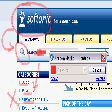
無料ツールは、Windows スクリーン マーカーと同様の機能を示します

Screenphoto
Screenphotoは、システムトレイから正常に実行される便利な小さなアプリです。キーボードのPrint Screenキーを押すと、画面のスナップショットを即座に取得できます。画像を撮影するために別のエリアに移動する必要はありません。メインインターフェイスは、スクリーンショットを撮った後にのみアクセスできます。 Screenphotoを使用すると、デスクトップ全体、アクティブウィンドウ、またはユーザー定義領域のスクリーンショットを撮ることができます。このアプリを使用すると、スクロールダウンして各表示可能領域の複数のスクリーンショットを撮る必要なく、Webページ全体をキャプチャできます。 スクリーンショットを撮った後、鉛筆、マーカー、テキストボックスなどのさまざまな編集ツールを使用して、スクリーンショットをカスタマイズできます。画像をカスタムフォルダーに保存することもできます。このアプリでは、スクリーンショットにカスタムの透かしを追加できますが、その位置を変更することはできず、固定されたままです。 主な機能は次のとおりです。 スクリーンショットをPNG、JPG、またはPDFに保存します。 スクリーンショットを印刷するか、クリップボードにコピーします。 ワンクリックでスクリーンショットをウェブにアップロードします。 編集ツールには、矢印、鉛筆、マーカー、黒の画家が含まれます。 スクリーン写真には、Windowsシステム統合サポートが付属しています。実際には、これは、スクリーンショットを撮ることができるように、ほとんどのアクティブなウィンドウの上に小さなカメラアイコン/ボタンを追加することを意味します。これは最初は良いアイデアのように見えるかもしれませんが、実際はそうではありません。ボタンの位置は、最小化ボタンの近くにあるため、ナビゲーションの問題が発生する可能性があります。 全体的に、Screenphotoは悪いアプリではなく、面倒でアイロンがけが必要な折り目がいくつかあるだけです。画像キャプチャ機能に関する限り、アプリは正常に動作します。編集インターフェイスは機能的ではありますが基本的であり、Windows統合は機能しますが、少し面倒です。
Gadwin PrintScreen
Gadwin Print Screen でスクリーン Crtc キャプチャを保存する方法

iTop Screenshot
無料のスクリーン キャプチャ ツール

EaseUS Partition Master Free
Partition Magicの代替として、EASEUS Partition Master Home Editionは無料のオールインワンパーティションソリューションおよびディスク管理ユーティリティです。パーティションの拡張(特にシステムドライブ用)、ディスク領域の管理、MBRおよびGUIDパーティションテーブル(GPT)ディスクのディスク領域不足の問題の解決を可能にします。 パーティションのサイズ変更/移動システムドライブを拡張するディスクとパーティションをコピーパーティションをマージ分割パーティション空き領域を再分配するダイナミックディスクの変換パーティションを回復する

LibreOffice 32-bit
LibreOfficeは、Windows、Macintosh、Linux向けの無料のパワーパックされたオープンソースの個人生産性スイートであり、すべてのドキュメント作成およびデータ処理のニーズに対応する6つの機能豊富なアプリケーションを提供します。 Writerは、LibreOffice内のワードプロセッサです。簡単な手紙の打ち出しから、目次、埋め込まれたイラスト、書誌、図表を含む本全体の作成まで、あらゆる用途に使用できます。 Calcは 、数字を使いこなし、選択肢を比較検討する際の難しい決定を支援します。 Impressは、効果的なマルチメディアプレゼンテーションを作成するための最速かつ最も簡単な方法です。 Drawを使用すると、ダイアグラムとスケッチをゼロから作成できます。絵は千の言葉に値するので、箱型図と線図で簡単なものを試してみませんか? Baseは、LibreOfficeスイートのデータベースフロントエンドです。 Mathは、数学、化学、電気、または科学の方程式を標準の表記法ですばやくレイアウトして表示できる単純な方程式エディターです。

Audacity
Audacity is a free, easy-to-use audio editor and recorder for Windows, Mac OS X, GNU/Linux and other operating systems. You can use Audacity to: Record live audio. Convert tapes and records into digital recordings or CDs. Edit Ogg Vorbis, MP3, WAV or AIFF sound files. Cut, copy, splice or mix sounds together. Change the speed or pitch of a recording. Add new effects with LADSPA plug-ins. And more!

VLC Media Player 32-bit
VLC Media Playerは、最も人気があり堅牢なマルチフォーマットの無料メディアプレーヤーです。 VLC Media Playerは、非営利団体VideoLAN Projectによって2001年に公開されました。 VLC Media Playerは、その多彩なマルチフォーマット再生機能のおかげで、すぐに非常に人気がありました。 QuickTime、Windows、Real Media Playerなどの競合メディアプレーヤーが多くの一般的なビデオおよび音楽ファイル形式に役に立たないようにする互換性とコーデックの問題によって支援されました。簡単で基本的なUIと多数のカスタマイズオプションにより、VLC Media Playerは無料のメディアプレーヤーのトップに位置付けられています。 柔軟性 VLC Media Playerは、検索可能なほぼすべてのビデオまたは音楽ファイル形式を再生します。これは、ほとんどの人がメディアファイルを再生しようとするとクラッシュしたり、「コーデックが見つかりません」というエラーメッセージを表示したりしていたデフォルトのメディアプレーヤーと比較して革命でした。 VLC Media Playerは、MPEG、AVI、RMBV、FLV、QuickTime、WMV、MP4およびその他のビデオおよびオーディオメディアファイル形式の負荷を再生できます。 VLC Media Playerはさまざまな形式のロードを処理できるだけでなく、部分的または不完全なオーディオおよびビデオメディアファイルを再生できるため、ダウンロードを終了前にプレビューできます。 使いやすい VLC Media PlayerのUIは、間違いなく機能よりも美の機能です。ただし、基本的な外観により、メディアプレーヤーは非常に使いやすくなります。ファイルやフォルダーを使用してファイルをドラッグアンドドロップして再生または開くだけで、クラシックメディアナビゲーションボタンを使用して、再生、一時停止、停止、スキップ、再生速度の編集、音量、明るさの変更などを行うことができます。つまり、標準の外観だけではVLCをデフォルトのメディアプレーヤーとして選択できなくなるわけではありません。 高度なオプション VLC Media Playerのシンプルなインターフェイスに惑わされないでください。再生、オーディオ、ビデオ、ツール、およびビューのタブには、さまざまなプレーヤーオプションがあります。複数のプリセット、オーバーレイ、特殊効果、AtmoLightビデオ効果、オーディオ空間化、カスタマイズ可能な範囲圧縮設定を備えたグラフィックイコライザーなどの同期設定で再生できます。 SRTファイルをビデオのフォルダーに追加することで、ビデオに字幕を追加することもできます。 概要 VLC Media Playerは、非常にシンプルで汎用性が高く、安定した高品質の無料メディアプレーヤーです。 10年以上にわたって無料のメディアプレーヤー市場を独占してきましたが、VideoLAN Orgによる絶え間ない開発と改善のおかげで、さらに10年間はそうなるようです。 MacバージョンのVLC Media Playerをお探しですか?ここからダウンロード

Rufus
Rufusは小さなユーティリティで、USBキーやペンドライブ、メモリスティックなどの起動可能なUSBフラッシュドライブをフォーマットおよび作成できます。 Rufusは、次のシナリオで役立ちます。 Windows、Linux、およびUEFI用の起動可能なISOからUSBインストールメディアを作成する必要がある場合。 OSがインストールされていないシステムで作業する必要がある場合。 BIOSまたはその他のファームウェアをDOSからフラッシュする必要がある場合。 低レベルのユーティリティを実行する必要がある場合。 Rufusは次の* ISOで動作します:Arch Linux、Archbang、BartPE / pebuilder、CentOS、Damn Small Linux、Fedora、FreeDOS、Gentoo、gNewSense、Hiren's Boot CD、LiveXP、Knoppix、Kubuntu、Linux Mint、NT Password Registry Editor、 OpenSUSE、Parted Magic、Slackware、Tails、Trinity Rescue Kit、Ubuntu、Ultimate Boot CD、Windows XP(SP2以降)、Windows Server 2003 R2、Windows Vista、Windows 7、Windows 8。 *このリストは完全ではありません。 サポートされている言語は次のとおりです。インドネシア語、マレーシア語、セシュティナ、ダンスク、ドイツ語、英語、スペイン語、フランス語、フルバツキー、イタリア語、ラトヴィエシュ、リエトゥビウ、マジャール、オランダ、ノルスク、ポルスキ、ポルトガル、ポルトガル、スロヴェンスキー、スロベンツキー、スロヴェンスキーSrpski、Suomi、Svenska、Türkçe。