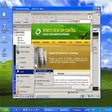
Remote Desktop Control Windows向けのアプリ
- Aquatra による
- トライアル版
- 1.8.0.81
関連ソフトウェア

AnyDesk
AnyDeskは、新しいビデオコーデックを使用する一般的なリモートデスクトップアプリケーションです。このビデオコーデックは、新鮮なグラフィカルユーザーインターフェイス用に特別に設計されています。 AnyDeskソフトウェアは、汎用性が高く、安全で軽量です。ソフトウェアはTLS1.2暗号化を使用し、接続の両端が暗号で検証されます。 AnyDeskは非常に軽量であり、1MBのファイルに詰め込まれており、管理者権限やインストールは不要です。 AnyDeskのUIは、非常にシンプルで操作が簡単です。 AnyDeskを使用すると、どこからでもパソコンを使用できます。パーソナライズされたAnyDesk-IDは、すべてのアプリケーション、ドキュメント、写真を含むデスクトップの鍵です。最も重要なことは、あなたのデータはあなたのハードドライブのどこにでもあり、それ以外の場所にはないということです。

Remote Utilities
Remote Utilities: Windows向けの強力なリモートデスクトップソフトウェア
HopToDesk
HopToDeskでWindowsの体験をカスタマイズする

StarDesk - Remote Desktop & Gaming
StarDeskによる手間いらずのリモートコントロール
RdClient
リモート デスクトップ ソフトウェアを最大限に活用する方法

ThinVNC
Windows用の効率的なリモートコントロールソフトウェア

Ultraviewer
リモート デスクトップ コントローラー

Stellarium 64-bit
Stellarium provides you with accurate data about the night sky, which can be used by professional and amateur astronomers alike. Basically, it's a planetarium for your computer! The application is feature packed and can show a realistic sky in 3D; the same as what you'd see with a telescope. Key features include: Default catalog of over 600,000 stars (extra catalogs with more than 210 million stars). Asterisms and illustrations of the constellations. Constellations for 20+ different cultures. Images of nebulae (full Messier catalog). The planets and their satellites. Very realistic atmosphere, sunrise and sunset. Realistic Milky Way. Stellarium has a great looking interface that can be accessed by all levels of user. It comes with a powerful zoom feature, time control, fish-eye projection for planetarium domes, extensive keyboard control and telescope control. Stellarium also comes with plugin control, so you can add functions like artificial satellites, ocular simulation, and telescope configuration. You can also add to your database, new solar system objects from online resources. Looking for the Mac version of Stellarium? Download Here
Radmin
Radmin is a secure remote control utility that enables you to virtually work on a remote computer in real-time, as if you were sat directly in front of it. Radmin has an array of really useful tools, including the ability to remotely access the same computer from multiple places. You can also use advanced File Transfer functionality, make use of multi-user Text and Voice chats, and be able to perform remote system shut-downs. Key Features include: Multiple Connection Support. Fast User Switching. Free Technical Support. Secure Drag and Drop. Text and Voice Chat. Hardware Remote Control with AMT support. 256-Bit AES Encryption. Windows 10 Compatible. The really good thing about using Radmin is the speed. The app utilizes a unique DirectScreenTransfer technology, which gives you rapid connection speeds with minimal CPU usage. The security of the service is also first rate. Radmin provides you with a secure, encrypted connection, giving you the peace of mind to work freely. With access rights assigned on an individual basis for each user, and special IP-filter tables that restrict access to specific IP addresses and sub-networks, Radmin really does give you a secure working environment to undertake a variety of jobs, including maintenance tasks and troubleshooting faults. If you need full access to a remote computer then Radmin Viewer will provide exactly what you need. You can turn on, restart and shut down the remote computer. You can also view and change the BIOS settings and boot it from a local CD or disk image file if needed. Overall, Radmin is a superb app, which lets you remotely control a PC anywhere on a LAN, WAN or via Internet. The security protocols used are industry standard and with state of the art tools like Hardware Remote Control with AMT support, and Secure Drag and Drop, it’s no wonder Radmin is the go-to app for remote workers, mobile travellers, and help-desk technicians.

TeamViewer Portable
TeamViewer Portable を使用してリモート アクセスを管理する

TeamViewer
リモートデスクトップアプリケーション
Remote Desktop Assistant
リモート デスクトップ アシスタントへの接続