Skype Windows向けのアプリ
- Skype Technologies による
- 無料
- 15.99.3202.0
関連ソフトウェア
Skype Portable
Skype Portable for Windows - インストールは必要ですか?
Viber
Viberは、スマートフォンまたはPCで使用できる人気のある無料のボイスオーバーIPメッセージングサービスおよびSkypeの代替サービスです。 Viber PCクライアントはモバイルアプリの便利さを利用してPCに持ち込むため、携帯電話を持っていなくても接続を維持できます。また、連絡先と通信しながら、仕事やマルチタスクを簡単に実行できます。 ViberはWhatsappと競合して、世界で最も人気のあるクロスプラットフォーム/クロスデバイスメッセージングサービスのタイトルを獲得しています。 Viber / WhatsappとSkypeの主な違いは、スカイプの連絡先だけでなく、サービスを使用しているすべての携帯電話の連絡先と通信できることです。音声通話、チャット、SMS、写真、ビデオの送信は、アプリがインストールされている電話連絡先に無料で送信できます。最大100人の連絡先と同時にビデオハングアウトすることもできます。シンプルなUIがパッケージをきれいに仕上げます。 ViberやWhatsappのようなものは、使いやすさとデータカバレッジの改善のおかげで、従来のモバイルSMS業界をほとんど殺しました。 Windows PCでViberを使用するには、まず携帯電話にViberをインストールする必要があります(Android、iPhone、Blackberry、Symbian、およびWindows Phoneアプリが利用可能です)。次に、WindowsデスクトップクライアントをPCにインストールし、サインインして2つのデバイス間で連絡先を同期します。完了したら、通話して無料で心のコンテンツにチャットしましょう。 他のVoIPユーザー(固定電話と携帯電話)に直接電話をかけたい場合は、Viber Out機能を使用できます。これらの通話は無料ではありませんが、非常に競争力のある料金で提供されます。 Viberアカウントにクレジットを追加して、Viber Outを使用できます。インターネット接続が不十分な地域にいる場合を除き、通話品質は一般に優れています。 MacバージョンのViberをお探しですか?ここからダウンロード

Skype Voice Changer
Skype Voice Changer is a simple app that is able to modify your voice for conversions on Skype. The features of Skype Voice Changer are somewhat limited, but it does provides the correct number of options to change how you sound when chatting online with Skype VoIP. When Skype Voice Changer runs for the first time, it will attempt to detect and connect to Skype. Once Skype has started, you will need to perform a one-time authorisation to allow Skype Voice Changer to work with it. Within Skype you’ll also need to authorise Skype Voice Changer by selecting ‘Authorise’. As soon as you are successfully authorised, the Status screen will then show ‘Waiting for Call’ and the Effects tab will be automatically selected. Now you can start applying effects to your voice. In the ‘Effects’ tab, you are able to configure an ’Effects Chain’ of one or more different effects, which will modify your voice while a call is in progress (the field is empty by default). By clicking on the ‘Add Effect’ button it will allow you to choose an effect to add. Once you have selected an effect,you can edit and adjust the effect parameters in real-time. Your voice will be modified using any effects you have selected. It is worth noting that you will not hear the effects yourself. To test them out, you need to make a call to the ‘Skype Echo Service’. This will play back what you have spoken into the microphone. Overall, Skype Voice Changer does exactly what is says on the tin. It has a few options, however, it provides a perfect way to mask your true voice during Skype calls, both over video and voice, in real-time.
Skype Web Toolbar
Windows用の無料アプリ。
Skype for Business
プロフェッショナルなオンライン会議ソフトウェア
MP3 Skype Recorder
MP3 Skype レコーダー - オーディオ ストリームを録音する小型でシンプルな製品
Seaside Multi Skype Launcher
Skype アカウント用のシーサイド マルチ スキン
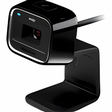
Microsoft LifeCam
Microsoft Lifecam 8 で完璧な写真を
VMware Workstation Pro
There are numerous virtual environment provides on the market today, some put ease of use above functionality, other place integration above stability. VMware Workstation Pro is the easiest to use, the fastest and the most reliable app when it comes to evaluating a new OS, or new software apps and patches, in an isolated and safe virtualized environment. Key Features include: Powerful 3D Graphics - DirectX 10* and OpenGL 3.3 support. VMware Compatibility - Create one; Run anywhere on VMware software. vSphere and vCloud Air Support - Drag and drop VMs between environments. Restricted and Encrypted VMs - Protection and performance enhancements. Expiring Virtual Machines - Time-limited virtual machines. Latest Hardware Support - Broadwell and Haswell CPU support. Enterprise Quality Virtual Machines - 16 vCPUs, 8TB virtual disks, and 64GB memory. Enhanced IPv6 Support - IPv6-to-IPv4 NAT (6to4 and 4to6). Virtual Machine Video Memory - Up to 2GB. Enhanced Connectivity - USB 3.0, Bluetooth, HD audio, printers, and Skype support. High Resolution Displays - 4K UHD and QHD+ support. VMware Workstation Pro is a perfect choice for those of you who are a little skeptical about making the leap over to Windows 10. By utilizing an app like this, you'll get to try out all of Windows 10's new features in a safe sandboxed environment, without the need to install the OS natively. VMware Workstation Pro doesn't just support Microsofts OS, you can also install Linux VMs, including Ubuntu, Red Hat, Fedora, and lots of other distributions as well. Overall, Workstation Pro offers high performance, strong reliability, and cutting edge features that make it stand out from the crowd. The full version is a little pricey, but you do get what you pay for.
Snap Camera
ウェブカメラの Snapchat レンズ
SparkoCam
カメラを簡単にウェブカメラに変換する
Messenger Reviver
あなたのメッセンジャー体験を簡単に復活させましょう