関連ソフトウェア

LYNX Whiteboard
コラボレーションのための魅力的なインタラクティブホワイトボード

myViewBoard Whiteboard
Windows用インタラクティブデジタルホワイトボード

Mango Whiteboard Animation Maker
簡単に魅力的なアニメーションを作成する
Screeny
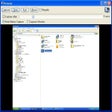
Screeny is a uniquely versatile and powerful screen capture and desktop recording program that is free for personal use. That's right, free, completely, for personal use. It's also quite brilliant. Of course, while we here at FileHippo.com love free software, we really, really, really love it when the free stuff is better than some of the software tools out there you have to pay money for. And Screeny is really, really good. Just to clarify, we don't mean really good for free software, we actually just mean it's really good. Screeny isn't just another Windows Snipping tool that captures full screen and active windows or parts of your computer screen. Of course, it does do that, but Screeny is so much more. As well as full-screen and rectangular captures, it can also grab circle, DOS windows freehand selections, scrolling areas, menu structures, Windows objects (regions, windows, controls) and an awful lot more besides. Essentially, whatever you want to capture on your PC or laptop, you can. But it's the after effects where Screeny really shines. You can add shadows, border effects, captions, watermarks and a wide selection of other options as well. Screeny also comes with an editor and paint tool as standard, that allows you to annotate to your heart's content, and things like arrows, question marks, ticks and a load of objects that are similar to the now defunct Microsoft clip-art. Your screen captured images can be saved in a large number of formats including all the usual image files and the always useful PDF. Captured images can be sent via email or opened in Word, Excel, and PowerPoint. Screeny also really shines in one other area, and that's the ability to record your desktop, complete with audio. It's really good as well. Additionally, the built-in whiteboard is excellent for creating presentations in an instant, and allows you to save the files as AVI. (In the paid-for version, you can also save in WMV, FLV, SWF) Key Features: Record your desktop, complete with audio. Powerful screenshot tool. Free. (For personal use). Huge number of options. Well designed and lots, and lots of options. Built-in editor and paint tool. Overall, Screeny is a brilliant, free, powerful screenshot tool with a huge amount if utility, with a near staggering number of things it lets you do.

EaseUS Partition Master Free
Partition Magicの代替として、EASEUS Partition Master Home Editionは無料のオールインワンパーティションソリューションおよびディスク管理ユーティリティです。パーティションの拡張(特にシステムドライブ用)、ディスク領域の管理、MBRおよびGUIDパーティションテーブル(GPT)ディスクのディスク領域不足の問題の解決を可能にします。 パーティションのサイズ変更/移動システムドライブを拡張するディスクとパーティションをコピーパーティションをマージ分割パーティション空き領域を再分配するダイナミックディスクの変換パーティションを回復する

Audacity
Audacity is a free, easy-to-use audio editor and recorder for Windows, Mac OS X, GNU/Linux and other operating systems. You can use Audacity to: Record live audio. Convert tapes and records into digital recordings or CDs. Edit Ogg Vorbis, MP3, WAV or AIFF sound files. Cut, copy, splice or mix sounds together. Change the speed or pitch of a recording. Add new effects with LADSPA plug-ins. And more!

Kami - PDF and Document Annotation
Kami - 効率的なPDF注釈ツール

Rufus
Rufusは小さなユーティリティで、USBキーやペンドライブ、メモリスティックなどの起動可能なUSBフラッシュドライブをフォーマットおよび作成できます。 Rufusは、次のシナリオで役立ちます。 Windows、Linux、およびUEFI用の起動可能なISOからUSBインストールメディアを作成する必要がある場合。 OSがインストールされていないシステムで作業する必要がある場合。 BIOSまたはその他のファームウェアをDOSからフラッシュする必要がある場合。 低レベルのユーティリティを実行する必要がある場合。 Rufusは次の* ISOで動作します:Arch Linux、Archbang、BartPE / pebuilder、CentOS、Damn Small Linux、Fedora、FreeDOS、Gentoo、gNewSense、Hiren's Boot CD、LiveXP、Knoppix、Kubuntu、Linux Mint、NT Password Registry Editor、 OpenSUSE、Parted Magic、Slackware、Tails、Trinity Rescue Kit、Ubuntu、Ultimate Boot CD、Windows XP(SP2以降)、Windows Server 2003 R2、Windows Vista、Windows 7、Windows 8。 *このリストは完全ではありません。 サポートされている言語は次のとおりです。インドネシア語、マレーシア語、セシュティナ、ダンスク、ドイツ語、英語、スペイン語、フランス語、フルバツキー、イタリア語、ラトヴィエシュ、リエトゥビウ、マジャール、オランダ、ノルスク、ポルスキ、ポルトガル、ポルトガル、スロヴェンスキー、スロベンツキー、スロヴェンスキーSrpski、Suomi、Svenska、Türkçe。

LibreOffice 32-bit
LibreOfficeは、Windows、Macintosh、Linux向けの無料のパワーパックされたオープンソースの個人生産性スイートであり、すべてのドキュメント作成およびデータ処理のニーズに対応する6つの機能豊富なアプリケーションを提供します。 Writerは、LibreOffice内のワードプロセッサです。簡単な手紙の打ち出しから、目次、埋め込まれたイラスト、書誌、図表を含む本全体の作成まで、あらゆる用途に使用できます。 Calcは 、数字を使いこなし、選択肢を比較検討する際の難しい決定を支援します。 Impressは、効果的なマルチメディアプレゼンテーションを作成するための最速かつ最も簡単な方法です。 Drawを使用すると、ダイアグラムとスケッチをゼロから作成できます。絵は千の言葉に値するので、箱型図と線図で簡単なものを試してみませんか? Baseは、LibreOfficeスイートのデータベースフロントエンドです。 Mathは、数学、化学、電気、または科学の方程式を標準の表記法ですばやくレイアウトして表示できる単純な方程式エディターです。

WPS Office for Windows
WPS Office 2016 Free is the most versatile free office suite, which includes free word processor, spreadsheet program and presentation maker. With these three programs you will easily be able to deal with any office related tasks. WPS Office 2016 Free has multiple language support for English, French, German, Spanish, Portuguese,Russian and Polish languages. To switch between languages requires only a single click! Despite being a free suite, WPS Office comes with many innovative features, such as the paragraph adjustment tool and multiple tabbed feature. It also has a PDF converter, spell check and word count feature. WPS Office 2016 Personal Edition supports switching language UI,File Roaming and Docer online templates. Key features include: Writer Efficient word processor. Presentation Multimedia presentations creator. Spreadsheets Powerful tool for data processing and analysis. 100% compatible with MS Office document file types (.docx, .pptx, .xlsx, etc.). Thousands of free document templates. Built-in PDF reader. Mobile device support (iOS and Android). WPS Cloud Storage included. Although it is a free suite, WPS Office 2016 Free comes with many innovative features, including a useful a paragraph adjustment tool int he Writer program. It has an Office to PDF converter, automatic spell checking and word count features. It also has some neat tools such as the Watermark in document, and converting PowerPoint to Word document support. Overall, WPS Office 2016 Free is a good alternative to Microsoft's offering. The Writer program is a versatile word processor; the Presentation program is an easy to use and effective slide show maker that helps you to create impressive multimedia presentations; and the Spreadsheets program is both a flexible and a powerful spreadsheet application.

PCSX2
PCSX2は、PC用のPlaystation 2エミュレーターです。エミュレータの互換性率は、プレイ可能なすべてのPS2ゲームの80%以上を誇っています。かなり強力なコンピューターを所有している場合、PCSX2は優れたエミュレーターです。また、このアプリケーションはローエンドコンピューターのサポートも提供するため、Playstation 2コンソールのすべての所有者は、PCで動作するゲームを見ることができます。 PCSX2エミュレーターを使用すると、PS2コントローラーを使用して、本物のプレイステーション体験をシミュレートできます。このアプリケーションでは、ディスクからゲームを直接実行することも、ハードドライブからISOイメージとして実行することもできます。 主な機能は次のとおりです。 Savestates:ボタンを1つ押すだけで、ゲームの現在の「状態」を保存できます。 無制限のメモリーカード:好きなだけメモリーカードを保存でき、8MBから64MBまでの単一の物理カードに制限されなくなりました。 高解像度グラフィックス:PCSX2を使用すると、1080pまたは4K HDでゲームをプレイできます。 全体として、PCSX2 PS2エミュレーターの機能は優れています。 PS2ゲームを高い精度でエミュレートでき、Windowsとエミュレーターを切り替えることができます。欠点は、高速ゲームに苦労し、時々フリーズまたはクラッシュすることです。* PCSX2を使用するには、コンソールから抽出できるPlaystation 2 BIOSが必要です。

LAV Filters
LAV Filtersは、DirectShowフィルターのオープンソースセットであり、他のコーデックパックや追加のコーデックまたはフィルターをインストールすることなく、一般的なビデオおよびオーディオ形式を再生できます。 LAVフィルターはFFmpegマルチメディアライブラリに基づいています。 DirectShowフィルターのセットとして、LAVフィルターにはLAVスプリッターとLAVオーディオおよびビデオデコーダーが含まれています。 主な機能は次のとおりです。 ほとんどすべてのマルチメディアパッケージと互換性のあるDirectShow準拠のプレーヤーを使用して、任意のファイル形式(オーディオおよびビデオ)を再生します。 Blu-Rayディスクおよびその他のコンテナーのサポート。 Matroska、MP4、AVI、AC3、AAC、TrueHD、FLV、MOVなど、ほとんどの一般的なファイル形式に対応した強力なデコーダーインターレース解除、マルチスレッド、カスタマイズ可能なハードウェアアクセラレーションのサポート。 自動マルチメディア(ビデオおよびオーディオ)同期のサポート。 AES暗号化HLSストリームと高度な字幕選択のサポート。 rtspu、rtspm、rtspt、およびrtsph URLのサポート(RTSPトランスポートプロトコル用)。 LAV Filtersをインストールする場合、PCでビデオまたはオーディオファイルを再生するために他のコーデックパックをインストールする必要はありません。