関連ソフトウェア

Snow Leopard Mac OS X 10.6.8
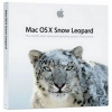
Mac OS X 10.6.8 Snow Leopardは、OS X Leopardの以前のバージョンへのアップグレードです。このアップデートには、新機能のスタックはなく、全体的な改善と効率のアップグレードが含まれています。 AppleのOSのこのバージョンでは、フットプリントも小さくなっています。 主な機能は次のとおりです。 よりスリムなQuickTime Player: QuickTime Xは、コーデックサポートに重点を置いたシンプルなGUIを備えています。 CocoaベースのFinder: Finderには、新しいCocoaデスクトップウィンドウとコンテキストメニューがあります。 Safari Beta 4のデフォルトのブラウザー: Appleには、Snow LeopardにSafari 4のベータ版が含まれています。 Microsoft Exchange Serverのサポート: Macユーザーは、メール、アドレス帳、およびiCalを介してMicrosoft Exchange 2007サーバーに接続できるようになりました。 インストール時間の短縮: Snow Leopardを複数のマシンにインストールするのに要する時間は、Leopardの場合の約1時間に比べて約15分です。 Macの動作が遅い場合は、その理由だけでOS X 10.6 Snow Leopardにアップグレードする価値があります。開発者に関する限り、Grand Central、OpenCL、および64ビットカーネルの統合により、Intel Macのデュアル処理能力を最大限に活用できます。
Snow Leopard Wallpapers
驚くべき壁紙でデスクトップを変身させよう
Mac OS X 10.6.8 Update
Mac OS X 10.6.8の重要なアップデート
Avidemux
Avidemux for Mac - 広範なビデオ編集機能
Mac OS X 10.6.7
10.6.7 Snow Leopard App Store の公開

EaseUS Data Recovery Wizard for Mac Free
EaseUS Data Recovery Wizard for Mac Free is able to recover deleted, formatted or otherwise inaccessible data from your Mac hard drive. You can recover documents, photos, music, videos, emails, folders, and archive files etc from Mac laptops and desktop computers. The app also supports multiple storage devices including external hard drives, USB drives, SD cards, memory cards, digital cameras, and MP3/MP4 players, etc. Key Features include: Supports all types of lost files, including photos, documents, videos, audio, emails, archives etc. Recover deleted, formatted or inaccessible data. Recover Time Machine backup drive. Recover lost data from deleted volumes & partitions. Recover lost data from Mac notebooks, desktops, Mac server, hard drive, USB drive, SD card, memory card, and digital cameras. Supports RAW recovery. Support for Mac OS X, 10.11 (El Capitan), 10.10, 10.9, 10.8, 10.7, 10.6. The app has a straightforward, crisp looking interface that asks you what type of files do you want to recover? You have seven options to choose from: Graphics, Audio, Email, Document, Video, Archive and Other. Simply choose which type of files you need and click Next. The next screen shows your connected drives and storage media, including Time Machine Backups etc. From here you can perform the scan to recover your data. Once scanned, if your requested data is not shown, then you can undertake a Deep Scan to try again. If you do locate it, you have to option to Export it to another storage area. Overall, EaseUS Data Recovery Wizard for Mac Free is a great app that can perform a really useful service. If you have ever been in the situation where you have ‘lost’ your data, then a solution such as this, can be priceless. As the this is freeware, you can’t go far wrong! The only downside we can see is the limitation of 2GB total recovery allowance, but apart from that, EaseUS Data Recovery Wizard for Mac Free is a superb disaster recovery solution. Support for macOS 10.12 (Sierra), Mac OS X 10.11 (El Capitan), 10.10 (Yosemite),10.9 (Mavericks), 10.8 (Mountain Lion), 10.7 (Lion), 10.6 (Snow Leopard). Supported languages include:English, Deutsch, Español, Français, Italiano, Português, Traditional Chinese), Chinese (Simplified).
Tuxera NTFS for Mac
Tuxera NTFS for Mac - 互換性とパフォーマンスの比較
DasBoot
DasBoot:iPodユーザーのための必須ツールキット
Safari for Mac
Appleのクリーンで使いやすいWebブラウザ。 Safariはスリムです-煩わしいツールバーはたくさんありません。その後、ブラウジングエクスペリエンスがスムーズかつ高速になり、サイト間を簡単に移動できます。ほとんどのApple製品と同様に、Safariは見栄えが良いです。欠点として、FirefoxやChromeと比較して利用可能なプラグインがないため、カスタマイズが多少制限されます。 より多くの閲覧スペース Safariは、ブラウザではなくブラウジングを強調するように設計されています。ブラウザのフレームの幅は1ピクセルです。必要な場合にのみスクロールバーが表示されます。デフォルトでは、ステータスバーはありません。代わりに、ページが読み込まれると進行状況インジケーターが変わります。ブラウザの最上部にタブがあり、ウェブサイトを表示するためのさらに広いウィンドウが開きます。優れたブラウザであるSafariは、ウェブを簡単に楽しむことができます。 必要なサイトを見つける あなたが過去に訪れたサイトを探していますが、よく覚えていませんか?完全な履歴検索を使用して、最も不完全な検索用語を使用してサイトをすばやく検索します。また、Cover FlowでWebページをクリックするのは、探しているサイトとして既に認識されているためです。もう推測する必要はありません。トップサイト機能は見栄えがよく、お気に入りのサイトのどれが新しいコンテンツを持っているかを強調します(隅の星印で示されます)。このような革新的な機能は、ブラウジングがいかに優れているかを示しています。 速度のニーズを満たします。 ページがロードされるのを待つ必要があるのはなぜですか?それらの検索結果を見たり、最新のニュースを入手したり、現在の株価をチェックしたりしたいのです。そして、あなたは素敵なUIでそれをしたいです。 Safariが最善の策です。

DiskAid
DiskAidは、デスクトップから直接iPod、iPhoneまたはiPadにアクセスするための完璧な転送ツールです。 DiskAidを使用すると、音楽、ビデオ、写真、連絡先、メモ、通話履歴、テキストメッセージ、ボイスメール、ボイスメモなどのデータにアクセスできます。 主な機能は次のとおりです。 ファイル転送 。 DiskAidを使用すると、iPhone、iPad、またはiPod touchとコンピューター間でファイルやフォルダーを転送できます。 FileAppの無料ファイルブラウザを使用して、外出先でも表示できます。 インスタント接続。 。 DiskAidはインストールされているiPhoneアプリに直接接続し、iPhone、iPod、またはiPadをUSBドライブとして使用できます。 最小要件:Mac OS X Mavericks(10.9.x)、Mountain Lion(10.8.x)、Lion(10.7.x)、Snow Leopard(10.6.x)IntelベースのアーキテクチャUniversal 32/64ビットiTunes 11.1.2(すべてのiPhone 、iPadおよびiPod touchをサポート)。
PDFLab
PDFLabを使った効率的なPDF編集
iBatt
Macユーザーのための包括的なバッテリーモニタリング