関連ソフトウェア

Internet Explorer Windows 7 64
Internet Explorer is the world's most popular Web browser. Security, ease of use, and improvements in RSS, CSS, and Ajax support are Microsoft's priorities for Internet Explorer. This version of IE runs on the 64-bit version of Windows 7. The latest version of the browser includes support for: Accelerators - which allow supported web applications to be invoked without explicitly navigating to them. WebSlices - which allows portions of page to be subscribed to and monitored from a redesigned Favorites Bar. InPrivate privacy features. SmartScreen phishing filter.
Gardens of a New World
新世界の庭園のユニークな世界を探求する

Nexus
The Winstep Nexus Dock is a FREE professional dock for Windows. With Nexus, your most frequently used applications are only a mouse click away - and Nexus turns working with your computer into a fun and exciting experience. The Nexus dock provides one-click access to frequently used applications, folders and documents. Main features: Display running applications on the dock with task grouping, filtering and icon customization options. Display system tray on the dock as single or grouped icons. Blur-Behind and colorization of dock backgrounds. Monitor active connections and bandwidth usage with Net Meter module. Get weather forecast for over 39,000 cities world-wide. Multiple mouse over effects: zoom, swing, bounce and more! Live icon reflections and animated water-like effects for reflections and dock backgrounds. Easily change appearance of icons of running programs and shortcuts by drag & dropping PNG, ICO and TIF files directly into the icon. Multi-monitor support. Compatible with skins for all 3rd party docks.

Tux Paint
Tux Paint is a free, award-winning drawing application aimed at children ages 3 to 12 (preschool and K-6). Tux Paint is used in schools around the world as a computer literacy drawing activity. It has an easy-to-use interface that is combined with fun sound effects, and an encouraging cartoon mascot called Tux, who appears at the bottom of the screen to give tips, hints and information to guide children as they use the application. To begin, children are presented with a blank canvas and a variety of tools to help them be creative. The drawing tools are made available on the drawing canvas and are easily accessible. The canvas is a fixed size, so there is no need to worry about 'pixels' or 'inches' when making a new picture. The entire program fits on a screen as small as 640x480, and can be displayed full-screen, to mask the computer's underlying 'desktop' interface. (It defaults to 800x600 mode, but can run at larger sizes and in portrait or landscape mode, as well.) To load and save images a simple thumbnail display is used, so no knowledge of the file system structure is required. Even file names are unnecessary. The interface is both entertaining and useful for children to use. It is also configurable and sound effects, print, and quit options can be disabled. Tux Paint has massive multi-language support, with parts of Tux Paint translated into 129 languages Overall, Tux Paint is a great tool that allows pre-school children onward, the ability to explore their creativity. It has a simple interface that young minds can easily grasp and there are numerous different drawing tools available; from brushes and stamps to alternate colour palettes. Text can be input in various different fonts and there is also an effects tool to tinker around with too.
Miro
Miro is a free HD video player. It can play almost any video file and offers over 6,000 free internet TV shows and video podcasts. Miro has a simple, gorgeous interface designed for fullscreen HD video. Since Miro downloads most videos, you can take your shows with you, even on an airplane. Quite simply, Miro is a better way to watch all the video you care about. Unlike your browser, Miro's built for HD. The built-in Miro Guide connects you to thousands of free High Definition video shows. Miro downloads video fast and stores it on your local computer for a level of quality that is often impossible on streaming video websites (even the ones that call themselves 'HD'). Can't open a video? Now you can, with Miro. Miro can play virtually any type of video file - Quicktime, WMV, MPEG, AVI, XVID, and more. When it comes to video podcasts, Miro goes far beyond iTunes by letting you subscribe to BitTorrent RSS feeds, with one of the fastest torrent downloaders in the world. Miro makes BitTorrent RSS dead simple-- when a new episode is available, it will download automatically and be ready to watch.

Gangstar New Orleans: Open World
ギャングスター・ニューオーリンズの混沌を探求する
Ragnarok: The New World
ラグナロクに没頭せよ:新世界

Conquest Of The New World
新世界の征服における戦略的帝国構築
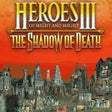
Heroes of Might and Magic III: The Shadow of Death
Heroes of Might and Magic IIIにおける拡張戦略
BlueGriffon 64-bit
BlueGriffon is a new WYSIWYG content editor for the World Wide Web. Powered by Gecko, the rendering engine of Firefox, it's a modern and robust solution to edit Web pages in conformance to the latest Web Standards. Features: WYSIWYG web editor. Based on Gecko, the rendering engine of Firefox. Create and edit all HTML 4, XHTML 1 and HTML 5 (both HTML and XML serializations) documents. Nice, simple and intuitive User Interface. Directly embed HTML 5 audio or video elements. Extract a frame from your video file with a single click to use it as the poster in the Web page. Full support for the HTML 5 forms with dialogs for all the elements currently defined by the HTML 5 specification. Insert all HTML 5 elements, including the new semantic elements like header, footer, aside, section, etc. Easily resizing of tables using the vertical and horizontal rulers in the window. Own CSS parser. Automatic output of alternative CSS properties or values for other browser domains. CSS Style Properties panel. CSS 3 Properties such as 2D Transforms, 3D Transforms, Transitions, Shadows, Linear and Radial Gradients, Repeating Gradients, Border Images, Columns, Flex Box Model, and more are supported. CSS 3 Media Queries to apply stylesheets not only on a per-medium basis (styles for screen, mobile, print, ...) but also depending on the features of the rendering device. SVG Edit included. WebFonts Add-ons. Available in many languages. BlueGriffon is an intuitive application that provides Web authors (beginners or more advanced) with a simple User Interface allowing to create attractive Web sites without requiring extensive technical knowledge about Web Standards. Because Gecko lives inside BlueGriffon, the document you edit will look exactly the same in Firefox. Advanced users can always use the Source View to hard-code their page.

Fort
Fort offers easy and reliable encryption of files and folders. Password protecting files and folders has never been easier. Fort can be also used to encrypt files and directories in Onedrive, Dropbox and other similar services. Our core components are open source. Fort is used by thousands of individuals and companies around the world. Fort is available in 16 different languages. Features Include: Delete files securely Strong encryption Password manager Encrypt filenames Overall Fort is a versatile file encryption and password manager for Windows with, considering its range of features, a reasonable price tag.
Heroes Chronicles: All Chapters
ヒーローズクロニクルの魅力的な戦略:すべての章