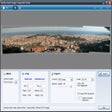
Photo Manager Windows向けのアプリ
- Proximasoftware による
- トライアル版
- 4.0-release-6
関連ソフトウェア
MAGIX Photo Manager
MAGIX Photo Manager Deluxe enables you to organise and rediscover your favourite snaps. With this practical and stylish program you can easily browse, sort and relive your memories captured in photo and video form. MAGIX sets out to help you “breathe new life into your most beautiful moments” and does this thanks to a plethora of perfected and innovative features. It efficiently masters the basics, like editing and organising, but it also goes further to optimise your footage and time.>/p> Key features include: Edit and organise your photos and videos Cloud import Wide range of formats Increase quality of panoramic views with one click Save disk space and time Intelligent selection Not only does MAGIX Photo Manager Deluxe offer a great service in regards to the above key features, it also sets out to protect your privacy. Password protected, it allows you to backup copies which can even be burned onto CD or DVD. A full system restore is also available, to recover accidentally deleted files with just a few clicks. Online tutorials will guide you through some of the most novel new features. These include Travel Route Animation, where you can visualise your route and images on online maps of the world, and MAGIX Slideshow Maker 2. Overall, MAGIX Photo Manager offers the complete package and is an exciting buy thanks to the collaboration of expert basic and new fresh features. So organise and sharpen your precious files, before doing something very creative with them to bring them back to life in a truly refreshing way.

Darktable Photo Manager
プログラム
Photo Manager for Canon
Windows用のCanon Photo Managerの包括的レビュー
Syncios Manager
Syncios Managerは、iTunesの代替iOS管理アプリケーションです。これにより、iTunesを必要とせずに幅広いAppleデバイスを簡単に管理できるため、iOSデバイスとPCの間で異なる転送ソリューションを提供できます。 Syncios Managerは優れたファイル管理アプリケーションであるだけでなく、iOSデバイスで音楽、着信音、およびビデオを変換できる便利なオーディオおよびビデオコンバーターも備えています。 主な機能は次のとおりです。 写真を同期します。 ビデオを同期します。 メッセージを管理します。 アプリをインストールする。 連絡先のバックアップと復元。 通話履歴のバックアップと復元。 メモのバックアップと復元。 電子書籍を転送します。 iTunesバックアップを解凍します。 Safariブックマークを管理します。 メッセージの添付ファイルを管理します。 モバイルハードディスク。 Syncios Managerを使用すると、アプリケーションを完全に制御できます。アプリケーション、設定、ファイルをバックアップ、転送、復元できます。 Syncios Managerでアプリケーションを完全に管理できるだけでなく、iOSデバイスとPCの間で画像を転送することもできます。 Syncios Managerは、iPhone / iPad / iPod、iCloud Photo StreamとPC間の写真管理をサポートします。フォルダを編集/削除/作成し、iOSデバイスに直接写真を追加できます。 iOSデバイス間で写真を共有することもできます。 全体として、Syncios ManagerはAppleが提供するものの優れた代替品です。初心者からエキスパートまで、あらゆるレベルのユーザー向けのツールのスタックとシンプルなインターフェイスを備えています。 Apple製品をより適切に制御する必要がある場合、Syncios Managerをお探しですか?

DearMob iPhone Manager
DearMob iPhone Manager is a solid tool that has category-wide iOS data support. This means that you can backup iPhone photos in JPG, HEIC and music in MP3 AAC format, 2-way transfer videos in MP4 MKV H.264 and manage various other types of iOS files such as SMS, Podcasts, voice memos, ebooks, bookmarks, calendars and contacts, between iPhone and your PC. DearMob iPhone Manager allows you to transfer files singularly or in batch between your iOS device and your PC at extremely fast speed, and backup & restore all your iOS data with only one click. You can manage iOS files by category, i.e. photo, music, video, book, contact, Podcast, iTunes U, ringtone, Voice Memos, App, Office files, SMS, calendar, bookmark, etc. or you can also switch your iOS device to act as a Flash Drive. Key Features include: Selectively transfer photos, export HEIC photo as JPG. Create, modify, delete photos/albums. Export/import music without iTunes. Add, edit, delete songs & playlists. Auto convert Apple-unfriendly format to MP3. Transfer your 4K videos from iPhone to free up storage space. Convert MKV, AVI, FLV, etc. to MP4, compress large videos in case. Backup all your iPhone, iPad, iPod Touch data and restore it to any iOS devices. Save contacts as VCF/PDF/TXT/HTML. Backup SMS, download pictures in message to PC. Manage your Podcast, iTunes, and Voice Memos, create your own ringtone with iPhone music. Convert ePub books to PDF/TXT/ HTML for Kindle. Add new books to iPhone. Install Apps that are not in App Store without Jailbreak. Manage App files, Office files and more. Supported iPhone file types include photos, music, videos, ebooks, voice memos, calendars, APPs, bookmarks, SMS, and contacts. The app can also add ringtones to iPhone, backup iPhone data (encrypted) or restore your iPhone from backup. Overall, DearMob iPhone Manager is a stable, secure, and super-fast utility that can manage, transfer, backup and restore iPhone or iPad data. There is no complex configuration to setup, and you can manage your iOS data in a secured manner without any data loss. Looking for the Mac version of DearMob iPhone Manager? Download here
Shotwell
Digital Photo Manager Shotwell - 完全版を今すぐダウンロード!

CopyTrans Cloudly
Wonder how to select all iCloud photos or delete all your pictures from iCloud Photo Library? Did you ever want to free up iCloud storage and downgrade your storage plan? You can do all of this and even more with the new free CopyTrans Cloudly app. DOWNLOAD Download all your pictures and videos including recently deleted, directly to the folder on your PC, external hard drive or NAS - wherever you like. CopyTrans Cloudly organizes them in a very convenient way so that you have all your iCloud photo albums on your computer. DELETE Since all your iCloud photos are now backed up to your computer, you can delete them all from account. Its a great opportunity to downgrade iCloud storage plan. Basically, you can stop paying for it. RESCUE With some talented engineering, you now have a way to get back photos that you permanently removed from the recently deleted folder in your iCloud account to the PC.
EaseUS Partition Master Free
Partition Magicの代替として、EASEUS Partition Master Home Editionは無料のオールインワンパーティションソリューションおよびディスク管理ユーティリティです。パーティションの拡張(特にシステムドライブ用)、ディスク領域の管理、MBRおよびGUIDパーティションテーブル(GPT)ディスクのディスク領域不足の問題の解決を可能にします。 パーティションのサイズ変更/移動システムドライブを拡張するディスクとパーティションをコピーパーティションをマージ分割パーティション空き領域を再分配するダイナミックディスクの変換パーティションを回復する
Instagram Downloader
Instagram Downloader is a lightweight app that enables you to gather the data you need to download Instagram images both simply and effectively. The user name to your specific Instagram account is all you require to grab the data that you need to download your images . Key features include: Quickly download and export all URLs of each Instagram photo from a user account. Extremely easy to use, even for novice users. Instagram Downloader is essentially a batch URL downloader. You don't actually download your images, but rather a text file with a URL that leads to each file on an Instagram account. In order to actually get your images, you will need to paste the URLs, in bulk, into a download manager. Although this is a good app, it would be better if Instagram Downloader came equipped with an automatic downloader of its own, rather than having to use a third party app. Apart from that issue, the app does exactly what is says on the tin.
Nero MediaHome
Nero MediaHome is a free application that helps you to manage your digital media collection. It's bundled as part of many premium Nero products, so this edition gives you a flavour of how the whole of its suite works. Windows users have many options for managing and playing content, but the Nero brand promises excellent compatibility and an extremely versatile feature set. The software integrates with Nero's new mobile apps that make smartphone sharing simple, too. It's aimed at people who have a large number of camera and camcorder files that need to be sorted and organised, but can be used to manage purchased content too. Functionality Nero is designed to make large, chaotic media collections easier to navigate. The main bonus is tagging, including an invaluable automatic tag feature that uses file and folder names as tags in their own right. Custom tags let you organise and find files much more quickly than you ever could in a simple Explorer view. Similarly, Nero MediaHome can identify matching faces once it has 'learned' what your friends and family look like. This allows you to search for photos based on who's in the picture. There's even a photo editor that makes it easy to enhance photos you've taken. Nero MediaHome includes a number of useful audio organisation features, including playlist management that can interpret playlists from both Windows Media Player and iTunes. It includes a CD burner (albeit a much more basic one than Nero Burning ROM), and direct social media sharing. Why Make the Switch? Nero MediaHome has a number of new features in this edition. It now includes geotagging support, which lets you organise media by location; this is most useful for videos and photos you've recorded yourself. A companion Places view that literally puts your content on the map. Both point to an application that is designed to organise, and it gives you the versatility to file and tag in whatever way makes most sense to you. Overall, though, it sells itself as a program that can 'play anything', and that will be its real strength for home users. As we amass larger and larger collections of recordings, pictures and sound, having one application to play them all is immensely useful - and even more so if it's free.
Rufus
Rufusは小さなユーティリティで、USBキーやペンドライブ、メモリスティックなどの起動可能なUSBフラッシュドライブをフォーマットおよび作成できます。 Rufusは、次のシナリオで役立ちます。 Windows、Linux、およびUEFI用の起動可能なISOからUSBインストールメディアを作成する必要がある場合。 OSがインストールされていないシステムで作業する必要がある場合。 BIOSまたはその他のファームウェアをDOSからフラッシュする必要がある場合。 低レベルのユーティリティを実行する必要がある場合。 Rufusは次の* ISOで動作します:Arch Linux、Archbang、BartPE / pebuilder、CentOS、Damn Small Linux、Fedora、FreeDOS、Gentoo、gNewSense、Hiren's Boot CD、LiveXP、Knoppix、Kubuntu、Linux Mint、NT Password Registry Editor、 OpenSUSE、Parted Magic、Slackware、Tails、Trinity Rescue Kit、Ubuntu、Ultimate Boot CD、Windows XP(SP2以降)、Windows Server 2003 R2、Windows Vista、Windows 7、Windows 8。 *このリストは完全ではありません。 サポートされている言語は次のとおりです。インドネシア語、マレーシア語、セシュティナ、ダンスク、ドイツ語、英語、スペイン語、フランス語、フルバツキー、イタリア語、ラトヴィエシュ、リエトゥビウ、マジャール、オランダ、ノルスク、ポルスキ、ポルトガル、ポルトガル、スロヴェンスキー、スロベンツキー、スロヴェンスキーSrpski、Suomi、Svenska、Türkçe。
Auslogics Disk Defrag
Auslogics Disk Defragは、FAT 16/32とNTFSファイルシステムの両方をサポートするコンパクトで高速なデフラグツールです。高度なディスク最適化技術が搭載されており、システムの遅延とディスクの断片化によるクラッシュを改善します。 ディスクの断片化は、システムのスローダウン、PCのクラッシュ、起動とシャットダウンの遅延につながります。 Auslogics Disk Defragは、最新のハードディスクの高速デフラグ用に設計されています。 特徴: デフラグと最適化空き領域の統合システムファイルのスマートな配置 MFT予約済みゾーンを明確に保つ単一のファイルまたはフォルダーの最適化断片化されたファイルのリスト自動デフラグモードスケジュールされたデフラグディスクデフラグのカスタマイズ多言語