関連ソフトウェア
XnView
XnView is freeware software that allows you to view and convert graphic files. It's very fast and easy to use. But more importantly it supports more than 400 graphics formats! Import about 400 graphic file formats Export about 50 graphic file formats Multipage TIFF, Animated GIF, Animated ICO support Image IPTC, EXIF metadata support EXIF auto rotation support IPTC editing Resize, rotate, crop support Lossless rotate & crop (jpeg) support Adjust brightness, contrast... Auto levels, contrast Modify number of colors Apply filters (blur, average, emboss, ...) Apply effects (lens, wave, ...) Fullscreen mode Slide show with effects Batch convert, batch rename Create WEB page easily Screen capture Create contact Sheet Create or edit Multi-page file (TIFF, DCX, LDF) TWAIN & WIA support (Windows only) Print support (Windows only) Drag & Drop support (Windows only) Compare image side by side Filmstrip layout 44 languages support (Windows only)
Perfect Resize
写真を完璧にリサイズするためのヒント
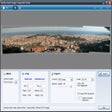
Visualizer Photo Resize
Visualizerを使った簡単な写真のリサイズ
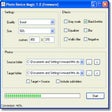
Photo Resize Magic
Windows用の効率的な画像リサイズツール
Taskbar Resize Tool for Vista
Windows Vista用のカスタマイズ可能なタスクバーツール
PHOTO RESIZER: CROP, RESIZE AND SHARE IMAGES IN BATCH
効率的な写真のリサイズと共有ツール
GParted
GNOME Partition Editor (Gparted) is used for creating, reorganizing, and deleting disk partitions. It uses libparted from the parted project to detect and manipulate partition tables. There are optional file system tools that permit managing file systems which are not included in libparted. Key features include: Create partition tables (e.g., MSDOS, GPT). Create, delete, copy, resize, move, check, set new UUID, or label partitions. Manipulate btrfs, ext2/3/4, f2fs, FAT16/32, hfs/hfs+, linux-swap, lvm2 pv, nilfs2, NTFS, reiserfs/4, ufs, and xfs file systems. Enable and disable partition flags (e.g., boot, hidden). Align partitions to mebibyte (MiB) or cylinder boundaries. Attempt data rescue from lost partitions. Supports hardware RAID, motherboard BIOS RAID, Linux software RAID. Supports all sector sizes (e.g., 512, 1024, 2048, 4096 byte sectors). GParted can be used on x86 and x86-64 based computers running Windows, Mac OS X or Linux, by booting from media containing GParted Live. GParted is a great piece of software that everyone should have stashed away, just in case they have any issues with their hard disk. It is really functional, has lots of nifty tools and has good hardware support. Above all, and I cannot emphasize this enough, it is very easy to use!
Imagine
Imagine is an image viewing application that has support for numerous different file formats, including JPG, BMP, PNG and GIF. Imagine's user interface features simplistic elements and is easy to navigate, due to the Explorer-based layout. With Imagine you can view file properties and EXIF information, copy, move, delete and rename pictures. The application also comes with simple editing techniques such as flip, resize and rotate, colour swap, transparency levels, import, export and edit the palette and change the colour depth. Key Features Include: Show detailed information of image/animation files. Show Exif/IPTC information. Show or hide transparency. Batch conversion and rename. Extract single/all frames from animation files. Capture screen. Create multiple page images. Command line parameter support. Shell extension support. Add-on plugin support. Create animations. Imagine lets you apply filters such as blur, emboss, tint, soften, Gaussian, sharpen, greyscale and negative. You can also zoom in and out, switch to full screen mode, view the next or previous picture, use anti-aliasing and extract frames and pages. The application also comes equipped with a batch conversion tool. You can also take snapshots, create a slideshow, edit animations and build a multi-page image. Imagine also has multilingual support for the following languages: English, German, Spanish, Russian, Danish, Korean and Chinese.
Movavi Photo Editor
Movavi Photo Editor is a fun, smart, and simple image editing program with a stack of great features. Have fun with your pics like never before. With Movavi’s funky picture editor, all you need is a set of photos and a dab of creativity to turn them into real eye candy. You’re going to love the automatic quality improvement with Magic Enhance and the ability to tweak manual color controls for precise edits. Add cool effects and even apply makeup digitally. Improve framing and composition with transformation tools: crop, flip, or straighten, resize your images. Experiment with object removal and background replacements for funny or surprising effects and memes! Key features include: Retouch your pictures, apply filters. Delete elements, change out backdrops, with just one-click. Use digital editing tools: flip, crop, level, etc. Add text watermarks and captions. Use ‘Magic Enhance’ to bring out the best of your pictures. Insert and edit text overlays. And that’s not all. With the touch-up and ‘Add Makeup’ feature you can make your skin flawless and smooth; apply lip tints and whiten teeth for the perfect smile; add vibrancy to your eye color or change it completely; experiment with digital mascara, eyeshadows, and blushes; and even experiment with the color of your hair! So, for fun, free, photo editing software, try Movavi Photo Editor now! Looking for the Mac version of Movavi Photo Editor? Download Here
EaseUS Partition Master Free
Partition Magicの代替として、EASEUS Partition Master Home Editionは無料のオールインワンパーティションソリューションおよびディスク管理ユーティリティです。パーティションの拡張(特にシステムドライブ用)、ディスク領域の管理、MBRおよびGUIDパーティションテーブル(GPT)ディスクのディスク領域不足の問題の解決を可能にします。 パーティションのサイズ変更/移動システムドライブを拡張するディスクとパーティションをコピーパーティションをマージ分割パーティション空き領域を再分配するダイナミックディスクの変換パーティションを回復する
Yasisoft GIF Animator
Yasisoft GIF Animator can only be described as a straightforward but far-reaching tool designed for seamlessly creating animated GIF images. This piece of software can delete, duplicate, add and remove frames to create the files, as well as manage multiple frames simultaneously. It is used to create banners, buttons, pictures and even cartoons in a very relaxed and user-friendly way. Its built-in Image Editor means you will not really need Photoshop or any other program of its kind. Simply make use of Yasisoft GIF Animator’s wealth of editing tools. Key features include: Powerful animation wizard. Editable templates. Easy to understand tools and effects. Frame management. Crop, rotate, resize and flip pictures. Huge effects menu. Gradients and patterns. Draw and insert shapes. Multiple layers. You can apply scores of effects to any image and enjoy the program’s various drawing tools to insert shapes and apply text. That’s before you scale and resize GIFs, change paths and manipulate objects. Yasisoft GIF Animator can support a wealth of other image formats as well as GIFs, of course. JPEG, TIFF, WEBP, PNG, TGA and BMP are all compatible, as well as many more. Further powerful tools, like an animation player and wizard, are also built-in to provide a complete service. Another striking feature about the Yasisoft GIF Animator is its usability. A user-friendly interface, coupled with handy hints and walkthrough support, make the program enjoyable to use as well as an efficient experience. Overall, in an age where GIFs are being enjoyed and shared more than ever, the Yasisoft GIF Animator will give you the opportunity to get involved in the fun as directly as possible. Its wealth of straightforward, yet powerful, features mean anybody can use it to create and edit impressive GIFs right away.

Vintager
Vintager is a creative and easy-to-use app, which provides you with a number of special effects that can be applied to your images in order to give them a retro/vintage style. Both a professional and home-styled look can easily be achieved via the application of numerous different filters, effects and adjustments to your images. Various functions, such as crop, resize and rotate allow you to separate parts of your images, and customize them in order to achieve the desired results. High quality layers and effects. Can apply set of effects on multiple images. Advanced image operations. Large images output. Collage maker. Share with friends. Vintager has a well organized UI that is clean and looks great. The theme you are presented with is quite attractive, yet simple in design. The panel on the left hand side of the window lets you preview the photo you are working on along with any editing changes you make. The panel on the right side of the window allows you to access the various options and features that you can use. Overall, Vintager is a great tool for users of all levels of expertise. It includes both easy to use and more advanced options. There are over 30 presets and you can also make use of the available advanced color options in order to change the hue, brightness, contrast, exposure, saturation or luminance of your images. To finish off your image there are 40 embedded frames and textures to choose from too. Vintager supports dozens of image formats including JPEG, PNG, IFF, TGA, PPM, DDS, J2K, and PSD.
Screentake
ScreenTake, the smart screen capture tool, enables Windows users to save a part of their screen as an image. This practical application will allow you to quickly get your screenshots with a single keypress. If you see an animated GIF that you like the look of you can also screen record and get a short link. After you take your screenshot you there have a few options. You can move, resize or modify the drawings that you add. You can even add transparency to your drawings and take advantage of the Ultra Editor, which allows you to customise your screenshots with the help of other tools. Key features include: Capture screenshots of any area of screen Save image or upload to web for instant sharing Record desktop action Support for Google WebP Transparency Multi-monitor support Enhance the understanding of your screenshots by adding arrows and other objects to annotate the image. Markers, numerals and arrows are also available. ScreenTake provides a series of tutorials online to give users a walkthrough of how to get the most out of their product. Overall, this product does a simple job but, thanks to the extra tricks in its repertoire, it definitely does that job well. Available for a free download online, it will help you save and order all the important screenshots you need.