

技術仕様
- タイトル
- Windows用のWindows 7 0
- 必要条件
- Windows 7
- Windows XP
- Windows Vista
- 言語
- 利用可能な言語
- ドイツ語
- 英語
- スペイン語
- フランス語
- イタリア語
- オランダ語
- ポーランド語
- ポルトガル語
- ライセンス
- 支払い
- 最新の更新
- 著者
- Microsoft
- SHA-1
22df3e5a80f8dbf014c2776a01b1cd9f24d83233
- ファイル名
- X17-24208.iso
他のプラットフォームでも利用可能
他の言語で利用可能なプログラム
変更ログ
Windows 7のバージョン0に関する変更ログ情報はまだありません。出版社がこの情報を公開するのに時間がかかる場合がありますので、数日後にもう一度チェックして更新されたかどうかを確認した後、
アンケートにお答えいただけますか?
変更ログ情報に変更があった場合には、お客様からの連絡をお待ちしております!次に進みます。お問い合わせページ 当社にご連絡ください。
アプリを探索







関連ソフトウェア
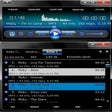
AIMP WMP 12 Windows 7
$MITTによるWindows用の無料プログラム。

Windows 7 Start Orb Changer
スタートアップを管理する最良の方法

Rufus
Rufusは小さなユーティリティで、USBキーやペンドライブ、メモリスティックなどの起動可能なUSBフラッシュドライブをフォーマットおよび作成できます。 Rufusは、次のシナリオで役立ちます。 Windows、Linux、およびUEFI用の起動可能なISOからUSBインストールメディアを作成する必要がある場合。 OSがインストールされていないシステムで作業する必要がある場合。 BIOSまたはその他のファームウェアをDOSからフラッシュする必要がある場合。 低レベルのユーティリティを実行する必要がある場合。 Rufusは次の* ISOで動作します:Arch Linux、Archbang、BartPE / pebuilder、CentOS、Damn Small Linux、Fedora、FreeDOS、Gentoo、gNewSense、Hiren's Boot CD、LiveXP、Knoppix、Kubuntu、Linux Mint、NT Password Registry Editor、 OpenSUSE、Parted Magic、Slackware、Tails、Trinity Rescue Kit、Ubuntu、Ultimate Boot CD、Windows XP(SP2以降)、Windows Server 2003 R2、Windows Vista、Windows 7、Windows 8。 *このリストは完全ではありません。 サポートされている言語は次のとおりです。インドネシア語、マレーシア語、セシュティナ、ダンスク、ドイツ語、英語、スペイン語、フランス語、フルバツキー、イタリア語、ラトヴィエシュ、リエトゥビウ、マジャール、オランダ、ノルスク、ポルスキ、ポルトガル、ポルトガル、スロヴェンスキー、スロベンツキー、スロヴェンスキーSrpski、Suomi、Svenska、Türkçe。
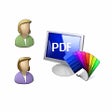
PDF Reader for Windows 7
Windows 7用PDFリーダーは、Adobe PDFファイルを開いたり、読んだり、表示したり、レビューしたり、印刷したりできるシンプルなツールです。 Windows 7用PDFリーダーでは、PDFをTXT、BMP、JPG、GIF、PNG、WMF、EMF、EPSに変換することもできます。 このアプリは、軽量でありながらフル機能を備えた無料のPDFビューアであり、ズームインとズームアウト、ページの回転、PDFスライドショーなどの多くの機能を備えています。 Windows 7用PDFリーダーの素晴らしいところは速度です。超高速で読み込み、ほとんどすべてのPDFファイルをすぐに開きます。スライドショーは注目に値する別の機能です。これを使用すると、Microsoft PowerPointスライドを表示するのと同じ方法でPDFドキュメントを参照できます。 全体的に、Windows 7用PDFリーダーは便利なPDFビューアーです。軽量で高速で、いくつかの便利な機能が備わっています。 Windows 7のPDFリーダーは、次のオペレーティングシステムとの下位互換性もあります。MicrosoftWindows Vista Microsoft Windows XP Microsoft Windows 2000。

EaseUS Todo Backup
EaseUS Todo Backupは、システムバックアップ、システムの復元、移行、クローンユーティリティなど、多くの利点を備えた強力で信頼性の高い安全なバックアップ機能です。 主な機能は次のとおりです。 システムの復元:LinuxまたはWinPEブータブルメディアを使用して、Windowsシステム全体のバックアップを数分で元の場所または新しい場所にすばやく復元します。 移行とクローン:高速で簡単かつ安全にシステムをSSDまたはより大きなHDDに移行して、ディスクの交換またはアップグレードを行います。 バックアップ管理:バックアップジョブを簡単に管理し、古いバックアップイメージを自動的に削除して、ストレージスペースを節約します。 システムの復元:LinuxまたはWinPEブータブルメディアを使用して、Windowsシステム全体のバックアップを数分で元の場所または新しい場所にすばやく復元します。 Microsoft Windows 10、8.1、8、7、Vista、およびXPのサポート。

Audio driver for Microsoft Windows 7
Windows 7ユーザーのための必須オーディオドライバー

foobar2000
Foobar2000 is an advanced audio player for the Windows platform. It is a convenient and flexible media player that can be customized to suit your specific needs and preferences. Foobar2000 does need a fair amount of time to tweak and setup, but once you are done you can use it in just about any way you need to manage your media library. Key Features include: Supported audio formats: MP3, MP4, AAC, CD Audio, WMA, Vorbis, FLAC, WavPack, WAV, AIFF, Musepack, Speex, AU, and SND. Gapless playback. Full unicode support. Easily customizable user interface layout. Advanced tagging capabilities. Support for ripping Audio CDs as well as transcoding all supported audio formats using the Converter component. Full ReplayGain support. Customizable keyboard shortcuts. Open component architecture. When you first install and setup the interface appears a tad bleak, but in reality it hides some powerful features and a vast array of customizable options. You can choose the Quick Setup option, or you can go make individual selections regarding the type of information you would like to see displayed. If you need, there are skins available to download as well. Foobar2000 is a great audio tool to have in your collection of apps. It is lightweight, has a small operating footprint and has some nice features. It has full unicode support, ReplayGain support and native support for several popular audio formats. On the downside, it isn’t that easy to navigate if you are a novice. However, there is some help documentation available to assist those less experienced users.

Windows USB/DVD Download Tool
The Windows USB/DVD Download tool has been designed to allow you to create a bootable copy of your Windows 7/8 ISO file on a USB flash drive* or a DVD. In order to create a bootable DVD or USB flash drive, simply download the ISO file you need and then run the Windows 7 USB/DVD Download tool. once completed you can install Windows 7 or Windows 8 directly from the USB flash drive or DVD onto your system. To install Windows from your USB flash drive or DVD, just insert the USB flash drive into your USB port or insert your DVD into your DVD drive and run Setup.exe from the root folder on the drive. In order to create a bootable USB device you need to have a Windows image file and *USB storage device that is large enough to accommodate the files. Windows USB/DVD Download tool’s interface is easy-to-use and will walk you through all required steps and fields. Basically you select the ISO file and the storage device you wan to use and you are all set. Windows 7 USB/DVD Download Tool has notable advantages, namely, taking advantage of the USB drive speed and shortening the time it takes to install the operating system.
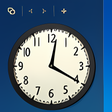
7 Sidebar Gadget
Windows 7の体験を7 Sidebar Gadgetで向上させる

Windows 7
Windows用のフルバージョンアプリ、Microsoftによるものです。

DVDFab 32-bit
DVDFab 32ビットは、DVD / Blu-ray /ビデオ処理アプリケーションです。このアプリケーションを使用すると、DVD / Blu-rayディスクをコンピューターのHDDにコピーして空のメディアに書き込むか、コンピューター、ポータブルデバイス、またはその他の互換性のあるディスプレイで再生するさまざまなビデオファイルに変換できます。 DVDFab 32ビットは、DVDFab DVDコピー、DVDFab DVDリッパー、DVDFabブルーレイコピー、DVDFabブルーレイリッパー、DVDFabブルーレイDVDコンバーター、DVDFabブルーレイ3Dリッパー、DVDFab 2Dから3Dを含む統合シェアウェアパッケージです。 Converter、DVDFab Video Converter、DVD Creator、Blu-ray Creator、およびDVDFab File Transfer。 主な機能は次のとおりです。 DVD / Blu-rayディスクをDVD / Blu-ray ISOイメージファイルまたは標準DVD / Blu-rayフォルダーとしてHDDにコピーします。 DVD / Blu-rayディスク、ISOイメージファイル、および標準DVD / Blu-rayフォルダーを空のメディア、フルディスク、またはメインムービーのみに書き込みます。 分割/カスタマイズ1枚のDVD 9ディスクを2枚の空のDVD 5ディスクに分割/カスタマイズします。複数のDVDディスクを1つのDVD9 / 5ディスクに結合します。 3D Blu-rayディスクをAVI / MP4 / MKVなどの3Dビデオファイルに変換し、3D Blu-rayディスクを2D Blu-rayまたはSBS 3D Blu-rayに変換します。 同一のDVD / Blu-rayディスクを複製します。 システム要件:Windows 8/7 / Vista / XP(32/64ビット)
Windows 7 Theme
Windows 7 テーマをすばやく簡単にインストールする方法
Windows 7 Manager
Windows 7 ManagerでWindowsの体験を最適化する
最新更新

CCleaner Free
掃除と最適化が簡単に

FastCopy
無料コピーソフト

Supermium
Supermium: 古いWindows用の軽量Chromiumブラウザ

PDFtk Server
効率的なコマンドラインPDFツールキット

WIC Reset Utility
効率的なインク廃棄カウンターリセットツール

Process Lasso
Process Lassoを使用してPCのパフォーマンスを最適化する

7-Zip 64-bit
無料のファイルアーカイバ

DataVare PST to MHTML Converter
効率的なPSTからMHTMLへの変換ツール

BitRecover Lock PDF Wizard
BitRecover Lock PDF WizardでPDFを保護する

SysInfo Image Repair Tool Free
SysInfoツールによる効率的な画像修復

HP LaserJet Pro 200 color Printer M251nw drivers
HP LaserJet Pro 200の包括的ドライバー

SoundVolumeView
SoundVolumeViewによる効率的な音管理