関連ソフトウェア

WinRAR 32-bit
WinRAR はRAR と ZIP アーカイブに完全対応したアーカイブユーティリティーで、CAB, ARJ, LZH, TAR, GZ, ACE, UUE, BZ2, JAR, ISO, 7Z, Z のアーカイブを解凍する事ができます。他のソフトに比べ小容量のアーカイブを作成するので、これによりディスクスペースを確保する事ができ、送信コストの削減にもなります。 WinRAR はマウスやメニュー、コマンドラインインターフェースを利用した対話型グラフィックインターフェースを提供します。WinRAR は単純な質問応答のプロセスで基本的なアーカイブ機能に即時アクセスできる特別な"Wizard"モードを採用することにより、他のアーカイブソフトに比べ使用が簡単になりました。 WinRAR は128ビットキーのAES (Advanced Encryption Standard)でアーカイブを暗号化するので安心に使用でき、8兆5千890億ギガバイトまでのファイルやアーカイブに対応します。WinRARでは自己解凍アーカイブやマルチボリュームアーカイブの作成もでき、リカバリー記録とリカバリー容量により物理的に損傷したアーカイブまで再構成することが可能です。
Macrium Reflect
A complete disaster recovery solution for your home and office. Protect your personal documents, photos, music and emails. Upgrade your hard disk or try new operating systems in the safe knowledge that everything is securely saved in an easily recovered backup file. Don't compromise your data integrity with second best Macrium Reflect uses leading data compression techniques to create accurate and reliable images of your hard disk or partitions on your disk. Simple step by step operation Image and Restore using intuitive wizards and interfaces. Macrium Reflect integrates fully with Windows Explorer, a partition image can be created with a simple right click. Automate the process With Macrium Reflect you can schedule Images to run at any time. Disk space management ensures that you optimize the available space on external drives. Restore individual files and folders Create a 'Virtual' drive in Windows Explorer and recover selected files and directories using simple copy and paste operations. Recovery In the event of a total loss of the Windows operating system your PC can be started using the Reflect recovery CD. Please note that beginning with version 5.2.6544 we are providing the Macrium Installer, which will automatically download the correct version for your PC. It will also download any necessary Windows components for you. You can get more information about this installer on the Macrium knowledge base.
Folder Size Explorer
フォルダーサイズエクスプローラーによる効率的なファイル管理

Microsoft Windows and Office ISO Download Tool
Windows ISO Downloaderは、Microsoft WindowsまたはMicrosoft OfficeのさまざまなバージョンとビルドのISOイメージファイルをダウンロードできる素晴らしいツールです。 オペレーティングシステムのクリーンインストールを実行する必要がある場合、Windows ISOダウンローダーを使用すると、変更されていないディスクイメージを探し出す際の時間と労力を節約できます。 Windows ISO Downloaderはポータブルアプリなので、インストールは不要です。ハードドライブまたはUSBフラッシュドライブからアプリをダウンロードして実行するだけです。アプリは、Windowsレジストリファイルを変更したり、ユーザーの許可なしにPCに追加のファイルやフォルダーを生成したりしません。 Windows ISOダウンローダーには、操作が簡単なシンプルなユーザーインターフェイスがあります。メインウィンドウには、選択するWindowsおよびMicrosoft Officeのバージョンのリストが表示されます。使用するOSを選択したら、ドロップダウンメニューからエディションと言語を選択し、選択を確認します。 Windows ISOダウンローダーを使用すると、イメージファイルをダウンロードするか、リンクをクリップボードにコピーするかを選択できます。 全体的に、Windows ISOダウンローダーは、数回クリックするだけでWindows OSまたはMicrosoft Office用の未変更のISOイメージファイルを取得できる便利なツールです。設定は不要で、軽量でナビゲートしやすいです。 *注.NET FrameworkとInternet Explorerの両方が必要です。

WinToFlash
WinToFlash is a useful tool that can help you create a bootable Windows setup USB drive from a CD or DVD. WinToFlash can also make bootable USB versions of LiveCD's. With more and more computers being manufactured without optical drives, this tool can be particularly useful. If you need to perform a fresh installation of Windows onto machines such as a netbook, then a small utility like WinToFlash could be a good solution for you. Key features include: Windows 32 bit and 64 bit full support. Create a USB drive with Windows XP/2003 Recovery Console. Create a USB drive with an emergency bootloader for Windows 2000/XP/2003. Fine tune any option of partitions table. Fine tune any option of FAT file system. Multiple language support. To use WinToFlash, simply unzip the file, connect your USB drive, insert your Windows disc and choose from the available options. Overall, WinToFlash is a good tool for both novice and experienced users. It has an easy to operate, standard explorer type user interface, coupled with some powerful features under it's hood. The application provides a good alternative to using a Windows disc to perform clean installations of the Windows operating system.
Bandizip
Bandizip is an all-in-one Zip Archiver. It can handle most popular compression formats, including Zip, 7z, and Rar. It is both lightweight and lightning fast, utilizing a rapid Zip algorithm for compression & extraction with fast drag and drop functions, high speed archiving, and multi-core compression. Key features include: Support for Unicode to display international characters. Bypass files that don't compress well using the "High Speed Archiving" function. Extract files to the destination folder directly using the fast drag & drop function. Create self-extracting files (.EXE) and multi-volume (split) archives. Optional archive encryption using ZipCrypto and AES 256. Context Menu access including the preview archive function. Create or extract multiple zip files simultaneously from windows explorer. Bandizip supports ZipCrypto and AES 256 encryption algorithms for higher security. It also has support for split compression to certain sizes, such as 10MB or 700MB. Besides Windows standard split compression formats such as zip, z01, and z02, it securely supports ALZ, EGG (alz, a01, a02, and vol1.egg, vol2.egg, 7Z(7z.001, 7z.002, and RAR (part1.rar). Bandizip is lightweight, has numerous support features and utilizes super quick Zip algorithms for compression and expansion. If you want to change your current Zip utility then Bandizip is a great tool to try.

NetDrive
With the help of NetDrive accessing multiple cloud storage accounts like Dropbox, SkyDrive, CloudMe and Box becomes as easy as accessing your local file system. WebDAV and FTP servers are registered through the NetDrive Site Manager. Secure HTTPS connections can be configured in the Advanced menu. Once connected online drives can be controlled from Windows Explorer via a drive letter. Remote files than behave like any local data. Transferring files and folders works by drag&drop, applications can be executed and movies start with a mouse click. NetDrive has an option to launch at Windows start and is accessible through an icon in the system tray. The free tool even offers legacy DOS-prompt support including the use of commands like xcopy and dir.

IECookiesView
IECookiesViewは、Internet Explorerがコンピューターに保存するすべてのCookieの詳細を表示する小さなユーティリティです。さらに、IECookiesViewを使用すると、列ヘッダーをクリックするだけで、必要な列でCookieリストを並べ替えることができ、2回目のクリックで列が降順に並べ替えられます。 Webサイトの名前を指定して、リスト内のCookieを見つけることもできます。 IECookiesViewを使用すると、不要なCookieを選択して削除したり、Cookieを読み取り可能なテキストファイルに保存したり、Cookie情報をクリップボードにコピーしたりすることもできます。このアプリケーションでは、WebサイトからCookieが送信されたときに、Cookieリストを自動的に更新することもできます。 主な機能は次のとおりです。 Cookieのコンテンツを変更します。 Internet Explorer 6.0のCookieブロックメカニズムを使用して、特定のWebサイトがCookieを使用するのをブロックします。 Internet ExplorerツールバーからIECookiesViewユーティリティを直接開きます。 他のユーザーおよび他のコンピューターのCookieを表示します。 システム要件:Windowsオペレーティングシステム:Windows 95/98 / ME、Windows NT、Windows 2000、Windows XPまたはWindows Vista。 Internet Explorer、バージョン4.0-9.0。 注* Cookieインデックス情報の保存方法の変更により、Internet Explorer 10.0のサポートは限定されています。
DriverStore Explorer
無料のドライバー ストア エクスプローラー
Nexus
The Winstep Nexus Dock is a FREE professional dock for Windows. With Nexus, your most frequently used applications are only a mouse click away - and Nexus turns working with your computer into a fun and exciting experience. The Nexus dock provides one-click access to frequently used applications, folders and documents. Main features: Display running applications on the dock with task grouping, filtering and icon customization options. Display system tray on the dock as single or grouped icons. Blur-Behind and colorization of dock backgrounds. Monitor active connections and bandwidth usage with Net Meter module. Get weather forecast for over 39,000 cities world-wide. Multiple mouse over effects: zoom, swing, bounce and more! Live icon reflections and animated water-like effects for reflections and dock backgrounds. Easily change appearance of icons of running programs and shortcuts by drag & dropping PNG, ICO and TIF files directly into the icon. Multi-monitor support. Compatible with skins for all 3rd party docks.
Easy File Shredder
Easy File Shredderでファイルを安全に消去する
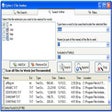
File Seeker
ファイルシーカーによる効率的なファイル管理