Burn Mac向けのアプリ
- Burn-osx による
- 無料
- 3.1.7

技術仕様
- タイトル
- Mac用のBurn 3.1.7
- 必要条件
- Mac OS X
- 言語
- 日本語
- 利用可能な言語
- チェコ語
- デンマーク語
- ドイツ語
- ギリシャ語
- 英語
- スペイン語
- フィンランド語
- フランス語
- イタリア語
- 日本語
- 韓国語
- オランダ語
- ノルウェー語
- ポーランド語
- ポルトガル語
- ロシア語
- スウェーデン語
- トルコ語
- 中国語
- ライセンス
- 無料
- 最新の更新
- 著者
- Burn-osx
- SHA-1
59619bd71591b92a6afd00aee2b3b83b57358feb
- ファイル名
- Burn_v3.1.7.zip
他の言語で利用可能なプログラム
Burn Mac向けのアプリ
- Burn-osx による
- 無料
- 3.1.7
変更ログ
Burnのバージョン3.1.7に関する変更ログ情報はまだありません。出版社がこの情報を公開するのに時間がかかる場合がありますので、数日後にもう一度チェックして更新されたかどうかを確認した後、
アンケートにお答えいただけますか?
変更ログ情報に変更があった場合には、お客様からの連絡をお待ちしております!次に進みます。お問い合わせページ 当社にご連絡ください。
アプリを探索












関連ソフトウェア
Dragon Burn
効率的なMacディスク焼きツール
Burn With Me
カードバーニングメカニクスを持つユニークな戦略ゲーム
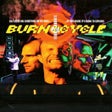
Burn:Cycle
バン:サイクルのサイバネティックワールドを探検する
Express Burn Disc Burning Free
Macユーザーのための効率的なディスク焼きソリューション
To Burn in Memory
記憶に燃やすことの興味を探求する
Express Burn CD/DVD Burning Software
Macでの簡単なCD/DVD書き込み
1-Click DVD Creator-Burn/Make
ワンクリックDVDクリエーターによる簡単なDVD作成

Express Burn Free CD and DVD Burner for Mac
Express Burn Free CD and DVD Burner for Mac is a free CD and DVD burning program for the Mac platform. With it you can burn audio CDs and data CDs for free. The Free version also lets you trial some of the the advanced features of Video DVD burning. With Express Burn Free CD and DVD Burner for Mac you can import multiple audio formats and the app will convert them automatically as it burns to disc. The app also has some cool features such as Audio Normalization that normalize the audio volume of your tracks. Ul> Ultra fast and user-friendly burning to save you time. Burn audio, video or files to CD, DVD or Blu-Ray. Drag and drop files straight into the application. The app lets you create and burn a new disc, copy an existing disc, or burn DVDs and Blu-rays. As the interface is relatively straightforward, almost any user could operate the program. The app has a quick start wizard that lets you create and burn any kind of disc quickly. If you don't want it to launch with the app it can be dismissed. However, it is quite useful if you just need to produce something quickly. Overall Express Burn Free CD and DVD Burner for Mac is a capable app that includes most of the features you would expect in a premium disc burning suite. That being said there are other suites on the market that can provide similar tools, which can be used to manage files for your CDs, DVDs, and data discs.

Voilabits DVDCreator for Mac
Voilabits DVDCreator for Mac allows you to personalize DVD menus and touch up videos in a style you want, just like an expert. The application has a great selection of DVD menus and useful editing tools. Voilabits DVDCreator for Mac is a high quality DVD creator, which enables you to create a DVD directly from hardware such as a Camera or iPhone or from software such as iTunes or iMovie and burn to a DVD disc, Folder or ISO file rapidly. KEY FEATURES INCLUDE: Convert any SD/HD videos like MP4, AVI, FLV, AVCHD, HD MP4, etc. to DVD. Change language, aspect ratio, TV standard and burn speed. Trim, crop, rotate, add effects and subtitles, etc. to author DVD. 15+ beautiful DVD menu templates for all occasions. Want to preserve your precious videos? Get started now!

Voilabits MediaConverterUltimate for Mac
Voilabits MediaConverterUltimate for Mac is a media conversion app that has a few neat features coupled with a friendly user interface. The app is touted as an all-in-one media converter for the Mac OS platform. You can convert videos, rip DVD movies, burn DVDs, download online streaming videos and transfer video content to portable devices or upload to YouTube directly from within the app. You can use the built-in video converter to convert favourite movies and home clips to any SD & HD video format or extract the audio. You can also rip DVDs for playback on other portable players. Key Features Include: Convert video/audio files and rip DVD: Voilabits MediaConverterUltimate for Mac enables you to playback videos/DVDs on popular devices such as Apple TV, iPad, iPhone, Amazon's Kindle Fire, Blackberry, Android, PSP and others. Burn video to DVD disc, DVD folder and ISO files: You can burn your home videos to DVD and you can create a simple DVD menu with 15+ free templates. Batch download streaming videos from 50+ popular websites: You can download streaming videos at speed as Voilabits MediaConverterUltimate for Mac supports 50+ popular video Websites such as YouTube, DailyMotion, Blip, Metacafe, Bing, AOL and Vimeo. Share to YouTube instantly: Voilabits MediaConverterUltimate for Mac allows you upload directly to YouTube in a couple of clicks. Edit and Enhance Video Clips: With a built-in Mac video editor, you are able to touch up your home made video clips whilst making conversions. Overall, the app provides a good user interface that is easy on the eyes and it has a number of cool features, such as the ability to trim video clips accurately and crop the best frame size. You can create special visual effects and add text/image watermarks to content. You can also load subtitles with external .srt files.

Doxillion Free Document Converter for Mac
Mac用Doxillion Free Document Converterは、pdf、docx、doc、pdf、rtf、html、xml、wpd、odt、およびtxtドキュメントファイルを変換する無料のドキュメントコンバーターです。 多くの異なるテキストドキュメント形式間で変換します。 docおよびdocxを変換するWordをサポート*ソースコードをhtmlに変換します。 数千のファイルを一度にバッチ変換します。 右クリックメニューを使用して、プログラムの外部からドキュメントを変換します。 Doxillionに変換するドキュメントをドラッグアンドドロップします。 Express Burnディスク書き込みソフトウェアと統合して、ドキュメントをバックアップします。 Doxillion Free Document Converter for Macを使用すると、ドキュメントを一度に1つずつ変換したり、多数のファイルを一度にバッチ変換したりできます。 Mac変換オプションのDoxillion Free Document Converterを右クリックメニューに統合して、ドキュメントを頻繁に使用する多くの形式にすばやく変換することもできます。
Opera for Mac
Opera for Macは、高速で豊富な機能を備えた安全なWebブラウザです。最新のミニマルな外観を取り入れた洗練されたインターフェイスと、ブラウジングをより楽しくするためのツールのスタックを備えています。これらには、お気に入りを格納するスピードダイヤルや、ページを圧縮してより高速なナビゲーションを提供するOpera Turboモードなどのツールが含まれます(接続状態が悪い場合でも)。 Opera for Macには、優れたインターフェースでウェブを閲覧するために必要なものがすべて揃っています。スタートアップから、新しいコンテンツを直接提供するDiscoverページを提供します。 tは、トピック、国、言語ごとに必要なニュースを表示します。起動時に、スピードダイヤルとブックマークページも利用できます。これにより、最も頻繁に使用するサイトやお気に入りリストに追加したサイトに簡単にアクセスできます。 主な機能は次のとおりです。 なめらかなインターフェース。 ダウンロードマネジャー。 カスタマイズ可能なテーマ。 拡張機能。 短縮ダイヤル。 プライベートブラウジングモード。 Discoverは最新のニュースコンテンツを提供します。 Opera for Macは統合された検索およびナビゲーション機能を提供します。これは、他の有名な敵の間でよく見られるものです。 Opera for Macは、画面上部に2つのテキストフィールドを表示する代わりに、検索とナビゲーションの両方に単一のバーを使用します。この機能により、ブラウザウィンドウがすっきりと整理され、最高の機能が提供されます。 Opera for Macには、ダウンロードマネージャーと、トレースを残さずにナビゲートできるプライベートブラウジングモードも含まれています。 Opera for Macでは、拡張機能の配列をインストールすることもできるので、必要に応じてブラウザーをカスタマイズできます。カタログは一般的なブラウザよりもかなり小さくなっていますが、Adblock Plus、Feedly、Pinterestのバージョンがあります。 Opera for Macは、最新のWebに最適なブラウザです。ユーザー数の点では、Google Chrome、Mozilla Firefox、およびSafariの背後にあります。ただし、最先端の技術で最新のものであり、ブラウザ戦争の強力な競争相手であり続けています。 全体として、Opera for Macは最高のパフォーマンスと相まって優れたデザインを備えています。シンプルかつ実用的です。キーボードショートカットは他のブラウザに似ており、使用可能なオプションはさまざまで、スピードダイヤルインターフェイスは使いやすいです。また、Opera for Macをテーマでカスタマイズして、ブラウジングエクスペリエンスをさらにパーソナルにすることもできます。したがって、通常のブラウザとは異なるものを試すことを考えているなら、Opera for Macがあなたの選択かもしれません。 OperaのWindowsバージョンをお探しですか?ここからダウンロード 少し違うものをお探しの場合は、TechBeatの代替ブラウザーのガイドをご覧ください 。







最新更新
Apple Configurator
Apple Configuratorを使用してデバイス管理を効率化する
Divvy - Window Manager
Macユーザーのための簡単なウィンドウ管理
DiskMark
効率的なハードドライブ性能テストツール
Deeper
Deeperによる包括的なMacカスタマイズ
Timer
Macユーザーのためのシンプルで効果的なタイマー
Wireshark
無料のネットワーク プロトコル アナライザー
Default Folder X
Default Folder XでMacのファイル管理を強化する
SuperDuper!
SuperDuper でコンピュータをバックアップ!
Samsung Magician
Samsung Magicianユーティリティの包括的レビュー
WinRAR
Mac 用の圧縮トライアルウェア
Teampaper Snap
Teampaper Snapを使った効率的なスクリーンショット編集
MONIT
MONITによる効率的なシステム監視











最新バージョン
Burn 3.1.8
もっと見るSystem Tuning & Utilitiesで人気の
Fairmount
Spectacle
BlueStacks App Player
Apple Configurator
DAEMON Tools for Mac
iFunBox
MagicPrefs
Fidelia
DssW Power Manager
Clipy