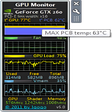

技術仕様
- タイトル
- Windows用のGPU Monitor 12.9
- 必要条件
- Windows 7
- Windows Vista
- Windows 8
- Windows XP
- 言語
- 利用可能な言語
- 英語
- スペイン語
- フランス語
- ポルトガル語
- ロシア語
- トルコ語
- 中国語
- ライセンス
- 無料
- 最新の更新
- 著者
- Igor Bushin
- SHA-1
7a8834bd400be320ae902deb83033c3fcd675ffd
- ファイル名
- GPU_Monitor_V12.9.zip
他の言語で利用可能なプログラム
変更ログ
GPU Monitorのバージョン12.9に関する変更ログ情報はまだありません。出版社がこの情報を公開するのに時間がかかる場合がありますので、数日後にもう一度チェックして更新されたかどうかを確認した後、
アンケートにお答えいただけますか?
変更ログ情報に変更があった場合には、お客様からの連絡をお待ちしております!次に進みます。お問い合わせページ 当社にご連絡ください。
アプリを探索











関連ソフトウェア
f.lux
f.lux is a really handy tool that allows you to adjust the colour temperature on your display. If you stare at a screen for too long, then the glare from the display begins to hurt your eyes. To start with, turning down your monitor's brightness may help you, but brightness is not the really issue. The colour temperature is what causes the problems. Most computer screens emit a bluish light, which looks great in daytime, but it becomes uncomfortable to look at when the sun dips below the horizon. Not only can your screen become uncomfortable to look at, it can also affect your sleep patterns*. F.lux works by calculating the approximate sunset time for your location. At sunset, your computer screen will mimic nature, gradually warming up the colours. This, in turn, blends in better with the surrounding light. The app is very easy to navigate and configure in a few clicks. the adjustments can be made with sliders across the main window, which alter the daytime and night time calibrations. If you spend a large amount of time looking at your computer screen, then f.lux is definitely something that you should check out. *There has been research which suggests reading on a tablet for a couple of hours before you go to sleep can delay your sleep pattern by approximately an hour. Looking for the Mac version of f.lux? Download Here
NZXT CAM
Windows 用の無料監視ソフトウェア
IObit Advanced SystemCare
Advanced SystemCare 12 is an all-in-one yet easy-to-use PC optimization software to clean, optimize, speed up, and protect your system, as well as secure your online privacy. IObit have recently released version 12 of Advanced System Care. Prominent changes include; Better system tune-up & deeper cleaning: remove 9% more junk files and optimize 30% more startup processes for a faster system boot. More user-friendly experience of Performance Monitor: help users take the most use of the system resources and boost the system performance with just one click. Better user privacy: protect users' sensitive data and important files against unauthorized processes and malicious tracking with new Privacy Shield & Browser Anti-tracking Protection. With the best 1-click approach, it is easy for you to clean up junk files, leftovers, redundant registry entries, and invalid shortcuts, sweep privacy traces, remove spyware threats, accelerate Internet speed, manage startup items, and fix system weakness and security holes. Taking advantage of the redesigned Performance Monitor, Advanced SystemCare 12 not only monitors your PC’s RAM/CPU/Disk usage, CPU/GPU/Mainboard temperature, and fan speed in real-time, but also lets you quickly end the processes that slow down your PC to make PC more responsive and faster. For better privacy protection, Advanced SystemCare 12 optimizes FaceID, Homepage Advisor, and Surfing Protection & Ads- Removal. FaceID automatically captures intruders secretly accessing to your PC or trying to steal your personal information and important files. Homepage Advisor monitors and notifies you of any change to homepage and search engine in case of any unwanted modifications. With Surfing Protection & Ads- Removal, you can enjoy secure & smooth surfing experience without various online threats and annoying ads. What's more, Advanced SystemCare 12 rebuilds and improves over 10 useful tools and features, such as Startup Manager, Default Program, Large File Finder, Hardware Accelerate, and MyWin10 to make old PCs live longer and new PCs run faster!
Driver Genius
Driver Genius is a comprehensive application that scans your system for driver problems. It can then download the drivers you require and updates your system accordingly. It can also backup and update your drivers in a few clicks. Driver Genius has a clean user interface that gives you plenty of information without looking too cluttered. It is easy to install and use and has a backup function in case you need to restore lost or incorrect drivers. Key features include: One click updates for all drivers. Driver backup tool. Automatically check for driver updates. Hardware temperature monitor: protects your CPU, GPU and HDD. System information tool: detailed hardware inventory. Remove invalid or useless drivers. One click driver restore: packages all drivers to an executable auto installer. Overall, Driver Genius is an easy program to get to grips with and requires almost no technical knowledge to use; it will prompt you at every step of the process. It has a few nice features too, such as the driver install/uninstall function and the ability to schedule scans for out of date drivers. It is also worth mentioning Driver Genius has the ability to be integrated with your antivirus to automatically scan downloaded drivers for viruses.
EaseUS Partition Master Free
Partition Magicの代替として、EASEUS Partition Master Home Editionは無料のオールインワンパーティションソリューションおよびディスク管理ユーティリティです。パーティションの拡張(特にシステムドライブ用)、ディスク領域の管理、MBRおよびGUIDパーティションテーブル(GPT)ディスクのディスク領域不足の問題の解決を可能にします。 パーティションのサイズ変更/移動システムドライブを拡張するディスクとパーティションをコピーパーティションをマージ分割パーティション空き領域を再分配するダイナミックディスクの変換パーティションを回復する
Rufus
Rufusは小さなユーティリティで、USBキーやペンドライブ、メモリスティックなどの起動可能なUSBフラッシュドライブをフォーマットおよび作成できます。 Rufusは、次のシナリオで役立ちます。 Windows、Linux、およびUEFI用の起動可能なISOからUSBインストールメディアを作成する必要がある場合。 OSがインストールされていないシステムで作業する必要がある場合。 BIOSまたはその他のファームウェアをDOSからフラッシュする必要がある場合。 低レベルのユーティリティを実行する必要がある場合。 Rufusは次の* ISOで動作します:Arch Linux、Archbang、BartPE / pebuilder、CentOS、Damn Small Linux、Fedora、FreeDOS、Gentoo、gNewSense、Hiren's Boot CD、LiveXP、Knoppix、Kubuntu、Linux Mint、NT Password Registry Editor、 OpenSUSE、Parted Magic、Slackware、Tails、Trinity Rescue Kit、Ubuntu、Ultimate Boot CD、Windows XP(SP2以降)、Windows Server 2003 R2、Windows Vista、Windows 7、Windows 8。 *このリストは完全ではありません。 サポートされている言語は次のとおりです。インドネシア語、マレーシア語、セシュティナ、ダンスク、ドイツ語、英語、スペイン語、フランス語、フルバツキー、イタリア語、ラトヴィエシュ、リエトゥビウ、マジャール、オランダ、ノルスク、ポルスキ、ポルトガル、ポルトガル、スロヴェンスキー、スロベンツキー、スロヴェンスキーSrpski、Suomi、Svenska、Türkçe。
Auslogics Disk Defrag
Auslogics Disk Defragは、FAT 16/32とNTFSファイルシステムの両方をサポートするコンパクトで高速なデフラグツールです。高度なディスク最適化技術が搭載されており、システムの遅延とディスクの断片化によるクラッシュを改善します。 ディスクの断片化は、システムのスローダウン、PCのクラッシュ、起動とシャットダウンの遅延につながります。 Auslogics Disk Defragは、最新のハードディスクの高速デフラグ用に設計されています。 特徴: デフラグと最適化空き領域の統合システムファイルのスマートな配置 MFT予約済みゾーンを明確に保つ単一のファイルまたはフォルダーの最適化断片化されたファイルのリスト自動デフラグモードスケジュールされたデフラグディスクデフラグのカスタマイズ多言語

2007 Microsoft Office Add-in: Microsoft Save as PDF or XPS
2007 Microsoft Officeアドイン:PDFまたはXPSとして保存すると、8つの2007 Microsoft OfficeプログラムでPDFおよびXPS形式にエクスポートして保存できます。このツールを使用すると、これらのプログラムのサブセットでPDF形式およびXPS形式の電子メール添付ファイルとして送信することもできます(特定の機能はプログラムによって異なります)。 このダウンロードは、次のOfficeプログラムで動作します。 Microsoft Office Access 2007。 Microsoft Office Excel 2007。 Microsoft Office InfoPath 2007。 Microsoft Office OneNote 2007。 Microsoft Office PowerPoint 2007。 Microsoft Office Publisher 2007。 Microsoft Office Visio 2007。 Microsoft Office Word 2007。 2007 Microsoft OfficeプログラムのこのMicrosoft Save as PDFまたはXPSアドインは、2007 Microsoft Office systemソフトウェアの補足条項であり、2007 Microsoft Office systemソフトウェアのライセンス条項の対象となります。 システム要件:サポートされているオペレーティングシステム。 Windows Server 2003、Windows Vista、Windows XP Service Pack 2。
Audacity
Audacity is a free, easy-to-use audio editor and recorder for Windows, Mac OS X, GNU/Linux and other operating systems. You can use Audacity to: Record live audio. Convert tapes and records into digital recordings or CDs. Edit Ogg Vorbis, MP3, WAV or AIFF sound files. Cut, copy, splice or mix sounds together. Change the speed or pitch of a recording. Add new effects with LADSPA plug-ins. And more!

DAEMON Tools Lite
ISOイメージクリエーターおよびバーナー
3uTools
3uToolsは、すべてのiOSデバイスで動作するように設計されたオールインワンWindowsベースのアプリケーションです。 3uToolsは、現在利用可能な最も効率的なiOSファイルおよびデータ管理ツールであると主張しています。この声明の信on性についてコメントすることはできませんが、アプリ、写真、音楽、着信音、その他のマルチメディアファイルを簡単に管理できます。 また、ジェイルブレイク、アクティベーション、バッテリー、iCloudロックのステータスなど、iOSデバイスのさまざまなステータスを表示することもできます。 3uToolsは、詳細なiOSおよびiDevice情報も提供します。 3uToolsには、アイコン管理、ガベージクリーナー、データ移行、データバックアップ、着信音メーカー、ビデオコンバーター、無効なアイコンの削除など、iOSデバイスのユーザー向けのさまざまな機能のコレクションが付属しています。 3uToolsには、iOSデバイスで使用可能なファームウェアを自動的に一致させる便利な機能もあり、通常モード、DFU、および復旧モードでiOSフラッシュをサポートしています。 3uToolsには、無料でダウンロードしてインストールできる着信音や壁紙などのさまざまなアプリケーションを見つけるオンラインストアもあります。 将来のダウンローダーのほとんどが興味を持っているのは、ワンクリックのジェイルブレイクがジェイルブレイクプロセスをシンプルかつ簡単にすることです。ただし、SHSHバックアップ、ベースバンドのアップグレード/ダウングレードなど、いくつかのより高度な機能も備えています。 主な機能: オンラインストア。 すべてのiOSデバイスで動作します。 ビデオコンバーター。 着信音メーカー。 良いサポート。 脱獄で動作します。 ごみクリーナー。

VMware Workstation Player
仮想マシンは、ソフトウェアで定義されたコンピューターです。 PCでPCを実行するようなものです。 この無料のデスクトップ仮想化ソフトウェアアプリケーションにより、VMware Workstation、VMware Fusion、VMware Server、またはVMware ESXで作成された仮想マシンを簡単に操作できます。 主な機能は次のとおりです。 1台のPCで複数のオペレーティングシステムを同時に実行します。 インストールや構成の問題なしに、事前構成された製品の利点を体験してください。 ホストコンピューターと仮想マシン間でデータを共有します。 32ビットと64ビットの両方の仮想マシンを実行します。 2-way Virtual SMPを活用します。 サードパーティの仮想マシンとイメージを使用します。 ホストコンピューターと仮想マシン間でデータを共有します。 幅広いホストおよびゲストオペレーティングシステムのサポート。 USB 2.0デバイスのサポート。 起動時にアプライアンス情報を取得します。 直感的なホームページインターフェイスを介して仮想マシンに簡単にアクセスできます。 VMware Playerは、Microsoft Virtual Server仮想マシンまたはMicrosoft Virtual PC仮想マシンもサポートしています。









最新更新
Glary Utilities Portable
PCメンテナンスのための便利なポケットツールキット
FFmpeg Batch AV Converter
簡単なオーディオおよびビデオエンコーディングツール
Intiface Central
親密な触覚制御のための包括的なツール
TransMac
仮想 Mac プラットフォーム
Disk2vhd
Windows用の無料プログラム、Sysinternalsによるものです。
AOMEI FastRecovery
AOMEI FastRecoveryによる包括的なデータ復旧
Optimizer
Windows クリーンアップの無料ツール
PasteBar
PasteBarによる効率的なクリップボード管理
HTTP Analyzer
Windows用の包括的なHTTP分析ツール
Don't Sleep
最初にこれらのことを行うまで寝ないでください
iBackup Extractor
iBackup Extractorによる効率的なデータ復旧
SoundCheck
Windows用の包括的なサウンドテストツール