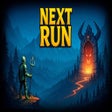

編集者レビュー · 2025年11月26日
技術仕様
- タイトル
- Windows用のNext Run 1.0.14
- 必要条件
- Windows 10
- Windows 7
- Windows 11
- Windows 8.1
- Windows 8
- 言語
- 日本語
- 利用可能な言語
- 英語
- スペイン語
- ドイツ語
- フランス語
- イタリア語
- ロシア語
- ポルトガル語
- トルコ語
- 中国語
- 日本語
- 韓国語
- ライセンス
- 支払い
- 最新の更新
- 著者
- Clarus Victoria
他の言語で利用可能なプログラム
変更ログ
Next Runのバージョン1.0.14に関する変更ログ情報はまだありません。出版社がこの情報を公開するのに時間がかかる場合がありますので、数日後にもう一度チェックして更新されたかどうかを確認した後、
アンケートにお答えいただけますか?
変更ログ情報に変更があった場合には、お客様からの連絡をお待ちしております!次に進みます。お問い合わせページ 当社にご連絡ください。
アプリを探索











関連ソフトウェア
Nexus
The Winstep Nexus Dock is a FREE professional dock for Windows. With Nexus, your most frequently used applications are only a mouse click away - and Nexus turns working with your computer into a fun and exciting experience. The Nexus dock provides one-click access to frequently used applications, folders and documents. Main features: Display running applications on the dock with task grouping, filtering and icon customization options. Display system tray on the dock as single or grouped icons. Blur-Behind and colorization of dock backgrounds. Monitor active connections and bandwidth usage with Net Meter module. Get weather forecast for over 39,000 cities world-wide. Multiple mouse over effects: zoom, swing, bounce and more! Live icon reflections and animated water-like effects for reflections and dock backgrounds. Easily change appearance of icons of running programs and shortcuts by drag & dropping PNG, ICO and TIF files directly into the icon. Multi-monitor support. Compatible with skins for all 3rd party docks.

Virtual Router Plus
With Virtual Router Plus, you can wirelessly share any Internet connection with any WiFi enabled device. Devices connect to Virtual Router just like any other access point, and the connection is completely secured using WPA2. As VirtualRouter Plus, in effect, converts your PC into a WiFi router, it allows you to create a home network with which you will be able to connect your WiFi enabled devices in no time. Whether that be a cell phone, a tablet, a laptop, a Netbook, or a wireless printer. Key Features include: Supports Windows 8. No installation required. Lightweight. To get started with VirtualRouter Plus, simply click on the app to run it and choose a name and password for the network that you are going to create. Next up, click on Start VirtualRouter Plus and voila! you now have a Wi-Fi access point. Virtual Router Plus is a small, open source app for computers that run Windows 7, Windows 8, Windows Server 2008 R2 and Windows Server 2012. If your router is not Wi-Fi enabled, then VirtualRouter Plus maybe the way forward, especially if you run Windows 8. The app is very easy to use and required no installation. The only issue we found was with stability.
EaseUS Partition Master Free
Partition Magicの代替として、EASEUS Partition Master Home Editionは無料のオールインワンパーティションソリューションおよびディスク管理ユーティリティです。パーティションの拡張(特にシステムドライブ用)、ディスク領域の管理、MBRおよびGUIDパーティションテーブル(GPT)ディスクのディスク領域不足の問題の解決を可能にします。 パーティションのサイズ変更/移動システムドライブを拡張するディスクとパーティションをコピーパーティションをマージ分割パーティション空き領域を再分配するダイナミックディスクの変換パーティションを回復する
Boxcryptor
Cloud storage is all the rage these days. From Box to Yandex and everything in between, it seems as though everyone has jumped on board with storing their data in a cloud environment. Everyone except the ultra security conscious, that is. If you categorize yourself in that bracket, then you should definitely check out Boxcryptor. More and more people are getting to grips with extra levels of security in ‘secure’ applications and services. Boxcryptor is a next-gen 'on disk' encryption tool that aims to do just that. The service works by taking files that are stored in cloud locations and it encrypts them using AES-256 and RSA encryption algorithms to secure the data. To set up Boxcryptor, simply install the app, choose which cloud platforms to encrypt and select filename encryption (not available in the free version). As soon as any new files are stored on the Boxcryptor drive, they are automatically encrypted. To encrypt any existing files, just right click on the files in Explorer or Finder and enable encryption. To unlock the Boxcryptor folder and view your files, all you have to do is simply run the BoxCryptor app, navigate to the encrypted folder and enter your password. Boxcryptor supports almost all cloud storage providers: Google Drive, One Drive, One Drive Business, Dropbox, Box, Amazon S3, CloudMe, iCloud, SugarSync, and Yandex to name a few.

SharpReader
SharpReader is an RSS/Atom Aggregator with the following features: Handles all RSS versions, ATOM 0.3 and 1.0, modules like dublin core, content:encoding, xhtml:body, etc. Advanced threading support allowing you to view connected items together in a threaded fashion. SharpReader detects and shows connections between items if they have same link, if one item links to another, if two items both link to the same external webpage, or if an item has comments (for feeds supporting the standard). Group subscribed feeds into custom categories. Feed settings like refresh-rate and purge timeout can be set per feed or per category. Category-wide settings apply to all feeds in that category that are still set to "Default" for the setting in question. Dialog-less way of subscribing to new feeds - just drag a link from your browser into SharpReader, or enter the url into the address-bar at the top. Feedster integration to easily search weblogs and newssites for specific terms, and even subscribe to such a search to be notified of new results. Support for proxy-servers and proxy authentication. Reduces bandwidth by using HTTP Conditional GETs and gzip/deflate encoding. Minimizes to the system-tray. Systray popup when new items arrive (can be disabled on a per-feed or per-category basis through the properties pane). Easy keyboard navigation to go the next or previous unread item. Import and export your subscriptions using OPML. Filter items. International Character-set support. HTTP Authentication support.
Rufus
Rufusは小さなユーティリティで、USBキーやペンドライブ、メモリスティックなどの起動可能なUSBフラッシュドライブをフォーマットおよび作成できます。 Rufusは、次のシナリオで役立ちます。 Windows、Linux、およびUEFI用の起動可能なISOからUSBインストールメディアを作成する必要がある場合。 OSがインストールされていないシステムで作業する必要がある場合。 BIOSまたはその他のファームウェアをDOSからフラッシュする必要がある場合。 低レベルのユーティリティを実行する必要がある場合。 Rufusは次の* ISOで動作します:Arch Linux、Archbang、BartPE / pebuilder、CentOS、Damn Small Linux、Fedora、FreeDOS、Gentoo、gNewSense、Hiren's Boot CD、LiveXP、Knoppix、Kubuntu、Linux Mint、NT Password Registry Editor、 OpenSUSE、Parted Magic、Slackware、Tails、Trinity Rescue Kit、Ubuntu、Ultimate Boot CD、Windows XP(SP2以降)、Windows Server 2003 R2、Windows Vista、Windows 7、Windows 8。 *このリストは完全ではありません。 サポートされている言語は次のとおりです。インドネシア語、マレーシア語、セシュティナ、ダンスク、ドイツ語、英語、スペイン語、フランス語、フルバツキー、イタリア語、ラトヴィエシュ、リエトゥビウ、マジャール、オランダ、ノルスク、ポルスキ、ポルトガル、ポルトガル、スロヴェンスキー、スロベンツキー、スロヴェンスキーSrpski、Suomi、Svenska、Türkçe。
PCSX2
PCSX2は、PC用のPlaystation 2エミュレーターです。エミュレータの互換性率は、プレイ可能なすべてのPS2ゲームの80%以上を誇っています。かなり強力なコンピューターを所有している場合、PCSX2は優れたエミュレーターです。また、このアプリケーションはローエンドコンピューターのサポートも提供するため、Playstation 2コンソールのすべての所有者は、PCで動作するゲームを見ることができます。 PCSX2エミュレーターを使用すると、PS2コントローラーを使用して、本物のプレイステーション体験をシミュレートできます。このアプリケーションでは、ディスクからゲームを直接実行することも、ハードドライブからISOイメージとして実行することもできます。 主な機能は次のとおりです。 Savestates:ボタンを1つ押すだけで、ゲームの現在の「状態」を保存できます。 無制限のメモリーカード:好きなだけメモリーカードを保存でき、8MBから64MBまでの単一の物理カードに制限されなくなりました。 高解像度グラフィックス:PCSX2を使用すると、1080pまたは4K HDでゲームをプレイできます。 全体として、PCSX2 PS2エミュレーターの機能は優れています。 PS2ゲームを高い精度でエミュレートでき、Windowsとエミュレーターを切り替えることができます。欠点は、高速ゲームに苦労し、時々フリーズまたはクラッシュすることです。* PCSX2を使用するには、コンソールから抽出できるPlaystation 2 BIOSが必要です。

Google Chrome
Googleのトップ無料ブラウザ
Audacity
Audacity is a free, easy-to-use audio editor and recorder for Windows, Mac OS X, GNU/Linux and other operating systems. You can use Audacity to: Record live audio. Convert tapes and records into digital recordings or CDs. Edit Ogg Vorbis, MP3, WAV or AIFF sound files. Cut, copy, splice or mix sounds together. Change the speed or pitch of a recording. Add new effects with LADSPA plug-ins. And more!
Nmap
Nmap ("Network Mapper") is a free and open source (license) utility for network exploration or security auditing. Many systems and network administrators also find it useful for tasks such as network inventory, managing service upgrade schedules, and monitoring host or service uptime. Nmap uses raw IP packets in novel ways to determine what hosts are available on the network, what services (application name and version) those hosts are offering, what operating systems (and OS versions) they are running, what type of packet filters/firewalls are in use, and dozens of other characteristics. It was designed to rapidly scan large networks, but works fine against single hosts.
Auslogics Disk Defrag
Auslogics Disk Defragは、FAT 16/32とNTFSファイルシステムの両方をサポートするコンパクトで高速なデフラグツールです。高度なディスク最適化技術が搭載されており、システムの遅延とディスクの断片化によるクラッシュを改善します。 ディスクの断片化は、システムのスローダウン、PCのクラッシュ、起動とシャットダウンの遅延につながります。 Auslogics Disk Defragは、最新のハードディスクの高速デフラグ用に設計されています。 特徴: デフラグと最適化空き領域の統合システムファイルのスマートな配置 MFT予約済みゾーンを明確に保つ単一のファイルまたはフォルダーの最適化断片化されたファイルのリスト自動デフラグモードスケジュールされたデフラグディスクデフラグのカスタマイズ多言語
CCleaner Free
掃除と最適化が簡単に









最新更新
Disciples: Domination
弟子たちの戦略的深さ:支配
Alchemist
リソース管理ローグライクゲーム
PokeMMO
PokeMMO:スリリングなポケモン体験オンライン
Draw.io
オンライン図作成ツール
Arduino IDE
Arduino用の無料ソフトウェア
LTspice
LTspice - デジタル信号用コンデンサのシミュレータ
TeamViewer
リモートデスクトップアプリケーション
CapCut
CapCut - 素晴らしいビデオを編集し、それらをソーシャルネットワークにアップロードします
K-Lite Codec Pack
K-Lite コーディング ソフトウェア - どの程度優れているか?
ChromeDriver
Windows用の無料プログラム、Googleによるものです。
PikPak
効率的なクラウドストレージおよびストリーミングソリューション
XML Viewer
XML ファイルの無料表示と編集













.png)