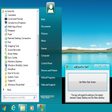
Start Menu 8 Windows向けのアプリ
- IObit による
- 無料
- 5.3.0.1
関連ソフトウェア
Windows 8 Start Menu Toggle
効率的なスタートメニューカスタマイズツール
Pokki Start Menu
PokkiでWindows 8の体験を再活性化する

NTLite Free 32-bit
NTLite Free 32-bit is an app for Windows administrators that allows you to edit Windows installation images, either 'offline' or 'live'. The 'live' edit mode is a unique feature that lets you modify already installed Windows OS' without re-installation. All you have to do is run the tool on the OS you want to edit, change what you need and reboot if necessary. NTLite Free 32-bit has an intuitive interface which is easy to use. The app makes use of dynamic menus, an easy image mount overview and single- file settings. Key Features Include: Intuitive interface. Disk partitioning. Highly customizable. 'Live' edit mode. The app has numerous features including component removal, language packs and app integration, disk partitioning and a pending changes overview. It is interesting to note that NTLite does not require .NET Framework to run under supported operating systems. This is useful as it enables the app to run faster and is more portable with less dependencies. Supported Windows versions include Windows 7, 8, 8.1 and 10 Technical Preview.

Lines Code Editor
Lines Code Editor was created to be a free, fast and simple source code editor for Microsoft Windows. Seen by its creators at CreatixBih as a great Notepad replacement editor, the software boasts many features and is pretty easy to use. Users will notice a quick and effective start-up and workflow, even on older machines. It also has an integrated web browser with auto-refresh on save and a host of easy to navigate document tabs. Key features include: Checks PHP syntax errors on save. Custom text snippets and document templates. Split code editor up to four views. User commands, external scripts, output console. Full capable project explorer integration. Syntax highlighting for many common languages. Code folding for CSS, PHP and JavaScript files. The software also supports Unicode, UTF-8, ANSI, ASCII encodings, and boasts an encoding converter. It contains a work-space and project-based file browser which facilitates code export and printing support. There is also a colour picker with the current CSS file colours. In terms of line operations you can toggle comment, duplicate, remove empty and trim ends. You are also able to convert encoding and text by opening the folder as a project from explorer’s right click menu. You will then have right click editing of any file in explorer and be able to export the project as a zip file. Lines Code Editor has many more abilities, but overall it is quickly gaining a great reputation as a Notepad replacement editor. It is also remarkably user friendly, which makes all the difference. It is available for download, as long as the following requirements are met: Microsoft .NET Framework 3.5 – Download and Windows: XP, Vista, 7, 8 or 10
Notepad3
Notepad3 is a revamp of the standard, vanilla offering Windows Notepad that comes with Microsoft’s operating system. Notepad3 is a fast and lightweight Scintilla-based text editor with syntax highlighting capability. Although it has a small footprint, it is powerful enough to handle most programming jobs thrown at it. Key Features include: Code folding. Bracket matching. Automatic indentation. Word auto-completion. Convert character encoding between various formats (ASCII, UTF-8, and UTF-16). Newline format conversion (between DOS (CR/LF). Unix (LF), and Macintosh (CR) formats), multiple undo or redo, bookmarks, and regular expression-based find and replace. Notepad3 also supports many programming languages including syntax highlighting support for ASP, assembly language, AutoHotkey, AutoIt3, AviSynth, Bash, BAT, C, C++, C#, CMake, CoffeeScript, Common Gateway Interface (CGI), Cascading Style Sheets (CSS), DIFF, HTML, INF, INI, Inno Setup, Java, JavaScript, LaTeX, Lua, Markdown, NSIS, Pascal, Perl, PHP, Python, REG, Ruby, SQL, Tcl, Visual Basic (VB), VBScript, VHDL scripts, XHTML, XML, YAML and improved support for NFO ANSI art.
EaseUS Partition Master Free
Partition Magicの代替として、EASEUS Partition Master Home Editionは無料のオールインワンパーティションソリューションおよびディスク管理ユーティリティです。パーティションの拡張(特にシステムドライブ用)、ディスク領域の管理、MBRおよびGUIDパーティションテーブル(GPT)ディスクのディスク領域不足の問題の解決を可能にします。 パーティションのサイズ変更/移動システムドライブを拡張するディスクとパーティションをコピーパーティションをマージ分割パーティション空き領域を再分配するダイナミックディスクの変換パーティションを回復する

VMware Workstation Player
仮想マシンは、ソフトウェアで定義されたコンピューターです。 PCでPCを実行するようなものです。 この無料のデスクトップ仮想化ソフトウェアアプリケーションにより、VMware Workstation、VMware Fusion、VMware Server、またはVMware ESXで作成された仮想マシンを簡単に操作できます。 主な機能は次のとおりです。 1台のPCで複数のオペレーティングシステムを同時に実行します。 インストールや構成の問題なしに、事前構成された製品の利点を体験してください。 ホストコンピューターと仮想マシン間でデータを共有します。 32ビットと64ビットの両方の仮想マシンを実行します。 2-way Virtual SMPを活用します。 サードパーティの仮想マシンとイメージを使用します。 ホストコンピューターと仮想マシン間でデータを共有します。 幅広いホストおよびゲストオペレーティングシステムのサポート。 USB 2.0デバイスのサポート。 起動時にアプライアンス情報を取得します。 直感的なホームページインターフェイスを介して仮想マシンに簡単にアクセスできます。 VMware Playerは、Microsoft Virtual Server仮想マシンまたはMicrosoft Virtual PC仮想マシンもサポートしています。
Audacity
Audacity is a free, easy-to-use audio editor and recorder for Windows, Mac OS X, GNU/Linux and other operating systems. You can use Audacity to: Record live audio. Convert tapes and records into digital recordings or CDs. Edit Ogg Vorbis, MP3, WAV or AIFF sound files. Cut, copy, splice or mix sounds together. Change the speed or pitch of a recording. Add new effects with LADSPA plug-ins. And more!
Rufus
Rufusは小さなユーティリティで、USBキーやペンドライブ、メモリスティックなどの起動可能なUSBフラッシュドライブをフォーマットおよび作成できます。 Rufusは、次のシナリオで役立ちます。 Windows、Linux、およびUEFI用の起動可能なISOからUSBインストールメディアを作成する必要がある場合。 OSがインストールされていないシステムで作業する必要がある場合。 BIOSまたはその他のファームウェアをDOSからフラッシュする必要がある場合。 低レベルのユーティリティを実行する必要がある場合。 Rufusは次の* ISOで動作します:Arch Linux、Archbang、BartPE / pebuilder、CentOS、Damn Small Linux、Fedora、FreeDOS、Gentoo、gNewSense、Hiren's Boot CD、LiveXP、Knoppix、Kubuntu、Linux Mint、NT Password Registry Editor、 OpenSUSE、Parted Magic、Slackware、Tails、Trinity Rescue Kit、Ubuntu、Ultimate Boot CD、Windows XP(SP2以降)、Windows Server 2003 R2、Windows Vista、Windows 7、Windows 8。 *このリストは完全ではありません。 サポートされている言語は次のとおりです。インドネシア語、マレーシア語、セシュティナ、ダンスク、ドイツ語、英語、スペイン語、フランス語、フルバツキー、イタリア語、ラトヴィエシュ、リエトゥビウ、マジャール、オランダ、ノルスク、ポルスキ、ポルトガル、ポルトガル、スロヴェンスキー、スロベンツキー、スロヴェンスキーSrpski、Suomi、Svenska、Türkçe。

DAEMON Tools Lite
ISOイメージクリエーターおよびバーナー
PCSX2
PCSX2は、PC用のPlaystation 2エミュレーターです。エミュレータの互換性率は、プレイ可能なすべてのPS2ゲームの80%以上を誇っています。かなり強力なコンピューターを所有している場合、PCSX2は優れたエミュレーターです。また、このアプリケーションはローエンドコンピューターのサポートも提供するため、Playstation 2コンソールのすべての所有者は、PCで動作するゲームを見ることができます。 PCSX2エミュレーターを使用すると、PS2コントローラーを使用して、本物のプレイステーション体験をシミュレートできます。このアプリケーションでは、ディスクからゲームを直接実行することも、ハードドライブからISOイメージとして実行することもできます。 主な機能は次のとおりです。 Savestates:ボタンを1つ押すだけで、ゲームの現在の「状態」を保存できます。 無制限のメモリーカード:好きなだけメモリーカードを保存でき、8MBから64MBまでの単一の物理カードに制限されなくなりました。 高解像度グラフィックス:PCSX2を使用すると、1080pまたは4K HDでゲームをプレイできます。 全体として、PCSX2 PS2エミュレーターの機能は優れています。 PS2ゲームを高い精度でエミュレートでき、Windowsとエミュレーターを切り替えることができます。欠点は、高速ゲームに苦労し、時々フリーズまたはクラッシュすることです。* PCSX2を使用するには、コンソールから抽出できるPlaystation 2 BIOSが必要です。
CCleaner Free
掃除と最適化が簡単に