via-desktop Windows向けのアプリ
- Cebby による
- 無料
- 2026.4.6

技術仕様
- タイトル
- Windows用のvia-desktop 2026.4.6
- 必要条件
- Windows 11
- ライセンス
- 無料
- 最新の更新
- 著者
- Cebby
- SHA-1
afeeda8cd4cc9cc5fbf4113831c7da3e1ffe8e73
- ファイル名
- 2026.4.6.exe
他の言語で利用可能なプログラム
via-desktop Windows向けのアプリ
- Cebby による
- 無料
- 2026.4.6
変更ログ
via-desktopのバージョン2026.4.6に関する変更ログ情報はまだありません。出版社がこの情報を公開するのに時間がかかる場合がありますので、数日後にもう一度チェックして更新されたかどうかを確認した後、
アンケートにお答えいただけますか?
変更ログ情報に変更があった場合には、お客様からの連絡をお待ちしております!次に進みます。お問い合わせページ 当社にご連絡ください。
アプリを探索
関連ソフトウェア

Nero BackItUp
Nero BackItUp is a cloud storage solution and a component of many Nero suites and applications. It's also available as a standalone product that is paid for on a subscription basis. Competing directly with services and Dropbox and Google Drive, Nero BackItUp is in a crowded and growing market. It puts a media-specific spin on its own offering. History Nero BackItUp is marketed as a general cloud storage service for any files or media, but it can also be backed up to local media - hard drives, USB storage, DVD, network drive and so on. The latter is a mark of its legacy; it's a pre-cloud product which has been adapted to include a cloud storage option as the market has grown. Plus Points Like some of its competitors, Nero BackItUp saves different file versions for simple recovery of older files. It has backup apps for iOS and Android, in addition to the Windows version. One account lets users back up a maximum of 5 PCs or laptops via the free software; there's no limit to the number of mobile devices that can be backed up. All of the Nero BackItUp subscriptions include encryption and compression to make sure storage is fast and secure. Plans There are 3 price tiers depending on the volume of storage space you need: 5 PRO is an affordable 5GB account with manual backup on demand 25 PRO ups the storage to 25GB and includes automatic backup The final plan is an unlimited service, which means that there is no storage cap Remember, though, that uploading gigabytes of data takes a long time - as does retrieving it again. If you opt for unlimited, you'll need a connection that is fast enough to support it. Integration Nero BackItUp is particularly useful for people who store a lot of home-made content on mobile devices. Once these photos and videos are in the cloud, they can be streamed and shared from anywhere.

MyPhone Explorer
MyPhoneExplorer is a phone management app that is quite useful if you need to explore your mobile device. The app works with Sony Ericsson and Android mobile phones (Android 1.6 or higher). The app connects to your device via USB cable, infrared or Bluetooth connections. With MyPhone Explorer you can make full use of the backup, explorer and personal information manager facilities. Key Features Include: Bidirectional filesync with the phone. Sync your mobile phone with other desktop based apps such as Microsoft Outlook (including Express), Mozilla Thunderbird, Sunbird, Lotus Notes and Google Mail. Sync your calendar entries with Microsoft Windows Calendar, Rainlendar, Tobit David and Google Calendar. Enhanced filebrowser for renaming files and external storage management. Simplified user interface. If you have a mobile phone running Android (version 1.6 or higher), you are going to like this app. The user interface is simple and easy to navigate. You can easily perform different actions such as editing your contacts (from both SIM and Phone memory), send SMS messages faster from the PC interface, manage and edit any appointments, notes or alarms. One of the best features is the ease and speed that you can transfer data from your SD Card to your PC. All in all, the advantages of MyPhone Explorer are its ease of use coupled with speed and backup facility. Note:limitation applies to low-cost phones which do not have a PC-interface and Symbian based handsets that require the PC-Suite to be installed first and therefore this limits the connection with the app via USB.

GoodSync for Windows
GoodSync for Windows is an easy, secure, and reliable way to automatically synchronize and back up your photos, MP3s, and important files. Backing-up and/or synchronizing your critical documents is an easy affair, with tasks that can be scheduled using a variety of Google Drive, Amazon S3, and SkyDrive supportautomatic options. GoodSync for Windows offers true bi-directional file synchronization that prevents any data loss. The app can be used to synchronize data between your desktop PC and laptop, home and office computers, computer and removable devices (USB Key, Flash Drive, CDRW disc). This can be done over a local network or via the Internet. Key Features include: Powerful syncing capabilities. Compare and analyze changes to files. Can backup multiple versions of files. Google Drive, Amazon S3, and SkyDrive support. Overall, GoodSync for Windows is a powerful file synchronization app. It offers cross platform availability and currently available for Windows, Mac, and Linux. The app lets you backup and sync files to any number of locations, including online storage, other computers, and even mobile devices. The only downside we can see, is that it has no compression or encryption options.
Screeny
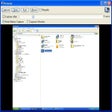
Screeny is a uniquely versatile and powerful screen capture and desktop recording program that is free for personal use. That's right, free, completely, for personal use. It's also quite brilliant. Of course, while we here at FileHippo.com love free software, we really, really, really love it when the free stuff is better than some of the software tools out there you have to pay money for. And Screeny is really, really good. Just to clarify, we don't mean really good for free software, we actually just mean it's really good. Screeny isn't just another Windows Snipping tool that captures full screen and active windows or parts of your computer screen. Of course, it does do that, but Screeny is so much more. As well as full-screen and rectangular captures, it can also grab circle, DOS windows freehand selections, scrolling areas, menu structures, Windows objects (regions, windows, controls) and an awful lot more besides. Essentially, whatever you want to capture on your PC or laptop, you can. But it's the after effects where Screeny really shines. You can add shadows, border effects, captions, watermarks and a wide selection of other options as well. Screeny also comes with an editor and paint tool as standard, that allows you to annotate to your heart's content, and things like arrows, question marks, ticks and a load of objects that are similar to the now defunct Microsoft clip-art. Your screen captured images can be saved in a large number of formats including all the usual image files and the always useful PDF. Captured images can be sent via email or opened in Word, Excel, and PowerPoint. Screeny also really shines in one other area, and that's the ability to record your desktop, complete with audio. It's really good as well. Additionally, the built-in whiteboard is excellent for creating presentations in an instant, and allows you to save the files as AVI. (In the paid-for version, you can also save in WMV, FLV, SWF) Key Features: Record your desktop, complete with audio. Powerful screenshot tool. Free. (For personal use). Huge number of options. Well designed and lots, and lots of options. Built-in editor and paint tool. Overall, Screeny is a brilliant, free, powerful screenshot tool with a huge amount if utility, with a near staggering number of things it lets you do.

Wireshark
Wireshark is the world's foremost network protocol analyzer, and is the de facto standard across many industries and educational institutions. Deep inspection of hundreds of protocols, with more being added all the time Live capture and offline analysis Standard three-pane packet browser Multi-platform: Runs on Windows, Linux, OS X, Solaris, FreeBSD, NetBSD, and many others Captured network data can be browsed via a GUI, or via the TTY-mode TShark utility The most powerful display filters in the industry Rich VoIP analysis Read/write many different capture file formats Capture files compressed with gzip can be decompressed on the fly Live data can be read from Ethernet, IEEE 802.11, PPP/HDLC, ATM, Bluetooth, USB, Token Ring, Frame Relay, FDDI, and others (depending on your platfrom) Decryption support for many protocols, including IPsec, ISAKMP, Kerberos, SNMPv3, SSL/TLS, WEP, and WPA/WPA2 Coloring rules can be applied to the packet list for quick, intuitive analysis Output can be exported to XML, PostScript®, CSV, or plain text
NetDrive
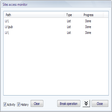
With the help of NetDrive accessing multiple cloud storage accounts like Dropbox, SkyDrive, CloudMe and Box becomes as easy as accessing your local file system. WebDAV and FTP servers are registered through the NetDrive Site Manager. Secure HTTPS connections can be configured in the Advanced menu. Once connected online drives can be controlled from Windows Explorer via a drive letter. Remote files than behave like any local data. Transferring files and folders works by drag&drop, applications can be executed and movies start with a mouse click. NetDrive has an option to launch at Windows start and is accessible through an icon in the system tray. The free tool even offers legacy DOS-prompt support including the use of commands like xcopy and dir.
iSpring Free Cam
iSpring Free Cam is a great media recording solution that allows you to record any part of your screen, edit recorded video, and upload it directly to YouTube or save as WMV. iSpring Free Cam can solve a number of screen sharing issues. For instance, with it you can troubleshoot a computer issue or show someone that you are solving a technical problem. You can also help others learn how a specific app is used, providing a video tutorial rather than a written explanation. iSpring Free Cam lets you create high quality video recordings, providing you with all the tools you need to capture screen actions and edit the output in order to prepare it for online sharing. Advanced options include: Customizable recording area. Advanced audio settings (microphone and system sounds recording). Mouse indication (highlight and sounds). -audio & video recording (trimming, noise removal, and others) Direct one-click upload to YouTube. Save recordings as high-quality videos in WMV. Hot key support for simple navigation. Overall, iSpring Free Cam lets you record desktop videos, perform audio adjustments and save your clips locally or share them via YouTube, all via a modern, intuitive interface. The only downside we can see is there is no webcam support. This would have added to the already adept recording capabilities.

Pencil
Pencil is a free and open-source GUI prototyping tool that is quick, easy and works across multiple platforms. Pencil provides various built-in shapes collection for drawing different types of user interface ranging from desktop to mobile platforms. Starting from 2.0.2, Pencil is shipped with Android and iOS UI stencils pre-installed. This makes it even easier to start protyping apps with a simple installation. The list of built-in collections also includes general-purpose shapes, flowchart elements, desktop/web UI shapes, Android and iOS GUI shapes. There are also many other collections created by the community which are freely available on the Internet. Pencil also supports any exports formats including PNG and HTML. When exporting to HTML you can even define links and behaviours, allowing you to 'walk' clients through the UI mockup with buttons which actually work! This makes it much easier to model to flow of a user interface. Pencil also supports exporting documents into popular formats including OpenOffice/LibreOffice text documents, Inkscape SVG and Adobe PDF.

PDF Combine
PDF Combine is a powerful application that can turn multiple PDF files into one single document that you may organize and share as you need to. There are multiple ways to complete the combination process, depending upon the configuration of the files you start with and the end product you need. There are various ways to combine your PDF document. e.g. you can add each file you want in the finished version individually, or you can put them all in one folder and let PDF combine do the work for you. You can even combine them by common name part, via command line, and from the desktop if you so wish. Key features include: Intuitive interface. Highly configurable. Combine by folder or file name. Encrypt PDF Documents. Command line option. PDF Combine has a crisp looking interface that is easy to navigate; all of the options are clearly marked, and most features are where you need them to be located. The downside to PDF Combine is the fact that it does take some time to learn about all of the options available and how to use them best. Unfortunately, the Help document isn't very clear. If, however, you have some experience with similar applications then the learning curve should not be as steep as those without.

Nexus
The Winstep Nexus Dock is a FREE professional dock for Windows. With Nexus, your most frequently used applications are only a mouse click away - and Nexus turns working with your computer into a fun and exciting experience. The Nexus dock provides one-click access to frequently used applications, folders and documents. Main features: Display running applications on the dock with task grouping, filtering and icon customization options. Display system tray on the dock as single or grouped icons. Blur-Behind and colorization of dock backgrounds. Monitor active connections and bandwidth usage with Net Meter module. Get weather forecast for over 39,000 cities world-wide. Multiple mouse over effects: zoom, swing, bounce and more! Live icon reflections and animated water-like effects for reflections and dock backgrounds. Easily change appearance of icons of running programs and shortcuts by drag & dropping PNG, ICO and TIF files directly into the icon. Multi-monitor support. Compatible with skins for all 3rd party docks.

NetGong
NetGong is an lightweight, intuitive network monitoring utility, which allows network administrators the ability to monitor any networked device on the Internet, corporate intranet, or TCP/IP LAN. NetGong alerts users immediately via an alarm, message, e-mail, or a configured third-party app, whenever a connection fails. Constant network availability is mission-critical these days, and a sophisticated monitoring solution such as NetGong is one way to help ensure network devices or services don’t fail without knowledge. Key Features include: System service:Runs as a system service automatically on startup. Agentless architecture:Monitor network devices or services without installing an agent on each machine. Independent parameters:Set parameters independently for each network resource. Maintenance mode:Temporarily disable monitoring of certain resources. Robust alerting:Alerts you to failures using a variety of techniques. Alert schedule:Allows you configure the alerting functions. Failure and recovery alerts:Alerts can be enabled for any combination of failure and recovery notices. Custom alerts:Allows custom alerts for each monitored resource. Test alert configuration:Each alert type can be tested prior to going live. E-mail notification:Allows e-mail notification via SMTP. SSL encrypted connections:Provides security benefits during authentication. Custom messages:Supports keyword values and customized message information. Integrated reporting:Real-time and historical reporting capabilities. HTML report output:Provides reports in HTML format. Remote access:Supports monitoring results via Web browser. Overall, NetGong is a powerful monitoring app that delivers low cost, round-the-clock network coverage. It is an essential addition to any network administrator’s toolkit, It allows users to tailor it to their particular network, from a single server or a small-office LAN to hundreds of devices running on a large corporate network.

Andy
Andy is an application that lets you connect your mobile device and desktop, together in a virtual environment, which is ideal for gaming. The application also provides you with unlimited storage capacity, PC compatibility and freedom to play all your favourite mobile titles on your desktop.Andy syncs to your Google play account via the cloud. All your devices are synced, so your gaming progress is never lost! Key Features Include: Andy provides seamless sync between your mobile device and your desktop. Andy lets you connect Win/Mac with Android apps for launching, push notifications and storage. You can enable app downloads from any desktop browser direct to Andy OS. Andy lets you view your favourite communication and entertainment mobile apps, right on your desktop. With Andy, you can use your mobile device as a joystick. This has added appeal, as you won't have to sacrifice any multi-touch or gyroscopic elements of gaming. Andy gives you seamless connections between your desktop and your mobile device. With this type of connection you can also receive SnapChat picture messages and WhatsApp messages right on your desktop. Andy also grants you access to your local computer file system, it has camera and microphone integration and developer support is also available. There is a comparison chart on the Andy homepage that lists the application's features in comparison to other, similar virtual environments, such as BlueStacks.
最新更新

DriverEasy
無料のドライバー更新ツール

Power Automate Desktop
Power Automate Desktopでワークフローを合理化する

WinScan2PDF
ソフトウェアをインストールせずに Windows から直接 PDF ドキュメントをスキャンする

iCloud
クラウド ストレージおよびコンピューティング プログラム

Razer Synapse 3
Razer Synapse 3 キーボードと Razer Cortex A チップセット - 概要
CrystalDiskMark
無料のディスク ドライブ ベンチマーク アプリ

HiBit Uninstaller
Windows用のHiBitアンインストーラーの包括的レビュー

LabyMod Launcher
LabyModランチャーでMinecraft体験を向上させよう

Core Temp
PC プロセッサの温度を監視する無料プログラム
H2testw
H2testwによる効率的なストレージテスト

Dopamine 3
ドーパミン 3: ストリームラインされたオーディオプレーヤー

DiskZIP: 100% Green Storage, No Streaming
DiskZIPによる効率的なファイル圧縮